
The Imperative of Digital Security: Why Your Chase Password Matters
In the contemporary digital landscape, the security of online accounts, especially those linked to personal finances, is paramount. Your Chase password serves as the primary barrier protecting your banking information, transaction history, and overall financial well-being from unauthorized access. The increasing sophistication of cyber threats necessitates a proactive and informed approach to managing this crucial digital credential. Neglecting password hygiene can expose users to a spectrum of risks, from identity theft to direct financial loss, underscoring the vital role each individual plays in their own digital defense.
Understanding Cybersecurity Threats
The internet is rife with various malicious actors constantly attempting to compromise user accounts. Common threats include phishing, where attackers use deceptive emails or websites to trick users into revealing their credentials; brute-force attacks, which involve systematically trying many password combinations; and credential stuffing, where stolen username-password pairs from one breach are used to attempt logins on other sites. Malware and keyloggers can also capture input, making strong passwords and regular changes essential countermeasures. Understanding these attack vectors highlights why a robust password, regularly updated, is a foundational element of cybersecurity.
Proactive Password Management
Proactive password management extends beyond merely setting a strong initial password. It encompasses regular updates, the use of unique passwords for each service, and immediate changes if a password is suspected of being compromised or if a data breach affecting other services comes to light. For financial accounts like Chase, this proactive stance is non-negotiable. Regular password changes, even without a specific incident, act as a preventative measure, limiting the window of opportunity for any potential attacker who might have gained access to an older credential.
The Role of Financial Institutions in Security
While financial institutions like Chase invest heavily in sophisticated security infrastructures, including advanced encryption, fraud detection systems, and secure authentication protocols, the end-user remains the critical last line of defense. Chase implements stringent technical measures to protect customer data on their servers and during transmission. However, if a user’s password is weak, reused, or falls into the wrong hands due to user negligence, even the most robust institutional security cannot prevent unauthorized account access. This shared responsibility emphasizes the importance of utilizing the security tools and practices available, starting with effective password management.
Step-by-Step Guide: Changing Your Chase Online Password
Changing your Chase password is a straightforward process designed to enhance your account security. Whether you are performing a routine update or responding to a security concern, following these steps will ensure a smooth and secure transition to a new credential. The process can be completed via the Chase website on a desktop or through the Chase mobile application.
Accessing the Chase Website/App
Begin by navigating to the official Chase website (www.chase.com) using a trusted web browser, or launch the official Chase Mobile® app on your smartphone or tablet. Always ensure you are on the legitimate Chase domain or using the authenticated app downloaded from an official app store. Avoid clicking links from unsolicited emails or third-party websites, as these can be phishing attempts designed to mimic Chase’s interface. Log in to your account using your current username and password.
Navigating to Security Settings
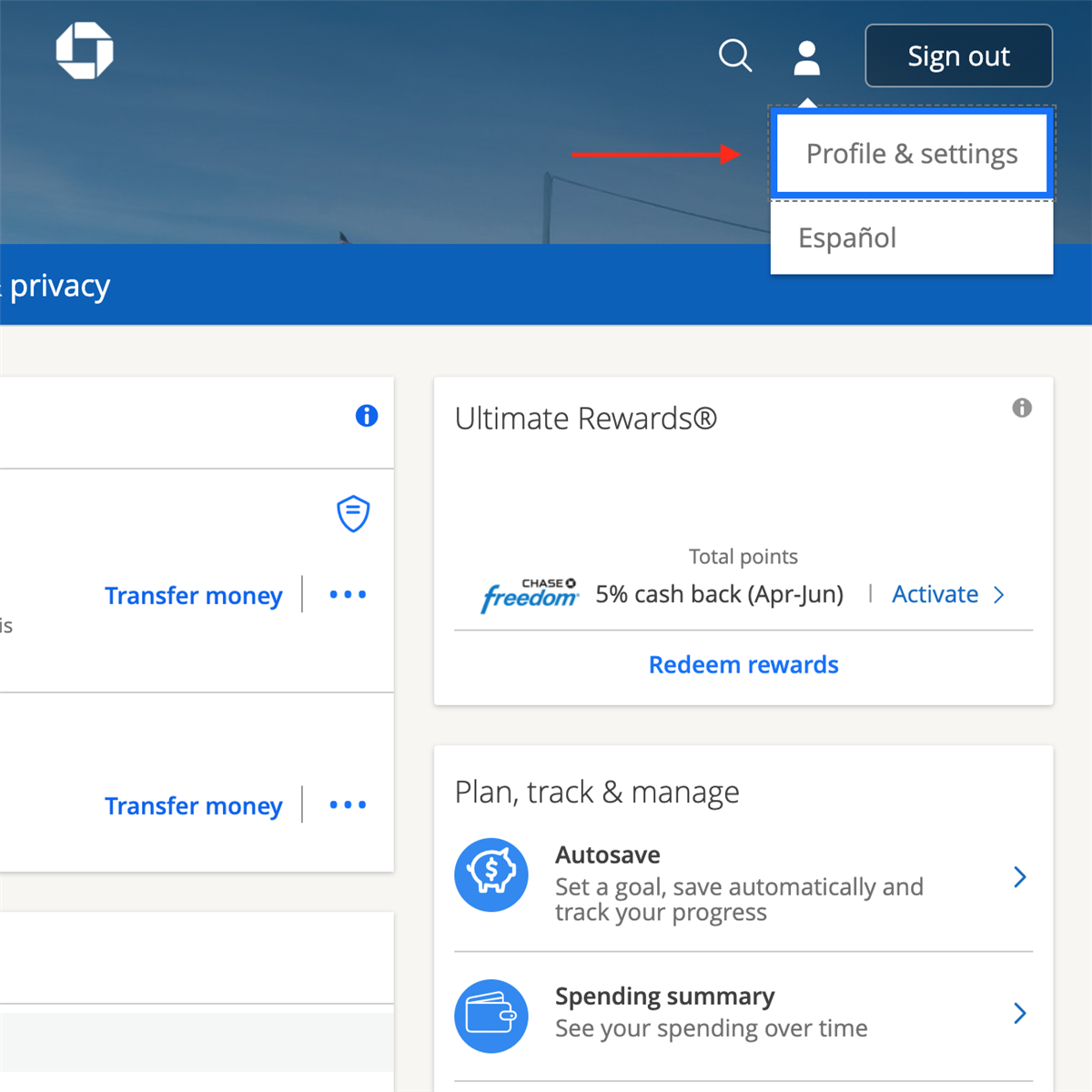
Once logged in, locate the “Profile & Settings” or “Security & Privacy” section. On the website, this is typically accessible via a dropdown menu associated with your name or profile icon, usually located in the top right corner. Within the mobile app, you might find this under the main menu (often represented by three horizontal lines or a “More” option). Look for an option related to “Security,” “Password,” or “Login & Security.” Clicking on this will take you to the relevant management page.
The Password Update Process
On the security settings page, you should find an option to “Change Password.” Clicking this will prompt you to enter your current password first. This is a crucial security step to verify your identity. After successfully entering your current password, you will be asked to create and confirm your new password. Chase typically enforces specific password requirements, such as a minimum length (e.g., 8-32 characters), and a combination of uppercase letters, lowercase letters, numbers, and special characters. Pay close attention to these criteria as you construct your new password to ensure it meets the required strength standards.
Verifying Your Identity
As an additional layer of security, Chase may require you to verify your identity before finalizing the password change. This usually involves sending a one-time verification code to a registered phone number or email address, or answering one of your pre-set security questions. This multi-factor authentication (MFA) step ensures that even if someone had your current password, they would still need access to your verified contact method to complete the change, significantly bolstering account protection. Input the code or answer the question accurately to proceed.
Confirmation and Next Steps
Upon successful verification and submission, you will receive a confirmation message that your password has been updated. Chase often sends an email notification to your registered email address as an additional security alert. It is advisable to log out of all active sessions across all devices immediately after changing your password to ensure the new credential is universally applied. Consider reviewing your account activity for any suspicious entries following a password change, especially if the change was prompted by a security concern.
Best Practices for Robust Password Creation and Management
Beyond simply changing your password, the true strength of your digital security lies in the quality of your new password and your overall password management strategy. Implementing best practices for password creation and leveraging available technological tools can significantly elevate your protection against a wide array of cyber threats.
Strength and Complexity Requirements
A strong password is not merely one that meets minimum length and character requirements, but one that is also difficult to guess or crack through automated means. Aim for passwords that are at least 12-16 characters long. Incorporate a mix of uppercase and lowercase letters, numbers, and special characters. Avoid using easily predictable patterns, sequential numbers, or common keyboard paths. The more diverse and randomized your character set, the stronger your password will be.
Avoiding Common Pitfalls

Many users inadvertently weaken their security by falling into common password pitfalls. These include using personal information (birthdays, pet names, addresses), dictionary words, or repeating characters. Reusing the same password across multiple online accounts is particularly dangerous, as a breach on one service can compromise all others that share the same credential. Each online service should have a unique, complex password to contain the damage of any potential data breach.
The Power of Passphrases
Instead of trying to remember complex strings of random characters, consider using passphrases. A passphrase is a sequence of several unrelated words, often separated by spaces or special characters, that forms a longer, more memorable, yet still highly complex password. For example, “CorrectBatteryStapleHorse-97” is far more robust than “Chase123!” and much easier to recall than “jT9!cR2&qP7%wL.”
Leveraging Password Managers
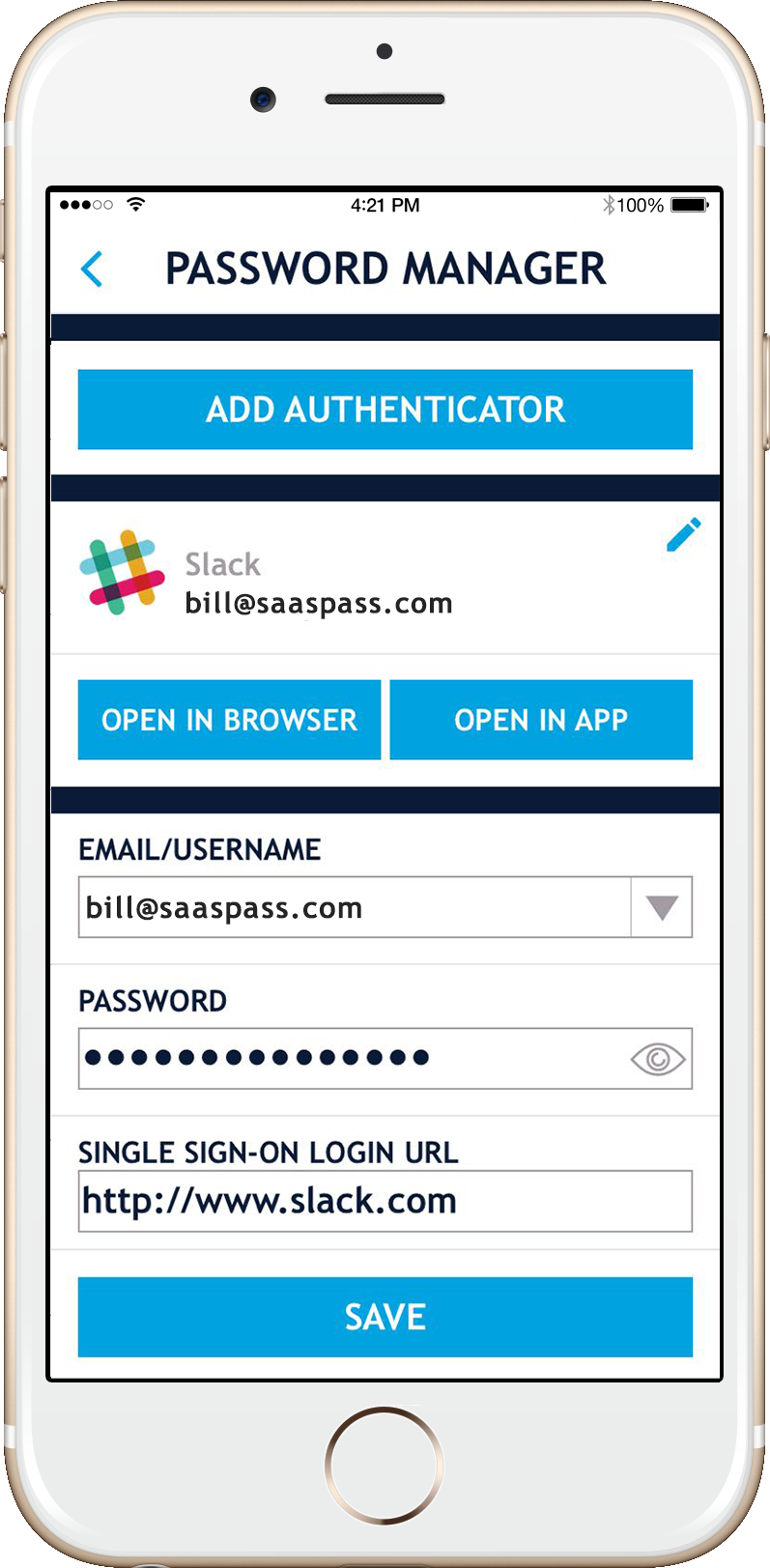
Password managers are invaluable technological tools for generating, storing, and managing unique, strong passwords for all your online accounts. Applications like LastPass, 1Password, Bitwarden, or KeePass securely encrypt your credentials behind a single master password. They can auto-fill login details, eliminating the need to type passwords manually (which guards against keyloggers), and alert you to reused or weak passwords. Integrating a reputable password manager into your digital workflow significantly enhances security and convenience.
Multi-Factor Authentication (MFA) as a Critical Layer
While technically not part of the password itself, Multi-Factor Authentication (MFA) is an indispensable security layer that should be enabled on your Chase account and any other service that offers it. MFA requires you to provide two or more verification factors to gain access, typically something you know (your password) and something you have (a code from your phone via SMS or an authenticator app, or a hardware token) or something you are (biometrics like a fingerprint or face scan). Even if an attacker compromises your password, they would still need access to your second factor to breach your account.
Troubleshooting Common Password-Related Issues
Even with best practices in place, users may occasionally encounter issues related to their Chase password. Understanding how to navigate these common problems, from forgotten credentials to potential phishing attempts, is crucial for maintaining uninterrupted and secure access to your financial accounts.
Forgotten Username or Password Recovery
If you forget your Chase username or password, do not attempt to guess multiple times, as this could lead to an account lockout. Instead, immediately utilize the “Forgot Username” or “Forgot Password” links available on the Chase login page. These recovery processes typically involve a series of identity verification steps, such as providing your Social Security Number, account number, or answering security questions, followed by sending a one-time code to a registered phone or email to confirm your identity before allowing you to reset your credentials.
Account Lockouts
Account lockouts occur when too many unsuccessful login attempts are made. This is a security measure designed to prevent brute-force attacks. If your account is locked, Chase’s system will usually provide instructions on how long you need to wait before attempting to log in again or guide you through a password reset process. If you believe your account was locked due to unauthorized attempts, it’s critical to reset your password immediately and review recent account activity for any suspicious transactions after gaining access.
Recognizing Phishing Attempts
Phishing is a prevalent cyber threat where attackers try to trick you into revealing your login credentials. Be vigilant for emails, text messages, or websites that claim to be from Chase but exhibit red flags: generic greetings (“Dear Customer” instead of your name), poor grammar or spelling, urgent requests to “verify” your account by clicking a link, or unusual sender email addresses. Always navigate directly to the official Chase website or app for any account-related actions, rather than clicking suspicious links. Chase will never ask for your full password or sensitive personal information via email.
When to Contact Chase Support
If you encounter persistent issues changing your password, suspect your account has been compromised, or have difficulty with the recovery process, it’s best to contact Chase customer support directly. Use the official contact numbers listed on the Chase website (www.chase.com) or within the mobile app. Avoid using phone numbers found in suspicious emails or third-party websites. Clearly explain your issue, and be prepared to go through additional identity verification steps with the support agent.
Beyond the Password: Holistic Digital Account Security
While a strong, unique password and Multi-Factor Authentication are cornerstones of digital security, a truly robust defense against cyber threats requires a more holistic approach. Protecting your Chase account involves continuous vigilance and the implementation of several complementary security practices that extend beyond the login screen.
Regular Security Reviews
Periodically review the security settings of your Chase account. This includes checking the list of devices authorized to access your account, reviewing your registered contact information (phone numbers, email addresses), and confirming that security alerts are enabled and directed to your current contact details. Some platforms offer a security check-up feature that guides you through these important verification steps. Ensuring all information is current and authorized helps prevent attackers from redirecting verification codes or account notifications.
Monitoring Account Activity
Proactive monitoring of your Chase account activity is a critical defensive measure. Regularly log in to review your transaction history, statements, and any pending transfers. Sign up for transactional alerts via email or text message, which notify you instantly of activity such as large purchases, international transactions, or ATM withdrawals. Rapid detection of unauthorized activity allows for swift action to mitigate potential financial losses and to report fraud to Chase immediately.
Keeping Software Updated
Maintaining up-to-date operating systems, web browsers, and the Chase mobile app itself is fundamental to digital security. Software updates frequently include critical security patches that address newly discovered vulnerabilities. Running outdated software can leave your devices and, consequently, your online accounts exposed to known exploits that attackers can leverage. Enable automatic updates wherever possible to ensure your systems benefit from the latest security enhancements without manual intervention.
Secure Wi-Fi Practices
The network you use to access your Chase account can also be a point of vulnerability. Avoid accessing your banking information over unsecured public Wi-Fi networks (e.g., in cafes, airports). These networks are often susceptible to eavesdropping and Man-in-the-Middle attacks, where attackers can intercept your data. If you must use public Wi-Fi, always employ a reputable Virtual Private Network (VPN) to encrypt your internet traffic, creating a secure tunnel for your data and protecting your sensitive financial information from prying eyes.
aViewFromTheCave is a participant in the Amazon Services LLC Associates Program, an affiliate advertising program designed to provide a means for sites to earn advertising fees by advertising and linking to Amazon.com. Amazon, the Amazon logo, AmazonSupply, and the AmazonSupply logo are trademarks of Amazon.com, Inc. or its affiliates. As an Amazon Associate we earn affiliate commissions from qualifying purchases.