
Understanding Coinbase and Coinbase Wallet: A Dual-Platform Approach
Navigating the cryptocurrency landscape often involves interacting with multiple platforms, each offering distinct functionalities. Among the most popular for beginners and seasoned users alike are Coinbase and its companion, Coinbase Wallet. While both are part of the Coinbase ecosystem, they serve fundamentally different purposes, necessitating an understanding of their individual roles before initiating any asset transfers.
Coinbase: The Centralized Exchange Ecosystem
Coinbase functions primarily as a centralized cryptocurrency exchange. It acts as a gateway for millions worldwide to buy, sell, and trade a wide array of digital assets using traditional fiat currencies. When you purchase crypto on Coinbase, your assets are typically held in a “custodial wallet.” This means Coinbase, as the custodian, manages the private keys associated with your cryptocurrency. While this offers convenience, particularly for new users, by abstracting away the complexities of private key management and providing a familiar user interface, it also implies that you don’t have direct control over your private keys. Coinbase provides robust security measures, including insurance policies and advanced encryption, to protect user funds, making it a reliable entry point for many into the crypto economy. Its features extend beyond simple buying and selling, encompassing staking, earning rewards, and accessing various market analytics.
Coinbase Wallet: Your Self-Custody Solution
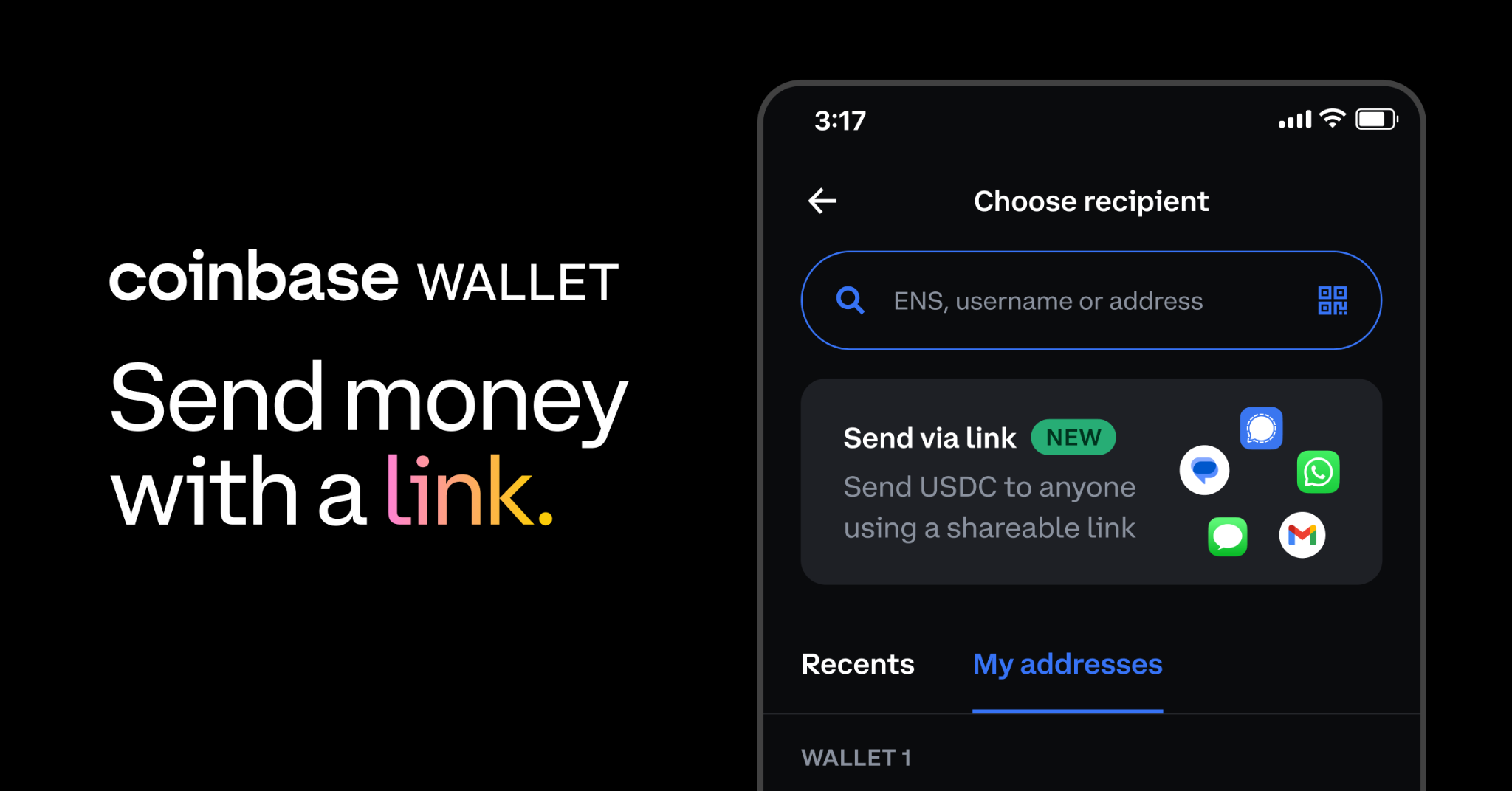
In contrast to the custodial nature of the Coinbase exchange, Coinbase Wallet is a non-custodial wallet application. This means that you, and only you, hold and control the private keys to your cryptocurrencies. This fundamental difference is crucial: with Coinbase Wallet, you possess absolute ownership and control over your digital assets. This self-custody empowers users with direct access to the decentralized web, including decentralized applications (DApps), non-fungible tokens (NFTs), and various DeFi (Decentralized Finance) protocols. The Wallet is designed to be a bridge to Web3, allowing users to explore the broader crypto ecosystem beyond the confines of a centralized exchange. When you set up Coinbase Wallet, you are given a recovery phrase (also known as a seed phrase) – a sequence of words that serves as the master key to your funds. Safeguarding this phrase is paramount, as its loss means permanent loss of access to your assets, and its compromise means your assets are vulnerable.
Why Transfer Between Them?
The primary motivation for transferring crypto from your Coinbase exchange account to your Coinbase Wallet is to gain greater control over your assets and to access the broader decentralized ecosystem. While Coinbase exchange is excellent for trading and holding, Coinbase Wallet unlocks functionalities such as:
-
Accessing DApps: Interacting with decentralized applications on various blockchains.
-
NFT Management: Storing, viewing, and interacting with NFTs.
-
DeFi Participation: Engaging in lending, borrowing, and yield farming protocols without intermediaries.
-
True Self-Custody: Exercising full ownership and control over your private keys, aligning with the core ethos of cryptocurrency.
Understanding this distinction is the first step in securely and effectively managing your digital assets across these complementary platforms.
Preparing for Your Crypto Transfer: Security and Prerequisites
Before initiating any transfer of digital assets, meticulous preparation is essential. This not only streamlines the process but, more importantly, fortifies the security of your funds, especially given the irreversible nature of blockchain transactions.
Essential Security Measures
Digital security cannot be overstated when dealing with cryptocurrencies. Adopting a proactive stance significantly reduces risks:
-
Two-Factor Authentication (2FA): Ensure 2FA is activated on both your Coinbase exchange account and your Coinbase Wallet. For the exchange, consider using an authenticator app (e.g., Google Authenticator, Authy) rather than SMS-based 2FA, which is more vulnerable to SIM-swap attacks. For Coinbase Wallet, secure your recovery phrase diligently and enable any biometric or PIN security features offered by the app.
-
Strong, Unique Passwords: Use complex, unique passwords for all your crypto-related accounts, ideally generated and managed by a reputable password manager. Never reuse passwords.
-
Beware of Phishing Attempts: Be highly suspicious of unsolicited emails, messages, or websites claiming to be Coinbase. Always verify URLs, and only interact with official Coinbase domains. Coinbase support will never ask for your recovery phrase or private keys.
-
Software Updates: Ensure both your Coinbase app and Coinbase Wallet app are updated to their latest versions. Software updates often include critical security patches and performance improvements. Operating outdated versions can expose you to known vulnerabilities.
Account Verification and Balances
Proper account setup and sufficient funds are fundamental prerequisites:
-
Verified Accounts: Confirm that both your Coinbase exchange account and your Coinbase Wallet are fully set up and verified. Verification on the exchange typically involves identity checks (KYC) required for compliance, while setting up the wallet involves securely backing up your recovery phrase.
-
Sufficient Crypto Balance: Double-check that you have the desired amount of cryptocurrency in your Coinbase exchange account that you intend to transfer.
-
Gas Fees (Network Fees): Be mindful that sending cryptocurrency incurs network fees (often called “gas fees” on Ethereum). These fees are paid to the blockchain network validators, not to Coinbase. Ensure you have a small amount extra in the relevant cryptocurrency (or the network’s native token, like ETH for ERC-20 tokens) to cover these transaction costs. Coinbase typically displays the estimated fee before you confirm the transaction.
Choosing the Right Cryptocurrency
While transferring between Coinbase and Coinbase Wallet is generally straightforward, it’s prudent to consider the asset type:
-
Supported Assets: Verify that the specific cryptocurrency you wish to transfer is supported by both your Coinbase exchange account and your Coinbase Wallet. Most major cryptocurrencies are compatible, but some newer or more niche tokens might be available on the exchange but not yet fully integrated with the Wallet’s display or functionality for DApps.
-
Network Compatibility (Internal vs. External): For transfers between Coinbase and Coinbase Wallet, the platform typically handles the underlying network compatibility, making it simpler than sending to an external, third-party wallet. However, it’s a good mental exercise to remember that different cryptocurrencies operate on different blockchain networks (e.g., Bitcoin on its own network, Ethereum and ERC-20 tokens on the Ethereum network). While the platforms abstract this for internal transfers, understanding network protocols is vital for broader crypto interactions.
By rigorously adhering to these preparatory steps, you establish a secure and efficient foundation for your cryptocurrency transfer.
Step-by-Step Guide: Initiating the Transfer
Once your security measures are in place and prerequisites are met, the actual process of sending crypto from your Coinbase exchange account to your Coinbase Wallet is relatively intuitive. The platforms are designed to make this internal transfer seamless.
From Your Coinbase Exchange Account (Web or Mobile App)
The process is largely identical whether you’re using the Coinbase website or the mobile application.
-
Log In to Coinbase: Access your Coinbase exchange account using your credentials and complete any 2FA prompts.
-
Navigate to Send/Receive: On the Coinbase dashboard, locate and click or tap the “Send/Receive” button. This is usually prominent.
-
Select “Send”: Choose the “Send” option from the subsequent prompt.
-
Choose Cryptocurrency and Amount:
-
Select Asset: A dropdown or list will appear, allowing you to choose the specific cryptocurrency you wish to send (e.g., Bitcoin, Ethereum, USDC).
-
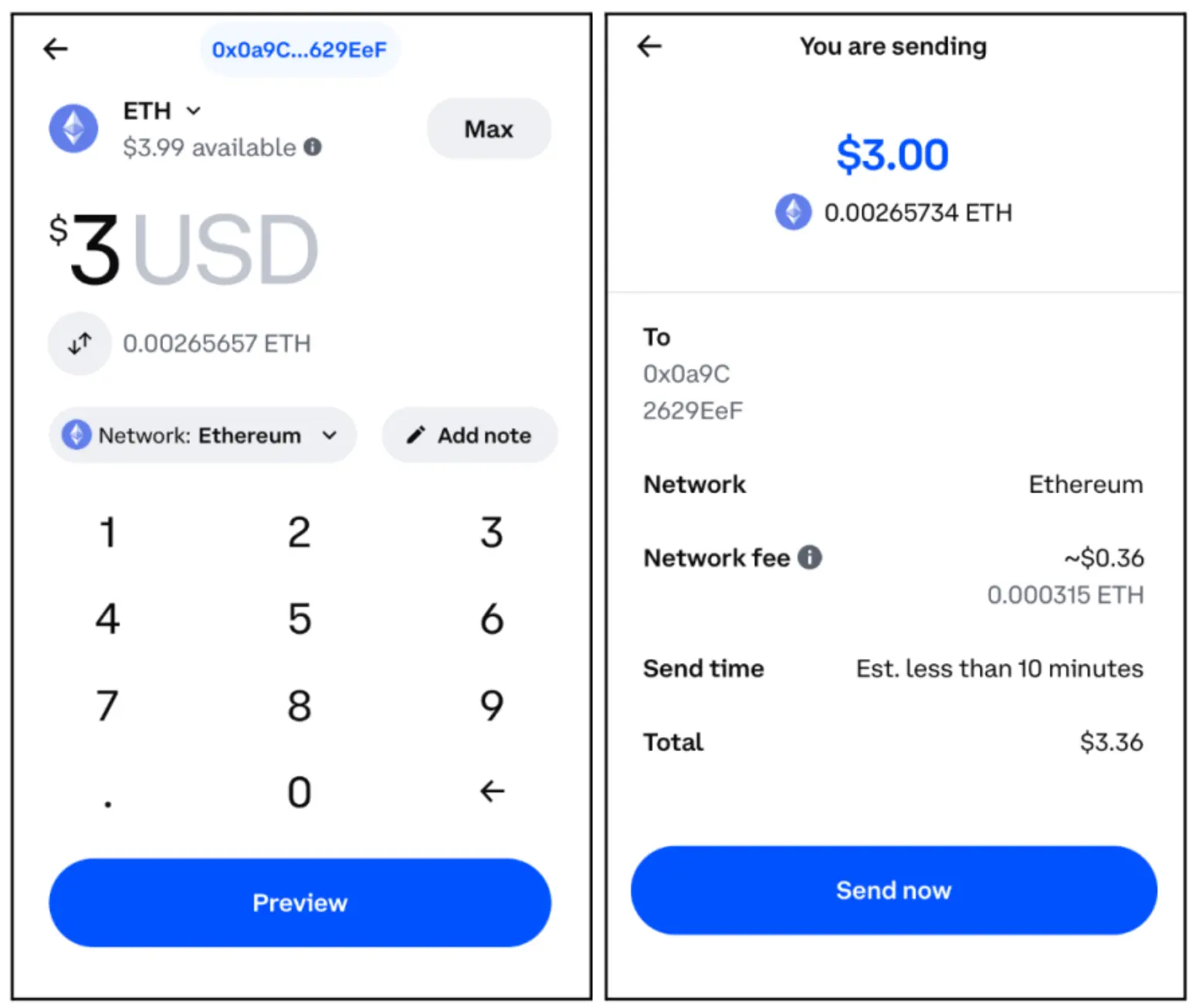
Enter Amount: Input the desired amount of crypto you want to transfer. You can usually enter it in crypto units (e.g., 0.1 ETH) or fiat currency equivalent (e.g., $100 USD).
-
-
Specify Destination: This is the most crucial step for an internal transfer:
-
Instead of entering a long, external wallet address, Coinbase will typically offer an option to send directly to your connected Coinbase Wallet. Look for an option like “To Coinbase Wallet” or select your Coinbase Wallet from a list of recognized destinations. The system recognizes your associated Wallet, streamlining the address entry process.
-
If for some reason this direct option isn’t immediately visible, you might need to manually input your Coinbase Wallet’s public address. To find this, open your Coinbase Wallet app, select the cryptocurrency you wish to receive, and tap “Receive” or “QR code.” Copy the address provided. However, for Coinbase to Coinbase Wallet transfers, the direct selection is the intended and safer method.
-
-
Review Transaction Details: Before proceeding, a summary screen will appear. Carefully review all the details:
-
The cryptocurrency being sent.
-
The amount.
-
The estimated network fee.
-
The total amount (crypto sent + fee).
-
The destination (confirm it clearly indicates your Coinbase Wallet).
-
-
Confirm Transfer: If all details are correct, proceed to confirm the transaction. You may be prompted for your 2FA code or other security verification.
Confirming the Transaction in Coinbase Wallet
For many internal transfers, the Coinbase Wallet app, if open or recently used, may display a notification or even automatically receive the funds.

-
Open Coinbase Wallet: Launch your Coinbase Wallet app on your mobile device.
-
Check for Notifications: Look for any incoming transaction notifications.
-
Verify Receipt: Navigate to the specific cryptocurrency’s section within your Wallet. The transferred funds should appear in your balance after the network confirms the transaction. Transaction history within the Wallet app will provide details.
The Transfer Process and Confirmation
Once you confirm the send from your Coinbase exchange account:
-
Blockchain Processing: The transaction is broadcast to the respective blockchain network. Network validators will process and confirm it.
-
Confirmation Times: The time it takes for the transaction to reflect in your Coinbase Wallet varies depending on the cryptocurrency and network congestion. Bitcoin transactions might take 10-60 minutes or longer for full confirmation, while Ethereum (and ERC-20 tokens) can often appear within minutes, though finality might take longer.
-
Transaction Status: You can typically view the transaction status within your Coinbase exchange account’s transaction history, which often includes a link to a blockchain explorer for real-time tracking. Similarly, your Coinbase Wallet will update its balance and transaction log once the funds are sufficiently confirmed.
This methodical approach ensures that your crypto transfer is executed accurately and securely, moving your assets into your self-custody wallet.
Verifying Your Transaction and Best Practices for Digital Asset Management
The completion of a crypto transfer isn’t just about initiating the send; it’s equally about confirming its successful receipt and integrating secure practices into your ongoing digital asset management strategy.
Confirming Receipt in Coinbase Wallet
After initiating the transfer from your Coinbase exchange account, the next crucial step is to verify the funds have arrived safely in your Coinbase Wallet.
-
Access Coinbase Wallet: Open your Coinbase Wallet application and unlock it using your PIN, biometric data, or other security methods.
-
Check Balance and History: Navigate to the main dashboard or the specific asset’s page within your wallet.
-
Balance Update: Your wallet balance for the transferred cryptocurrency should reflect the received amount.
-
Transaction History: Review the transaction history within the app. You should see an incoming transaction entry corresponding to the transfer you just made. This entry will typically include the amount, the timestamp, and potentially the transaction hash (TxID).
-
-
Verify Exact Amount: Cross-reference the amount received in your Coinbase Wallet with the amount you intended to send from Coinbase exchange, accounting for any network fees that might have been deducted from the sender’s side or implicitly handled by the exchange. If there are any significant discrepancies or the funds haven’t appeared after a reasonable time (considering typical network confirmation times), proceed to troubleshooting.
Importance of Small Test Transfers
While the internal transfer from Coinbase to Coinbase Wallet is generally reliable, the principle of making small test transfers holds immense value in the broader context of crypto transfers, especially when sending to external, unfamiliar wallets. This best practice involves:
-
Sending a Minimal Amount: For any significant transfer, send a very small, negligible amount of crypto first.
-
Confirming Receipt: Wait for this small test transaction to fully confirm and appear in the destination wallet.
-
Proceeding with Main Transfer: Only once the test transfer is successful and you’ve confirmed everything (address, network, asset type) is correct, proceed with sending the larger, intended amount.
Though often unnecessary for Coinbase-to-Coinbase Wallet transfers where the platforms streamline the destination, cultivating this habit is a cornerstone of responsible digital asset management and provides an invaluable layer of security against human error for any external transfers you might make in the future.
Maintaining Digital Security Post-Transfer
Effective management of digital assets extends beyond the immediate transfer. Ongoing vigilance and adherence to security best practices are paramount for protecting your self-custodied funds:
-
Regular Software Updates: Continue to keep your Coinbase Wallet app updated. Developers frequently release updates that include security enhancements and bug fixes crucial for protecting your assets.
-
Review Transaction History Periodically: Make it a habit to regularly review your transaction history in Coinbase Wallet. This helps you quickly identify any unauthorized activity and understand your financial flows.
-
Safeguard Your Recovery Phrase (Seed Phrase): This is the single most critical element of your Coinbase Wallet’s security. It grants access to all your funds.
-
Offline Storage: Never store your recovery phrase digitally (e.g., in cloud storage, email, or a photo on your phone). Write it down on paper or engrave it on metal.
-
Multiple Secure Locations: Store multiple copies in different, secure physical locations (e.g., a home safe, a bank deposit box) that are resilient to fire, water, and theft.
-
Never Share: Never, ever share your recovery phrase with anyone, regardless of who they claim to be. Coinbase support will never ask for it.
-
-
Understand Private Keys and Public Addresses: Reinforce your understanding that your public address is like an account number for receiving funds, while your private keys (derived from your recovery phrase) are the secret access codes to spend those funds. Never expose your private keys.
-
Be Wary of DApp Interactions: Since Coinbase Wallet allows interaction with DApps, exercise caution. Only connect to reputable DApps, understand the permissions you grant, and revoke permissions for unused or suspicious DApps.
By diligently applying these practices, you not only ensure the successful transfer of your crypto but also fortify the overall security posture of your digital asset holdings within the self-custody environment of Coinbase Wallet.
Troubleshooting Common Issues and Enhancing Digital Security
Even with careful preparation, issues can sometimes arise during cryptocurrency transfers. Knowing how to troubleshoot and continuously enhance your digital security is key to resilient asset management.
Delayed or Missing Transactions
The most common concern after initiating a transfer is a delay or the apparent disappearance of funds.
-
Check Blockchain Explorers: Every transaction on a public blockchain has a unique transaction ID (TxID). You can usually find this in the transaction history of your Coinbase exchange account. Use a relevant blockchain explorer (e.g., Etherscan for Ethereum, Blockchair for Bitcoin) and paste your TxID to check the real-time status of your transaction. This will show if it’s pending, confirmed, or has any errors.
-
Network Congestion: Blockchain networks can experience periods of high traffic (congestion), which can significantly slow down transaction processing times. If the explorer shows your transaction as pending with few confirmations, network congestion is likely the cause. Patience is often required during such times.
-
Contact Coinbase Support: If your transaction remains pending for an unusually long time (e.g., several hours for Ethereum, or over a day for Bitcoin, well beyond typical network times) and the blockchain explorer indicates no progress, or if your funds are confirmed on the blockchain but not appearing in your Coinbase Wallet, it’s time to contact Coinbase support. Provide them with your TxID and all relevant details.
-
Verify Wallet Sync: Sometimes, the Coinbase Wallet app might need to resync with the blockchain. Try closing and reopening the app, or checking for updates.
Incorrect Destination or Crypto Type
These are critical errors due to the irreversible nature of blockchain transactions.
-
Irreversible Transactions: Once a cryptocurrency transaction is broadcast and confirmed on the blockchain, it cannot be undone or recalled. This is a fundamental characteristic of blockchain technology.
-
Double-Checking is Paramount: This underscores why the advice to “double-check everything” is so important. If you mistakenly send crypto to an incorrect or non-existent address, or if you send a specific crypto (e.g., an ERC-20 token) to a wallet that only supports another network’s version of that token (e.g., a BEP-20 address), those funds are almost certainly unrecoverable. For internal transfers to Coinbase Wallet, the platform helps mitigate this by identifying your wallet, but vigilance is always necessary.
-
No Central Authority for Recovery: Unlike traditional banking, there’s no central authority to reverse erroneous crypto transfers. This places the onus of accuracy entirely on the user.
Advanced Security Practices for Self-Custody
Moving crypto to Coinbase Wallet is a step towards self-custody. To truly enhance your digital security in this environment, consider advanced practices:
-
Hardware Wallets: For significant crypto holdings, upgrading to a hardware wallet (e.g., Ledger, Trezor) is highly recommended. These devices store your private keys in an offline, physically secured environment, making them virtually impervious to online hacking attempts. Coinbase Wallet often has integration options with hardware wallets, allowing you to use the app’s interface while keeping your keys offline.
-
Understanding Smart Contract Interactions: Coinbase Wallet is your gateway to DApps and DeFi. When interacting with smart contracts, always understand the permissions you are granting. Malicious smart contracts can drain your wallet if you grant excessive permissions. Use tools like revoke.cash or etherscan’s token approvals to regularly review and revoke unnecessary permissions.
-
Vigilance Against Scams and Malicious DApps: The decentralized web is ripe with innovation but also with scams. Be critically skeptical of offers that seem too good to be true, unsolicited airdrops, or DApps asking for your recovery phrase. Always research a DApp thoroughly before connecting your wallet.
-
Regular Security Audits of Your Own Practices: Periodically review your personal security habits. Check your passwords, 2FA setup, and how you store your recovery phrase. Staying informed about the latest security threats in the crypto space is a continuous process.
By proactively addressing potential issues and consistently elevating your digital security practices, you can confidently navigate the world of self-custody and make the most of your Coinbase Wallet.
aViewFromTheCave is a participant in the Amazon Services LLC Associates Program, an affiliate advertising program designed to provide a means for sites to earn advertising fees by advertising and linking to Amazon.com. Amazon, the Amazon logo, AmazonSupply, and the AmazonSupply logo are trademarks of Amazon.com, Inc. or its affiliates. As an Amazon Associate we earn affiliate commissions from qualifying purchases.