
The landscape of digital transactions continues to evolve at a rapid pace, with contactless payments becoming an increasingly ubiquitous and preferred method for consumers worldwide. Among the many innovations, “tap to pay” functionality, particularly within popular financial applications like Cash App, stands out for its blend of convenience, speed, and security. Understanding how to leverage this technology on Cash App can streamline your daily purchases and enhance your overall digital wallet experience. This guide delves into the mechanics, setup, and practical application of tap to pay through Cash App, ensuring you can navigate contactless transactions with confidence and ease.
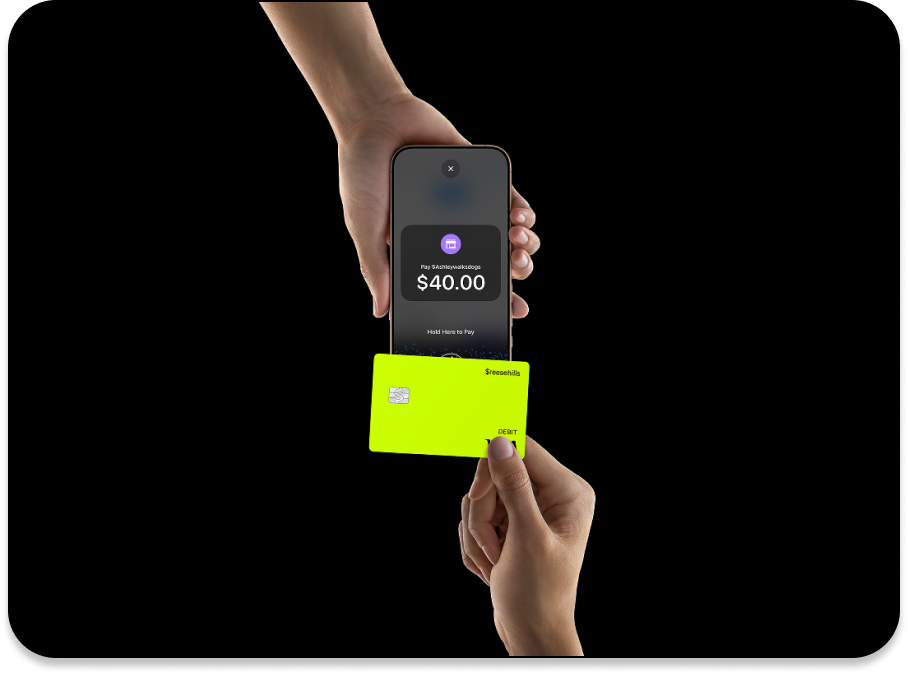
Understanding the Technology Behind Tap to Pay
At the core of tap to pay lies Near Field Communication (NFC) technology, a short-range wireless communication standard that enables two electronic devices to establish communication when they are brought within a few centimeters of each other. This technology is the backbone for a variety of modern conveniences, from keyless entry systems to public transport passes, and critically, mobile payment systems.
The Power of NFC in Mobile Payments
NFC operates on the principle of electromagnetic induction, allowing data to be exchanged between devices without the need for physical contact. When you “tap” your smartphone or smartwatch near a compatible payment terminal, your device and the terminal instantly communicate. This exchange involves transmitting encrypted payment information, authorizing the transaction securely and efficiently. Unlike Bluetooth, NFC requires devices to be in very close proximity, which inherently adds a layer of security, making it difficult for unauthorized interception. The low power consumption and rapid connection establishment make NFC ideal for quick, high-frequency transactions at points of sale.
Cash App’s Integration with Contactless Capabilities
Cash App, renowned for its simplicity in peer-to-peer payments and direct deposit features, extends its utility by embracing contactless payment technology. While Cash App itself primarily functions as a digital wallet for sending, receiving, and investing money, its integration with tap to pay typically leverages the debit card associated with your Cash App account. This means that when you use tap to pay with Cash App, you are essentially using your Cash Card’s details via your mobile device, transforming your smartphone into a virtual Cash Card. For users with supported devices (generally Android smartphones with NFC capability or iPhones with Apple Pay integration), Cash App facilitates a seamless connection between your digital balance and the physical world of retail payments.
Setting Up Tap to Pay for Your Cash App
Before you can enjoy the convenience of tapping to pay with your Cash App funds, a few preliminary steps are necessary. These involve ensuring your device is configured correctly and that your Cash App is ready for contactless transactions.
Enabling NFC on Your Device
The first crucial step is to ensure that NFC is activated on your smartphone.
-
For Android Users: Navigate to your phone’s Settings menu. Search for “NFC” or “Connected devices” and then “Connection preferences.” Here, you should find a toggle to turn NFC on. It’s often located alongside other wireless settings like Bluetooth and Wi-Fi. Ensure this feature is enabled for contactless payments to work. Some Android devices may also require “NFC Secure Element” to be set to “Wallet” or “HCE Wallet” for payment apps.
-
For iOS Users (iPhone): iPhones automatically have NFC enabled for Apple Pay, which Cash App integrates with. There’s no separate NFC toggle to activate. If you plan to use your Cash Card through Apple Pay for tap to pay, you will need to add your Cash Card to your Apple Wallet. This involves opening the Wallet app, tapping the ‘+’ icon, and following the prompts to add a debit card, inputting your Cash Card details.
Adding Your Cash Card to Your Device’s Digital Wallet
Once NFC is enabled, the next step involves adding your Cash Card to your device’s native digital wallet application.
-
For Android Users (Google Pay): Download and open the Google Wallet app. Tap the “Add to Wallet” button and select “Payment card.” You can then either scan your physical Cash Card or manually enter its details (card number, expiration date, CVV). Follow any verification steps required by Google Pay and Cash App, which might include SMS codes or email verification. After successful verification, your Cash Card will be ready for use via Google Pay.
-
For iOS Users (Apple Pay): Open the Wallet app on your iPhone. Tap the plus (+) sign in the upper right corner to add a new card. Select “Debit Card” and then “Continue.” You can use your camera to scan your Cash Card details or enter them manually. Apple Pay will then guide you through the verification process with Cash App, which might involve a text message to the phone number associated with your Cash App account. Once verified, your Cash Card is linked to Apple Pay.
It’s important to remember that while Cash App manages your funds, the actual tap-to-pay functionality is often intermediated by your device’s native payment system (Google Pay on Android, Apple Pay on iOS) which then utilizes the Cash Card details you’ve linked.
Security Measures for Contactless Payments
Contactless payments, particularly via mobile devices, are designed with robust security features.
-
Tokenization: Instead of transmitting your actual card number, a unique, encrypted token is generated for each transaction. If intercepted, this token is useless outside of that specific transaction, protecting your true card details.
-
Biometric Authentication: Most modern smartphones require you to authenticate payments with a PIN, fingerprint (Touch ID), or facial recognition (Face ID). This ensures that even if your phone is lost or stolen, unauthorized users cannot make purchases without your biometric data or PIN.
-
Device-Level Security: The payment information is stored securely within a “secure element” on your device, a tamper-resistant chip designed to protect sensitive data.
-
Proximity Requirement: As mentioned, NFC’s short range means your device must be very close to the terminal, minimizing the risk of “skimming” or accidental payments.
These layered security protocols make tap to pay a highly secure method of transaction, often more secure than swiping or inserting a physical card.
Step-by-Step Guide to Making a Tap to Pay Transaction

Once your Cash Card is successfully linked to your device’s digital wallet, making a contactless payment is a straightforward process.
At the Point of Sale
-
Look for the Contactless Symbol: At the merchant’s checkout, identify the universal contactless payment symbol (four curved lines resembling a Wi-Fi symbol). This indicates the terminal accepts tap to pay.
-
Activate Your Digital Wallet:
-
Android: Unlock your phone and simply hold the back of your phone near the contactless reader. For certain transactions or if you have multiple cards, you might need to open Google Wallet first and select your Cash Card.
-
iPhone: For iPhone X and later, double-click the side button. For iPhone 8 and earlier, double-click the Home button. Your default card will appear. If it’s not your Cash Card, tap on it to choose your Cash Card from the list.
-
-
Authenticate Your Payment:
-
Android: Depending on your device’s settings and transaction amount, you may be prompted to verify your identity with your fingerprint, PIN, or facial recognition before or after tapping.
-
iPhone: Authenticate with Face ID, Touch ID, or your passcode.
-
-
Tap Your Device: Hold your smartphone or smartwatch near the contactless reader. You’ll typically hear a beep, see a green light, or receive a confirmation message on your device and the terminal, indicating the transaction was successful.
Confirming Your Payment
After a successful tap, the payment terminal will usually display a confirmation message such as “Approved” or “Payment Complete.” Your phone’s digital wallet app will also often show a notification confirming the transaction, along with details like the merchant and the amount. It’s a good practice to quickly review these details to ensure accuracy before leaving the register.
Troubleshooting Common Issues
While tap to pay is generally reliable, you might encounter occasional issues:
-
NFC Not Enabled: Double-check your phone’s settings to ensure NFC is switched on.
-
Incorrect Card Selected: If you have multiple cards in your digital wallet, ensure you’ve selected your Cash Card before tapping.
-
Device Positioning: Hold your device steadily and flat against the reader. Sometimes the sweet spot can vary slightly between terminals.
-
Battery Life: If your phone’s battery is critically low, NFC functionality might be restricted or disabled.
-
Terminal Issues: Occasionally, the payment terminal itself might be faulty or require a reset. If other contactless methods also fail, it’s likely a terminal problem.
-
Card Verification: Ensure your Cash Card has been fully verified by your digital wallet service. Pending verification can prevent transactions.
-
Insufficient Funds: Although obvious, always ensure you have sufficient balance in your Cash App account to cover the purchase.
If issues persist, restarting your phone or removing and re-adding your Cash Card to your digital wallet can sometimes resolve software glitches.
Benefits and Best Practices for Cash App Tap to Pay
Embracing tap to pay with Cash App offers a host of advantages, extending beyond mere convenience to include enhanced security and efficient financial management.
Speed and Convenience
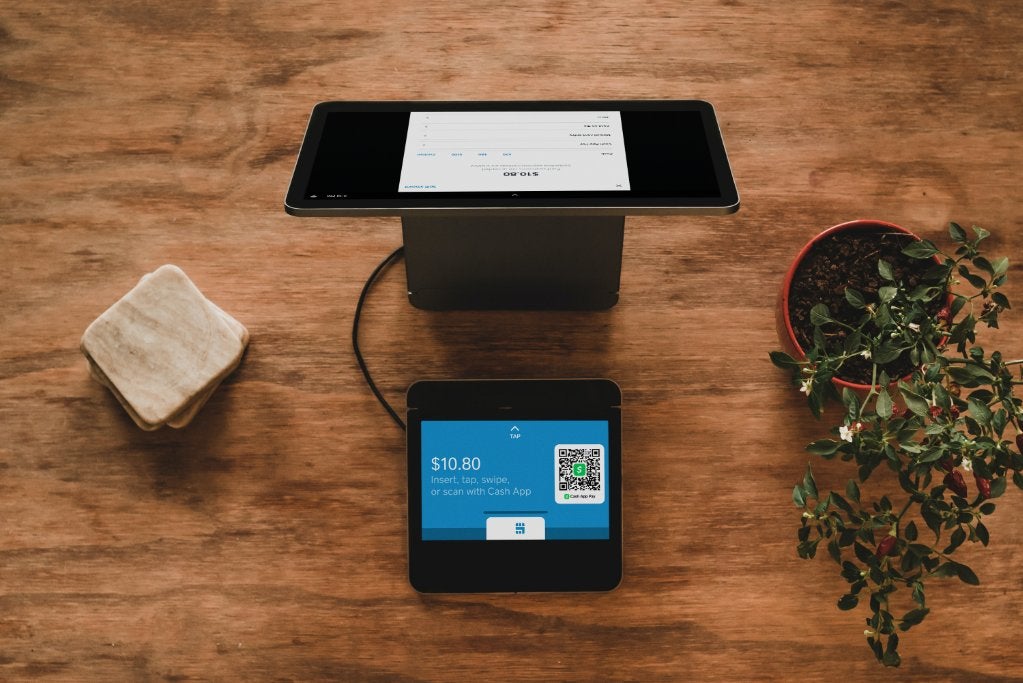
The most immediate benefit of tap to pay is its unparalleled speed. Transactions are often completed in mere seconds, significantly reducing checkout times, especially in busy retail environments. The elimination of fumbling for a physical card, swiping, or entering a PIN streamlines the payment process, making it a smoother and more hygienic alternative to traditional methods. Whether you’re grabbing a coffee or making a quick grocery run, tapping to pay simplifies your interaction at the register.
Enhanced Security Features
As discussed, tap to pay with Cash App, through your device’s digital wallet, incorporates robust security protocols. The combination of tokenization, biometric authentication, and the secure element within your device provides a powerful defense against fraud. Unlike a physical card that can be skimmed or visually compromised, your digital payment credentials are far more difficult to access, offering a higher level of protection for your financial information. Should your phone be lost or stolen, the required authentication steps prevent unauthorized use of your linked cards.
Managing Your Digital Wallet
Using tap to pay with Cash App encourages better digital wallet management. By linking your Cash Card to your device’s native payment system, you centralize your primary spending card. This makes it easier to track your spending through your Cash App activity log and your digital wallet’s transaction history. It also reinforces the habit of managing your funds digitally, offering a clearer overview of your financial flows. You can quickly see where your money is going and ensure you’re within your budget directly from the app.
Tips for Seamless Transactions
To maximize your tap-to-pay experience with Cash App, consider these best practices:
-
Keep Your Phone Charged: Ensure your device has adequate battery life, as low power modes can sometimes affect NFC performance.
-
Regularly Update Apps: Keep your Cash App and your device’s operating system (iOS or Android) updated. Updates often include security enhancements and bug fixes that improve performance.
-
Check Your Balance: Before making a significant purchase, quickly verify your Cash App balance to avoid declined transactions.
-
Familiarize Yourself with Authentication: Practice using your biometric authentication (Face ID/Touch ID/fingerprint) or PIN to ensure quick and smooth verification at checkout.
-
Be Aware of Limits: Some merchants or payment terminals might have transaction limits for contactless payments without PIN entry. For larger purchases, you might be prompted for additional verification.
By understanding the underlying technology, meticulously setting up your Cash App for contactless payments, and adhering to best practices, you can fully embrace the efficiency and security that tap to pay offers. This modern payment method not only simplifies your transactions but also integrates your Cash App funds seamlessly into your everyday spending, marking a significant step forward in personal financial technology.
aViewFromTheCave is a participant in the Amazon Services LLC Associates Program, an affiliate advertising program designed to provide a means for sites to earn advertising fees by advertising and linking to Amazon.com. Amazon, the Amazon logo, AmazonSupply, and the AmazonSupply logo are trademarks of Amazon.com, Inc. or its affiliates. As an Amazon Associate we earn affiliate commissions from qualifying purchases.