
Calculating percentages is a fundamental skill in countless professional and personal scenarios, from budgeting and sales tax to statistical analysis and data interpretation. While the underlying mathematics remains constant, the execution on various digital calculation tools – from basic handheld devices to advanced smartphone apps and online platforms – can differ significantly. Understanding the nuances of your specific calculator is key to accurate and efficient percentage computations, leveraging technology to streamline complex tasks. This guide delves into mastering percentage calculations across a spectrum of modern digital tools, offering insights into their specific functionalities and optimizing your workflow.

Understanding Your Digital Calculation Tool
The calculator, in its various forms, stands as one of the most enduring and essential technological gadgets. Its evolution from mechanical devices to sophisticated digital processors has made complex arithmetic accessible to everyone. At its core, a calculator designed for everyday use simplifies arithmetic, and its percentage function is a prime example of this simplification, abstracting a multi-step mathematical process into one or two button presses.
The Ubiquity of Calculators in the Digital Age
From the compact device in your desk drawer to the powerful application embedded in your smartphone or desktop computer, calculators are omnipresent. Each iteration, whether a basic four-function model, a scientific calculator favored by students and engineers, or a feature-rich app, offers distinct advantages and a particular user experience. The ‘percentage’ key, often denoted by ‘%’, is a testament to the universal need for this specific calculation. Its primary function is to convert a number into its decimal equivalent or to perform an operation (like finding a fraction of a number) based on a percentage value. Mastering this button across different devices enhances efficiency, reducing mental arithmetic and potential errors. Understanding that a calculator is a sophisticated piece of software or hardware designed to interpret your inputs and execute algorithms is the first step toward becoming proficient.
Core Functions of a Percentage Button
While the percentage symbol might appear simple, its functionality can vary depending on the calculator’s programming. Broadly, the ‘%’ button can serve three main purposes:
-
Converting to Decimal: When you input a number and then press ‘%’, some calculators will display its decimal equivalent (e.g.,
50 %might display0.5). This is useful for manual multiplication. -
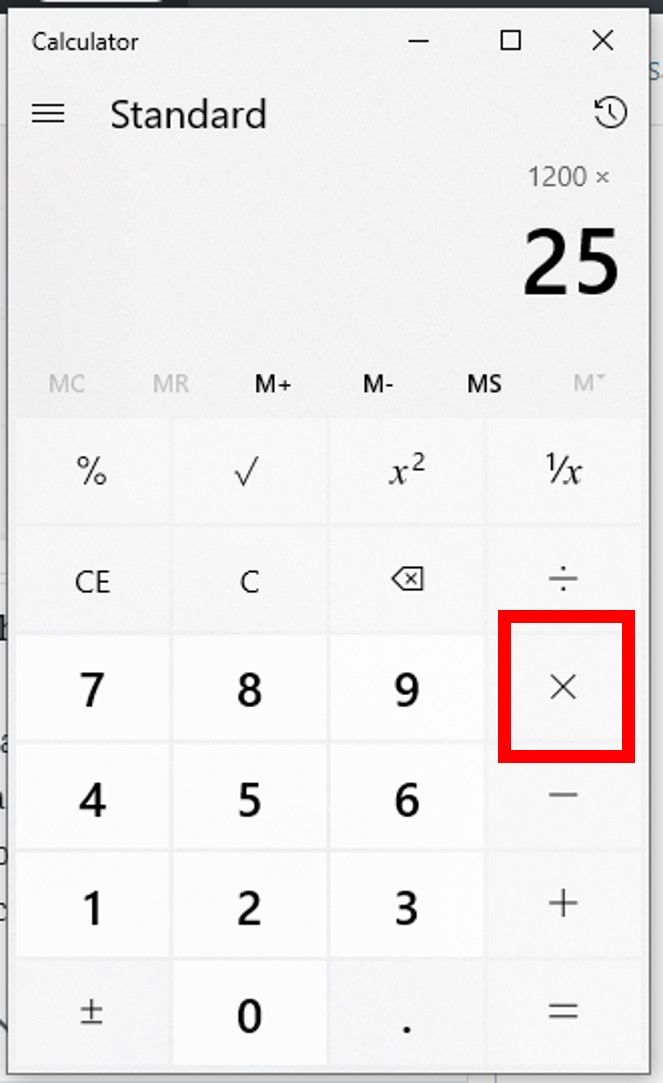
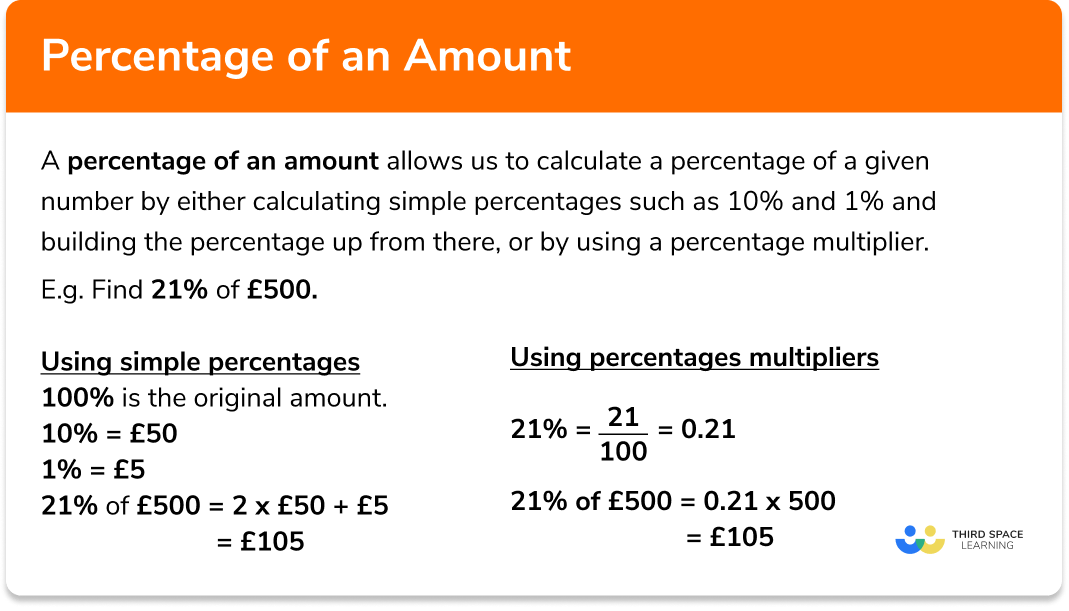
Finding a Percentage of a Number: This is the most common use. You typically input the base number, a multiplication operator, the percentage value, and then ‘%’. (e.g.,
200 * 10 %to find 10% of 200). -
Performing Percentage Additions/Subtractions: Some advanced calculators automatically handle operations like adding or subtracting a percentage from a base number (e.g.,
200 + 10 %might yield220directly).
Recognizing your calculator’s specific interpretation of the ‘%’ key is crucial. A quick test with a simple calculation (e.g., 100 * 10 %) will reveal its default behavior.
Basic Percentage Operations Across Platforms
Regardless of the digital tool you employ, the foundational percentage calculations remain consistent. The variance lies in the user interface and input sequence.
Standard Calculators: Step-by-Step
Basic handheld calculators are designed for straightforward operations.
-
Finding X% of Y: To find 15% of 250:
-
Enter the base number:
250 -
Press the multiplication operator:
* -
Enter the percentage value:
15 -
Press the percentage button:
% -
The display should show:
37.5
Note: On some older or simpler models, you might need to press
=after%to get the result. -
-
Identifying What Percentage X Is of Y: To find what percentage 50 is of 200:
-
Enter the part:
50 -
Press the division operator:
/ -
Enter the whole:
200 -
Press the percentage button:
% -
The display should show:
25(meaning 25%).
Alternatively, calculate
(50 / 200) * 100if your ‘%’ key only converts to decimal or adds/subtracts. -
Scientific Calculators: Leveraging Advanced Features
Scientific calculators, with their more complex logic and multiple functions, often handle percentages similarly to standard calculators but may offer additional features. The primary difference often lies in the order of operations and the presence of parentheses.
-
The sequence for “X% of Y” (
Y * X %) is generally the same. -
For “What % is X of Y”, the
(X / Y) * 100method is often preferred for clarity, as the ‘%’ button on scientific calculators is often used for unit conversions or specific statistical functions. Always refer to your calculator’s manual for specific%key behavior. Some scientific calculators may treatX %asX/100and require explicit multiplication.
Smartphone and Web-Based Apps: Interface and Efficiency
Modern calculator apps on smartphones (iOS Calculator, Android Calculator) and web-based tools (Google Calculator, Wolfram Alpha) offer highly intuitive interfaces.
-
iOS Calculator: Functions similarly to a standard calculator for percentage operations.
250 * 15 %yields37.5. For percentage addition/subtraction,250 + 15 %calculates250 + (15% of 250), resulting in287.5. This streamlined approach is a significant technological convenience. -
Android Calculator: Often mirrors the standard calculator functionality, requiring explicit multiplication for finding a percentage of a number. Its strength lies in its ability to display the entire equation as you type, aiding in verification.
-
Web Calculators: Many online tools provide text-based input or virtual button interfaces. They often parse natural language inputs (e.g., “what is 15% of 250”) or follow standard calculator logic. Their advantage is accessibility and often a larger display for complex equations. These digital tools often leverage cloud computing for instant results and can be integrated into broader productivity suites.
Advanced Percentage Scenarios: Increase, Decrease, and Change
Beyond simple “of” calculations, percentages are frequently used to express changes in value. Calculators, particularly apps and scientific models, provide efficient ways to handle these.
Calculating Percentage Increase with Ease
To increase a number by a specific percentage (e.g., increase 200 by 10%):
-
Method 1 (Two-step):
-
Find the percentage amount:
200 * 10 % = 20 -
Add it to the original number:
200 + 20 = 220
-
-
Method 2 (One-step on some calculators/apps):
-
Enter the original number:
200 -
Press the addition operator:
+ -
Enter the percentage to add:
10 -
Press the percentage button:
% -
The display should show:
220
This direct method is a powerful feature of modern calculator software.
-
Computing Percentage Decrease Accurately
To decrease a number by a specific percentage (e.g., decrease 200 by 10%):
-
Method 1 (Two-step):
-
Find the percentage amount:
200 * 10 % = 20 -
Subtract it from the original number:
200 - 20 = 180
-
-
Method 2 (One-step on some calculators/apps):
-
Enter the original number:
200 -
Press the subtraction operator:
- -
Enter the percentage to subtract:
10 -
Press the percentage button:
% -
The display should show:
180
This technological convenience saves time and reduces calculation steps.
-
Determining Percentage Change Between Two Values
To calculate the percentage change from an old value to a new value (e.g., from 80 to 100):
The formula is ((New Value - Old Value) / Old Value) * 100.
-
Calculate the difference:
100 - 80 = 20 -
Divide by the old value:
20 / 80 = 0.25 -
Multiply by 100 (or use the % key if it performs this function):
0.25 * 100 = 25Result:
25% increase.
This multi-step process can be performed sequentially on any calculator. More advanced graphing calculators or programming tools might allow you to input the entire formula directly.
Beyond the Basics: Optimizing Your Calculator’s Potential
Modern digital calculation tools offer functionalities that extend beyond simple arithmetic, making complex percentage problems manageable.
Utilizing Memory Functions for Complex Calculations
Most calculators, both physical and digital, feature memory functions (M+, M-, MR, MC). These allow you to store intermediate results, which is invaluable for multi-step percentage calculations.
-
Example: Calculate 15% of 200, then add 5% of 300 to the result.
-
Calculate
200 * 15 % = 30. PressM+to add 30 to memory. -
Calculate
300 * 5 % = 15. PressM+to add 15 to memory. -
Press
MR(Memory Recall) to display the total:45.
This feature is a staple of digital computation, preventing the need to write down or re-enter numbers.
-
Precision, Rounding, and Display Settings
Calculators handle decimal places and rounding according to their internal programming. While many provide a high degree of precision, the number of digits displayed can vary.
-
Scientific and Programmable Calculators: Often allow users to set the number of fixed decimal places or significant figures.
-
Smartphone Apps: Usually display results to a reasonable number of decimal places and allow for copy-pasting for higher precision in other applications.
Understanding that 0.33333333 might be rounded to 0.33 on a display, but the calculator retains the full precision internally for subsequent calculations, is important. For financial or scientific applications, always be aware of the required precision and if manual rounding is necessary at the final step.
Common Pitfalls and Calculator-Specific Nuances
-
Order of Operations (PEMDAS/BODMAS): Most modern digital calculators follow the correct order of operations. However, some very basic models might process operations strictly left-to-right. Always test your calculator’s behavior for complex expressions.
-
The ‘%’ Key Ambiguity: As mentioned, the precise function of the ‘%’ button can differ. Always perform a simple test to confirm its behavior (e.g.,
100 * 10 %). -
Clear vs. Clear Entry (C vs. CE/AC):
CE(Clear Entry) clears the last entered number, allowing correction without restarting the whole equation.CorAC(All Clear) clears everything. Knowing which to use can save significant re-entry time. These are crucial user interface elements in digital devices.
The Future of Digital Calculation: From Handheld to AI-Enhanced
The journey of calculation tools is far from over. From the mechanical abacus to electronic handheld devices, and now to software embedded in every digital device, the core function has remained: to simplify mathematical operations. The integration of AI and machine learning into computational tools represents the next frontier. Imagine a calculator app that not only computes percentages but also understands context from your financial data, suggesting relevant percentage calculations for budgeting or investment analysis. Voice-activated calculations, augmented reality overlays for real-world percentage applications (e.g., scanning a price tag and instantly seeing discounted cost), and highly personalized adaptive interfaces are all within the realm of possibility. These future advancements promise to make percentage calculations even more intuitive, integrated, and intelligent, further solidifying the calculator’s role as an indispensable technological aid.
aViewFromTheCave is a participant in the Amazon Services LLC Associates Program, an affiliate advertising program designed to provide a means for sites to earn advertising fees by advertising and linking to Amazon.com. Amazon, the Amazon logo, AmazonSupply, and the AmazonSupply logo are trademarks of Amazon.com, Inc. or its affiliates. As an Amazon Associate we earn affiliate commissions from qualifying purchases.