
The integration of Amazon Prime with Whole Foods Market has fundamentally reshaped the grocery shopping experience for millions. What began as a strategic acquisition has evolved into a seamless ecosystem where a digital membership unlocks tangible benefits in a physical retail space and through advanced online ordering systems. Understanding how to leverage your Prime membership at Whole Foods is less about simple discounts and more about mastering the technological tools that facilitate a more efficient, cost-effective, and convenient grocery routine. This guide delves into the technical underpinnings and practical applications for maximizing your Prime advantages at Whole Foods, focusing on the digital pathways and features that make it all possible.

The Digital Gateway to Whole Foods Savings and Convenience
At its core, the synergy between Amazon Prime and Whole Foods is a demonstration of how a powerful digital membership platform can extend its value proposition into diverse retail environments. For Prime members, this means exclusive access to a range of perks that transform the traditional grocery run into a tech-enhanced experience, whether you’re browsing aisles or managing an online order.
Understanding Prime Benefits at Whole Foods
The primary appeal for Prime members at Whole Foods revolves around two key benefit categories: exclusive savings and enhanced shopping convenience. These aren’t just arbitrary discounts; they are strategically implemented features accessible through digital means. Prime members consistently receive an extra 10% off hundreds of sale items throughout the store, identifiable by their distinctive yellow Prime member signage. Beyond these ongoing discounts, members also gain access to exclusive weekly deals on select items, often significantly reducing the price of popular products. These deals are dynamic, updated regularly, and are typically communicated through digital channels like the Amazon app or email notifications.
Moreover, the convenience factor is heavily reliant on technological infrastructure. Prime members in eligible areas enjoy free two-hour grocery delivery on orders over a certain threshold and free one-hour grocery pickup. This service leverages Amazon’s extensive logistics network and digital order management systems, allowing customers to curate their carts online and receive or retrieve their groceries with unprecedented speed.
Essential Tools: The Amazon App and Whole Foods Market App
To unlock these benefits, your smartphone becomes an indispensable tool. The Amazon app serves as the central hub for managing your Prime membership and accessing its Whole Foods-specific features. Within the app, a dedicated “Prime code” or QR code acts as your digital identifier, verifying your membership status at checkout. This code dynamically refreshes, providing an extra layer of security.
While the Amazon app is sufficient for in-store benefits, the Whole Foods Market app (or simply using the Whole Foods section within the Amazon app) is crucial for online ordering. These applications provide an intuitive interface for browsing products, adding items to your virtual cart, scheduling deliveries or pickups, and applying digital coupons. The technology behind these apps integrates inventory management systems, real-time pricing updates, and robust payment processing, ensuring a smooth digital shopping experience from selection to checkout. Familiarity with these apps and their functionalities is the first step in mastering Prime at Whole Foods.
Seamless In-Store Shopping with Prime
Navigating Whole Foods with your Prime membership is designed for efficiency, relying heavily on digital identification and payment methods. The goal is to make accessing your discounts as effortless as possible, integrating technology directly into the physical checkout process.
Scanning Your Prime Code at Checkout
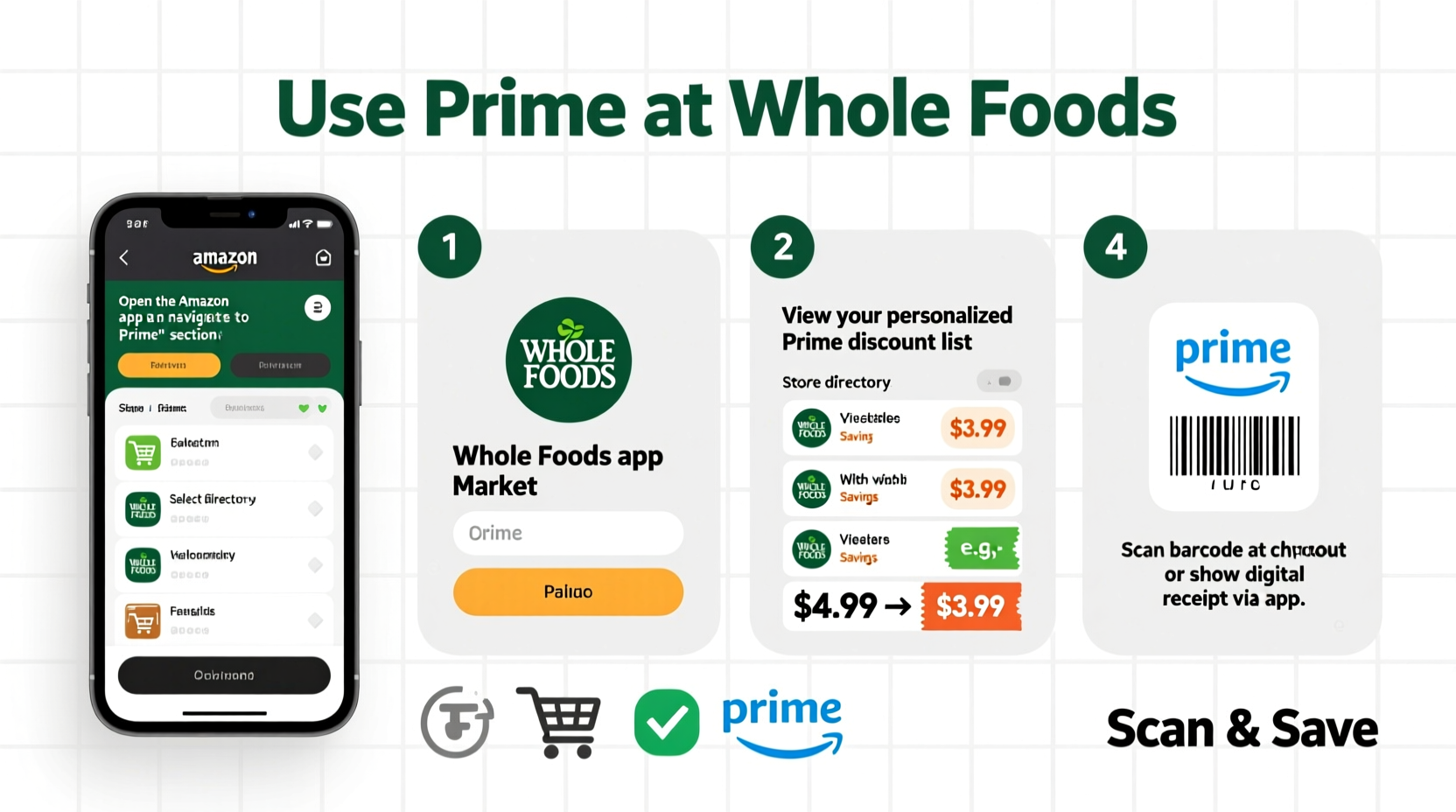
The most common method to apply Prime benefits in-store is by scanning your unique Prime code at checkout. This code is readily available within the Amazon app:
-
Open the Amazon app on your smartphone.
-
Tap the “Whole Foods Market” tab or icon, often found near the top or bottom navigation bar.
-
Select “In-store code” or “My Prime code.”
-
A unique QR code will appear on your screen. Present this code to the cashier or self-checkout scanner before your payment method. The system instantly recognizes your Prime membership and applies all eligible discounts, including the 10% off sale items and exclusive weekly deals.
This digital identification process streamlines transactions, eliminating the need for physical membership cards and ensuring that benefits are applied accurately and swiftly.
Using Amazon Prime Rewards Visa Signature Card
For an additional layer of savings and convenience, the Amazon Prime Rewards Visa Signature Card integrates directly with your Prime membership to enhance your Whole Foods purchases. When using this card in-store or online at Whole Foods Market, Prime members automatically earn 5% back on eligible purchases. This is distinct from, and in addition to, the Prime member discounts on sale items. The technology behind this credit card instantly recognizes your Prime status and automatically applies the accelerated rewards rate. There’s no separate scanning or activation required beyond using the card itself, as its link to your Amazon account is established upon approval. This automatic rewards system eliminates manual tracking, making it a powerful tool for maximizing value for frequent shoppers.
Special Prime Member Deals and Sales
Beyond the standing 10% off sale items, Prime members gain exclusive access to periodic, deeply discounted items. These “Prime Member Deals” are typically highlighted throughout the store with distinctive blue and yellow signage. To ensure you don’t miss out, these deals are also prominently featured in the Amazon app and through email notifications if you’ve opted in. The underlying technology allows Amazon to dynamically update product pricing and promotions across its entire Whole Foods inventory, ensuring that in-store prices reflect your Prime status in real-time once your code is scanned. Staying informed about these deals often means regularly checking the apps or your email, demonstrating the reliance on digital communication channels to unlock the full spectrum of benefits.

Leveraging Prime for Whole Foods Online Orders
The convenience of online grocery shopping is where Amazon Prime’s technological prowess truly shines at Whole Foods. Prime members gain access to sophisticated ordering, delivery, and pickup systems designed to save time and effort.
Free 2-Hour Grocery Delivery (in select areas)
One of the most significant Prime benefits for Whole Foods shoppers is free two-hour grocery delivery for orders meeting a minimum threshold (typically $35). This service is powered by Amazon’s extensive last-mile delivery network and advanced logistical algorithms. To utilize this:
-
Open the Amazon app or visit Amazon.com, and navigate to the Whole Foods Market section.
-
Build your cart with eligible items. The platform provides real-time inventory updates from your local Whole Foods store.
-
Proceed to checkout. If your address is in an eligible delivery zone and your order meets the minimum, the free two-hour delivery option will be available.
-
Select a convenient delivery window. The system manages driver assignments and route optimization to ensure timely delivery directly to your doorstep.
The technological infrastructure behind this service includes sophisticated order fulfillment systems that pick, pack, and dispatch orders from Whole Foods stores with remarkable efficiency, all tracked and managed through the digital interface.
Free Grocery Pickup
For those who prefer to pick up their groceries, Prime offers free one-hour grocery pickup. This option provides the convenience of online ordering without the need to wait for delivery. The process is similar to delivery:
-
Shop for your items via the Amazon app or website’s Whole Foods section.
-
At checkout, select the “Pickup” option and choose your preferred Whole Foods Market location and a pickup time slot.
-
Once your order is ready, you’ll receive a notification through the app.
-
When you arrive at the store, follow the in-app instructions to indicate your arrival, often by “checking in” digitally. A store associate will then bring your groceries directly to your car or to a designated pickup area.
This service relies on precise timing and communication facilitated by the app, coordinating customer arrival with store staff readiness, minimizing waiting times and streamlining the hand-off process.
Tracking Your Order and Delivery
Post-purchase, Amazon’s robust tracking system keeps you informed every step of the way. For both delivery and pickup orders, the Amazon app provides real-time updates:
-
Order Confirmation: Digital confirmation immediately after purchase.
-
Preparation Status: Alerts when your order is being picked and packed.
-
Out for Delivery/Ready for Pickup: Notifications indicating when your order has left the store or is available for collection.
-
Live Map Tracking (for delivery): In many areas, you can track the precise location of your delivery driver on a map, providing an estimated time of arrival.
This comprehensive digital tracking capability is a hallmark of Amazon’s e-commerce technology, extended to provide transparency and control over your Whole Foods grocery orders.
Maximizing Your Whole Foods Prime Experience
To truly harness the full potential of your Prime membership at Whole Foods, it’s beneficial to optimize your digital setup and stay proactive about new features and offers. This involves ensuring all your accounts are properly linked and knowing how to troubleshoot common technical glitches.
Linking Your Accounts for Optimal Benefits
While your Amazon Prime membership is automatically connected to the benefits, ensuring your various accounts are correctly linked can prevent issues and unlock the fullest range of features:
-
Amazon.com Account: Your primary Amazon account, which holds your Prime membership, is the foundation. Ensure all purchases, including Whole Foods online orders, are made through this account.
-
Amazon Prime Rewards Visa Signature Card: If you have one, ensure it’s registered under your primary Amazon account. When used for Whole Foods purchases, the 5% back automatically applies, but sometimes linking issues can occur if the card isn’t correctly associated with your Prime status.
-
Whole Foods Market App: While often redundant with the Amazon app for most functions, some users might find it beneficial for specific features or regional content. Ensure any login used here is tied to your main Amazon account.
Periodically checking your account settings on Amazon.com under “Your Prime Membership” can confirm everything is in order and that all associated services are active.
Troubleshooting Common Issues
Despite the seamless design, technical issues can occasionally arise. Knowing how to address them quickly ensures uninterrupted access to your benefits:
-
Prime Code Not Scanning: Ensure your phone screen brightness is turned up. If the issue persists, try closing and reopening the Amazon app to generate a new Prime code. Verify your phone’s internet connection.
-
Discounts Not Applying: Confirm your Prime membership is active. At checkout, politely ask the cashier to re-scan your Prime code or manually enter the 10-digit phone number associated with your Prime account. For online orders, double-check that you’re logged into your Prime-enabled Amazon account.
-
Delivery/Pickup Problems: Check the Amazon app for real-time updates on your order status. If delays are significant or an item is missing, use the “Contact Us” feature within the app to reach customer service. Be ready to provide your order number.
-
App Glitches: If the Amazon or Whole Foods app is behaving erratically, try restarting the app, clearing its cache (in your phone settings), or uninstalling and reinstalling it. Ensure your operating system and app versions are up to date.
Staying Informed About New Perks
Amazon and Whole Foods frequently introduce new Prime member benefits, promotions, and technological enhancements. Proactively staying informed is key to maximizing your value:
-
Amazon App Notifications: Enable notifications for the Amazon app to receive alerts about new deals, order updates, and Prime-exclusive events.
-
Email Subscriptions: Sign up for email newsletters from Whole Foods Market and Amazon. These often highlight upcoming sales and new services available to Prime members.
-
Whole Foods Market Website: Regularly visit the Whole Foods Market section on Amazon.com or the dedicated Whole Foods website for news and announcements regarding Prime benefits.
-
In-Store Signage: Keep an eye out for updated in-store signage, as it often provides immediate visual cues for Prime-exclusive deals.
Beyond Discounts: The Value Proposition of Prime at Whole Foods
The utility of a Prime membership at Whole Foods extends far beyond mere percentage off discounts; it’s about the comprehensive technological ecosystem that enhances the entire grocery shopping journey. From the sophisticated algorithms that power personalized recommendations and free delivery logistics to the secure digital identification systems used at checkout, every facet is designed for efficiency and user convenience. By understanding and actively utilizing the Amazon app, its integrated features, and the overarching digital infrastructure, Prime members transform their Whole Foods experience from a simple transaction into a streamlined, tech-enabled process that delivers both monetary savings and invaluable time savings. Mastering “how to use” Prime at Whole Foods is, fundamentally, mastering a suite of digital tools that redefine modern grocery retail.
aViewFromTheCave is a participant in the Amazon Services LLC Associates Program, an affiliate advertising program designed to provide a means for sites to earn advertising fees by advertising and linking to Amazon.com. Amazon, the Amazon logo, AmazonSupply, and the AmazonSupply logo are trademarks of Amazon.com, Inc. or its affiliates. As an Amazon Associate we earn affiliate commissions from qualifying purchases.