
In an increasingly digital world, streaming services have become the primary conduits for entertainment, information, and connection. Among the titans of this industry, Amazon Prime Video stands out not just for its extensive library of movies, TV shows, and original content, but also for its ubiquitous availability across a vast array of devices. The question “how do you watch Prime Video?” might seem straightforward, but it opens up a fascinating exploration into the technological ecosystem that makes this seamless viewing experience possible. From the smart devices in our living rooms to the pocket-sized screens we carry daily, Prime Video leverages cutting-edge software and hardware integration to deliver entertainment wherever and whenever users desire. This guide delves into the technical intricacies of accessing and optimizing your Prime Video experience, ensuring you harness the full potential of Amazon’s powerful streaming platform.
The Foundation: Devices and Compatibility Across the Prime Video Landscape
At the heart of Prime Video’s accessibility lies its broad compatibility. Amazon has meticulously developed applications and web interfaces that run on virtually every internet-connected screen, ensuring that subscribers are never far from their favorite content. Understanding the technical requirements and unique features of watching on different device types is crucial for a smooth and enjoyable experience.
Smart TVs and Dedicated Streaming Devices: The Living Room Hubs
For many, the primary viewing experience for Prime Video happens on the largest screen in the house: the television. Modern Smart TVs from manufacturers like Samsung, LG, Sony, and Vizio often come with the Prime Video app pre-installed or readily available for download from their respective app stores. These integrated apps are typically optimized to leverage the TV’s native display capabilities, including 4K UHD resolution, High Dynamic Range (HDR10, HDR10+, Dolby Vision), and advanced audio formats like Dolby Atmos, provided the TV supports them. The user interface on Smart TV apps is designed for remote control navigation, prioritizing visual browsing and ease of access to content categories.
Beyond built-in Smart TV functionality, dedicated streaming devices offer an excellent, often superior, alternative. Amazon’s own Fire TV Sticks and Fire TV Cubes are prime examples, offering deep integration with the Prime Video ecosystem and Alexa voice control. These devices are purpose-built for streaming, often featuring more powerful processors than many Smart TVs, leading to faster app loading, smoother navigation, and better performance for high-resolution content. Competitors like Roku devices, Apple TV, Google Chromecast (with Google TV), and NVIDIA Shield TV also offer robust Prime Video apps, each with its own interface nuances but consistent core functionality. When choosing a streaming device, technical specifications like processor speed, RAM, and Wi-Fi standards (e.g., Wi-Fi 6 for future-proofing) are key indicators of performance, especially for demanding 4K HDR streams.
Mobile Freedom: Smartphones and Tablets for On-the-Go Entertainment
The versatility of Prime Video extends effortlessly to mobile devices, making it an indispensable companion for commutes, travel, or simply casual viewing around the house. The Prime Video app for iOS and Android smartphones and tablets is a sophisticated piece of software designed to maximize the mobile experience. It offers a touch-optimized interface, intuitive gestures, and crucial features like offline downloads.
Technically, watching Prime Video on mobile devices involves considerations beyond just screen size. The app dynamically adjusts video quality based on cellular or Wi-Fi network strength to prevent buffering, a critical feature for mobile users. Users can also manually set download quality preferences to manage storage space and data usage. The app supports casting to compatible devices (like Chromecast or AirPlay to Apple TV), transforming a small screen into a larger one with a few taps. For optimal performance, modern smartphones and tablets with high-resolution displays (e.g., AMOLED screens), powerful mobile processors, and ample RAM ensure smooth playback, quick navigation, and excellent visual fidelity, particularly for content streamed in HD.
Desktop Experience: Web Browsers and PC Applications
For those who prefer the flexibility of a larger screen without dedicating a TV, Prime Video is readily accessible through web browsers on Windows, macOS, and Linux computers. Simply navigating to primevideo.com allows users to log in and begin streaming. The web player offers a familiar interface, complete with search, watchlists, and playback controls. It supports various browsers including Chrome, Firefox, Edge, and Safari, adapting the playback technology (like HTML5 video) to suit the browser’s capabilities.
For Windows users, a dedicated Prime Video app is available from the Microsoft Store. This application often provides a more integrated experience than a browser, sometimes offering better performance, native resolution scaling, and the ability to download content for offline viewing – a feature not always available through web browsers for rights management reasons. On macOS, while a dedicated app is not available, Safari often provides a very optimized viewing experience for web-based streaming. Performance on desktop devices largely hinges on the computer’s CPU, GPU, and network card, ensuring smooth decoding of video streams and efficient Wi-Fi or Ethernet connectivity.
Gaming Consoles: A Multifunctional Entertainment Hub
Modern gaming consoles have evolved far beyond their primary purpose, becoming central entertainment hubs in many homes. PlayStation (PS4, PS5) and Xbox (Xbox One, Xbox Series X/S) consoles all feature official Prime Video apps. These apps are generally well-integrated with the console’s operating system, allowing for seamless switching between gaming and streaming.
From a technical standpoint, consoles are often very capable streaming devices. They typically boast powerful processors and dedicated graphics units that excel at video decoding, making them ideal for high-resolution (4K) and high-frame-rate content. Consoles also often have robust network hardware (both Wi-Fi and Ethernet), which is crucial for stable, high-bandwidth streaming. The Prime Video app on consoles usually features an interface optimized for controller navigation, and some even support voice commands through integrated console features or external microphones.
Optimizing Your Viewing Experience: Beyond Just Playback
Watching Prime Video isn’t just about getting the picture on screen; it’s about achieving the best possible viewing and listening experience. This involves understanding and optimizing several key technical parameters.
Network Essentials: Bandwidth and Wi-Fi Considerations
The quality of your internet connection is paramount for streaming. Prime Video dynamically adjusts video quality based on available bandwidth, but a stable and sufficiently fast connection is critical for uninterrupted high-definition or 4K streams. For 4K UHD content, Amazon recommends a minimum sustained internet speed of 15 Mbps (megabits per second), while HD content requires around 5 Mbps. However, for a buffer-free experience, especially in households with multiple users or devices, a connection of 50 Mbps or higher is advisable.
Wi-Fi network quality also plays a significant role. A strong Wi-Fi signal, ideally using a modern router that supports 5 GHz bands (which offer faster speeds and less interference than 2.4 GHz) or Wi-Fi 6 (802.11ax), will ensure that your device receives the full bandwidth from your internet service. For the most reliable connection, especially for fixed devices like Smart TVs or streaming boxes, a wired Ethernet connection is always superior, eliminating wireless interference and fluctuations. Regularly checking your Wi-Fi signal strength and ensuring your router firmware is updated can significantly enhance streaming stability.
Picture Perfect: Understanding Resolution and HDR
Prime Video offers a range of resolutions from Standard Definition (SD) to High Definition (HD) and Ultra High Definition (4K UHD). 4K UHD content, with its four times the pixel count of 1080p HD, offers incredible detail and clarity, provided your display, streaming device, and internet connection all support it.
Beyond resolution, High Dynamic Range (HDR) dramatically enhances the visual experience by expanding the contrast ratio and color palette. Prime Video supports multiple HDR formats, including HDR10, HDR10+, and Dolby Vision. For viewers, this means brighter whites, deeper blacks, and a wider, more vibrant range of colors that make images pop. To enjoy HDR, your TV and streaming device must both be compatible with the specific HDR format used by the content (usually indicated on the content’s detail page), and your HDMI cables (if applicable) should be high-speed (HDMI 2.0 or newer). Ensuring your TV’s picture settings are correctly calibrated for HDR (often a separate mode or setting from SDR) is also crucial.
Sound Immersion: Audio Formats and Settings
While visuals often steal the show, audio quality is equally vital for an immersive experience. Prime Video supports various audio formats, including stereo, 5.1 surround sound, and advanced object-based formats like Dolby Atmos. Dolby Atmos, when played through a compatible soundbar or home theater system, creates a three-dimensional soundscape, placing sounds above and around the listener for an incredibly immersive auditory experience.
To take advantage of these advanced audio formats, your streaming device, AV receiver or soundbar, and speakers must all be compatible. Most modern streaming devices will automatically pass through the best available audio format to your sound system. In your Prime Video app settings, you might find options to select preferred audio tracks or enable accessibility features like audio descriptions. Ensuring your sound system is properly configured (e.g., correct speaker placement for surround sound) and connected via the appropriate HDMI (ARC/eARC) or optical cables will unlock the full potential of Prime Video’s audio offerings.
Accessibility Features: Inclusivity in Streaming
Prime Video is committed to accessibility, offering features that enhance the viewing experience for a diverse audience. These include customizable subtitles and closed captions, which can be adjusted for size, color, and font. Many titles also offer audio descriptions, which provide narration of visual elements on screen for viewers who are blind or visually impaired. These features are typically accessible through the playback controls menu during streaming or within the app’s general settings. Leveraging these technical features ensures that content is enjoyable for everyone.
Navigating the Prime Video Interface: A User’s Guide to Digital Content
Once the technical setup is complete, interacting with the Prime Video interface becomes the next step. Amazon’s design aims for intuitive navigation, but understanding its various sections and functions can streamline your content discovery and management.
The Home Screen: Discovery and Recommendations
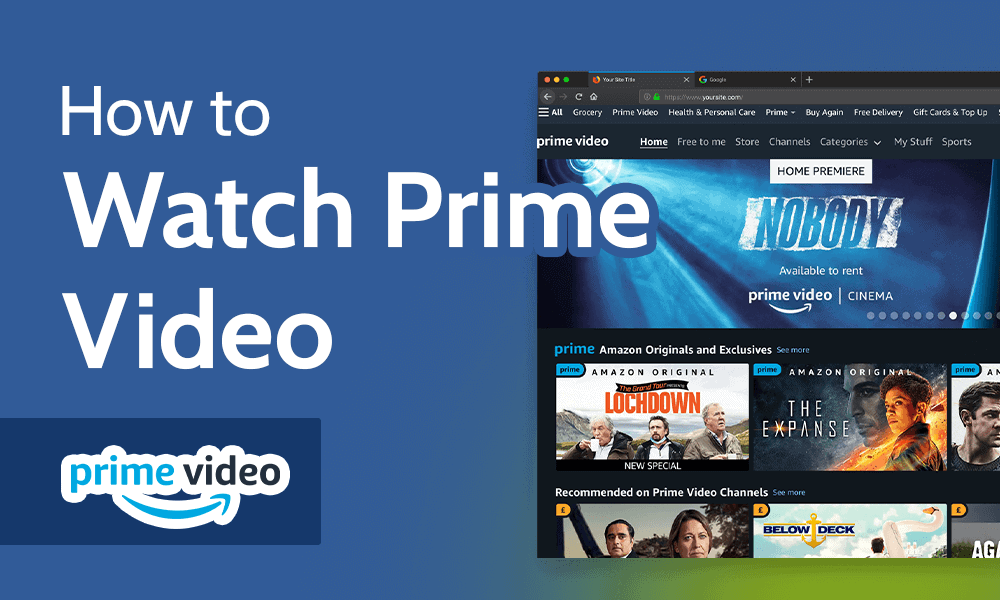
The home screen of the Prime Video app or website is your portal to content. It’s dynamically generated, featuring curated carousels for new releases, popular titles, Amazon Originals, and recommendations based on your viewing history. Technically, this personalized experience relies on sophisticated algorithms that analyze user data to predict preferences. These recommendations are constantly evolving, leveraging machine learning to refine suggestions as you watch more content. Users can also browse by genre, category, or explore specific collections.
Library Management: Watchlist and Purchases
Your personal library on Prime Video is divided into several key areas. The “Watchlist” allows you to bookmark titles you intend to watch later, essentially creating a personal queue. “Purchases & Rentals” houses all the content you’ve bought or rented, separate from what’s included with your Prime subscription. This distinction is crucial, as many titles require separate payment even for Prime members. Understanding this organizational structure helps in distinguishing included content from pay-per-view options.
Profiles and Parental Controls: Tailoring the Experience for Everyone
Prime Video supports multiple user profiles within a single account, allowing each household member to maintain their own watch history, recommendations, and watchlist. This personalization is a key feature, especially for families. Each profile can also be configured with parental controls, allowing the account owner to restrict access to content based on age ratings. This technical safeguard ensures that children only view age-appropriate material, often requiring a PIN for access to restricted content or purchases. Setting up and managing these profiles is done through the account settings, offering granular control over who watches what.
Downloading for Offline Viewing: Freedom from Connectivity
One of Prime Video’s most valuable technical features is the ability to download select titles for offline viewing. This is particularly useful for travelers, commuters, or anyone with unreliable internet access. The downloading feature is available on mobile apps and the Windows desktop app. Users can choose download quality to balance file size against visual fidelity. Once downloaded, content remains available for a limited time (typically 30 days, or 48 hours once playback begins) and is stored locally on the device. This technical capability fundamentally enhances the platform’s utility by decoupling entertainment from persistent internet connectivity.
Beyond the Basics: Advanced Tips and Troubleshooting
Even with a robust understanding of the fundamentals, optimizing and occasionally troubleshooting your Prime Video experience can enhance enjoyment further.
Multi-Device Streaming and Account Management
A single Prime Video account typically allows for streaming on up to three different devices simultaneously. However, only two devices can simultaneously stream the same title. This technical limitation is part of the service agreement. Users can manage their registered devices through the Amazon website, removing old or unauthorized devices to maintain security and comply with streaming limits. Regularly reviewing registered devices is a good security practice.
Common Issues and Quick Fixes: Solving Technical Glitches
Despite its robustness, users might occasionally encounter technical issues like buffering, app crashes, or login problems. Most of these can be resolved with basic troubleshooting:
-
Buffering: Often network-related. Try restarting your router, checking your internet speed, or reducing video quality in the app settings. For Wi-Fi, moving closer to the router or using a wired connection can help.
-
App Not Responding/Crashing: Try force-quitting and restarting the app. If that fails, uninstalling and reinstalling the app can often clear corrupted data. Ensure your device’s operating system and the Prime Video app are up to date.
-
Login Issues: Double-check your Amazon account credentials. If you’ve recently changed your Amazon password, ensure it’s updated everywhere. Sometimes, clearing the app’s cache (in device settings) can resolve persistent login problems.
-
Picture/Sound Problems: Verify your device supports the content’s resolution/HDR/audio format. Check HDMI cable connections and ensure they are high-speed. Review TV/sound system settings for proper input and picture/audio modes.
Integrating with Alexa and Smart Home Devices: A Connected Entertainment Ecosystem
For users invested in Amazon’s broader ecosystem, Prime Video offers seamless integration with Alexa-enabled devices. You can use voice commands to search for titles, play content, pause, fast forward, and even launch the Prime Video app directly on compatible Fire TV devices, Smart TVs, or Echo Show devices. This hands-free control, powered by Amazon’s advanced AI, exemplifies the platform’s technological integration within the smart home environment, transforming how users interact with their entertainment.

Conclusion
The question “how do you watch Prime Video?” is not merely a query about access, but an invitation to explore a sophisticated technological infrastructure designed to deliver unparalleled streaming flexibility and quality. From the vast array of compatible devices – Smart TVs, streaming sticks, mobile phones, computers, and gaming consoles – to the intricate details of network optimization, resolution management, and immersive audio, every aspect is engineered for the user. By understanding the underlying tech, from algorithmic recommendations to offline downloads and robust parental controls, viewers can transcend basic playback to curate a truly personalized, high-fidelity, and seamless entertainment experience. Amazon Prime Video continues to evolve, pushing the boundaries of what’s possible in digital entertainment, ensuring that wherever you are, and whatever your device, your next favorite show is just a tap, click, or voice command away.
aViewFromTheCave is a participant in the Amazon Services LLC Associates Program, an affiliate advertising program designed to provide a means for sites to earn advertising fees by advertising and linking to Amazon.com. Amazon, the Amazon logo, AmazonSupply, and the AmazonSupply logo are trademarks of Amazon.com, Inc. or its affiliates. As an Amazon Associate we earn affiliate commissions from qualifying purchases.