
Navigating the landscape of personal finance often involves making strategic decisions about the credit products we hold. While opening a new credit card can offer exciting rewards and financial flexibility, the decision to close an existing one, particularly with a major institution like Bank of America, requires careful consideration. It’s not merely a matter of cutting up the plastic; rather, it’s a financial move with potential implications for your credit score, future borrowing capacity, and overall financial health.
This comprehensive guide is designed to walk you through the process of closing a Bank of America credit card, providing insights into the “whys” and “hows,” and equipping you with the knowledge to make an informed decision that aligns with your financial goals. Whether you’re consolidating debt, simplifying your financial life, or simply no longer need a particular card, understanding the steps and potential ramifications is crucial for a smooth transition.
Understanding the Implications of Closing a Credit Card
Before you pick up the phone to initiate the closure of your Bank of America credit card, it’s essential to grasp the potential repercussions of such an action. Closing a credit card isn’t a neutral event; it can have both immediate and long-term effects on your financial profile, most notably on your credit score.
Impact on Your Credit Score
Your credit score is a numerical representation of your creditworthiness, influencing everything from loan approvals to insurance premiums. When you close a credit card, several factors that contribute to this score can be affected:
-
Credit Utilization Ratio: This ratio measures the amount of credit you’re using compared to your total available credit. Closing a card immediately reduces your total available credit, which can cause your utilization ratio to jump if you carry balances on other cards. A higher utilization ratio (ideally kept below 30%) is generally viewed negatively by credit bureaus and can lower your score. For example, if you have two cards, each with a $5,000 limit (total $10,000 available credit), and you carry a $2,000 balance, your utilization is 20%. If you close one card, your total available credit drops to $5,000, making your utilization 40% with the same $2,000 balance.
-
Average Age of Accounts: Credit scoring models reward a longer credit history. Closing an older card can decrease the average age of all your credit accounts, potentially signaling less financial stability to lenders. Even if the closed account remains on your credit report for up to 10 years, its age no longer actively contributes to the average once closed. If the card you’re considering closing is one of your oldest, its removal from your active credit profile could have a more significant impact.
-
Number of Open Accounts and Credit Mix: While not as impactful as utilization or average age, having a diverse mix of credit (credit cards, loans, etc.) and a reasonable number of open accounts can positively influence your score. Closing a card might slightly alter this mix, though usually not dramatically.
It’s important to remember that the impact on your credit score is highly individualized. If you have a robust credit history with many other active accounts and low utilization, closing one card might only cause a temporary, minor dip. However, for those with a limited credit history or high balances on other cards, the effect could be more pronounced.
Potential Account-Specific Considerations
Beyond the credit score, there are practical aspects tied to your specific Bank of America credit card that warrant attention:
-
Rewards Points Forfeiture: Most rewards programs stipulate that any unredeemed points or cash back are forfeited upon account closure. Before initiating the process, ensure you’ve redeemed all your hard-earned rewards, whether for travel, merchandise, or a statement credit. Bank of America typically offers a variety of redemption options, so make sure to capitalize on them.
-
Annual Fees: If your Bank of America card carries an annual fee, check your most recent statement to see if it has recently posted. Some issuers may offer a prorated refund if you close the card shortly after the fee hits, but this is not guaranteed and varies by issuer policy. Ideally, close the card before the annual fee is due for its next cycle.
-
Linked Services and Auto-Payments: Credit cards are often linked to recurring subscriptions, utility bills, or other auto-payments. Forgetting to update these payment methods before closure can lead to missed payments, late fees, and service disruptions. Create a list of all services linked to the card and update them meticulously.
-
Outstanding Balances and Interest: While the goal is to pay down your balance to zero before closing, if you still have an outstanding balance, you will be required to pay it off according to your original terms, including any accrued interest. Closing the account does not absolve you of this debt; in fact, without new purchases to offset the payments, you might find the balance declines faster, but the payment obligation remains.
Pre-Closure Checklist: Preparing Your Account
A well-prepared closure process minimizes stress and avoids potential financial missteps. Taking the following steps before you contact Bank of America will ensure a smoother experience.
Pay Down Your Balance to Zero
This is perhaps the most critical preparatory step. You cannot fully close a credit card account with an outstanding balance.
-
Ensure All Transactions Have Posted: Allow a few days for any recent purchases or pending transactions to clear and post to your account. You want an accurate, up-to-the-minute balance.
-
Pay the Full Amount: Make a payment that brings your balance to a definitive $0.00. Don’t leave even a small residual balance, as this will prevent closure. It’s often advisable to pay a slightly higher amount than what’s technically due, to account for any last-minute interest accruals that might not yet be reflected, especially if you had a remaining balance during the previous statement cycle. If you accidentally overpay, Bank of America will typically issue a refund.
-
Avoid New Purchases: Stop using the card entirely once you’ve decided to close it to prevent new charges from complicating the zero-balance requirement.
Redeem Rewards and Transfer Auto-Payments
Don’t let valuable rewards go to waste, and prevent service interruptions by proactively managing your payments.
-
Maximize Your Rewards: Log in to your Bank of America online account or call customer service to redeem all your accumulated points, cash back, or miles. Be aware of any minimum redemption thresholds. Forgetting this step is a common and costly oversight.
-
Update All Recurring Charges: Go through your recent statements to identify all services (streaming subscriptions, gym memberships, utility bills, insurance premiums, etc.) that are set to automatically charge your Bank of America card. Contact each service provider to update your payment information with a different card or bank account. This might seem tedious, but it prevents unnecessary late fees or service cancellations.
Download Statements and Transaction History
Maintaining thorough records is a prudent financial practice, especially when closing an account.
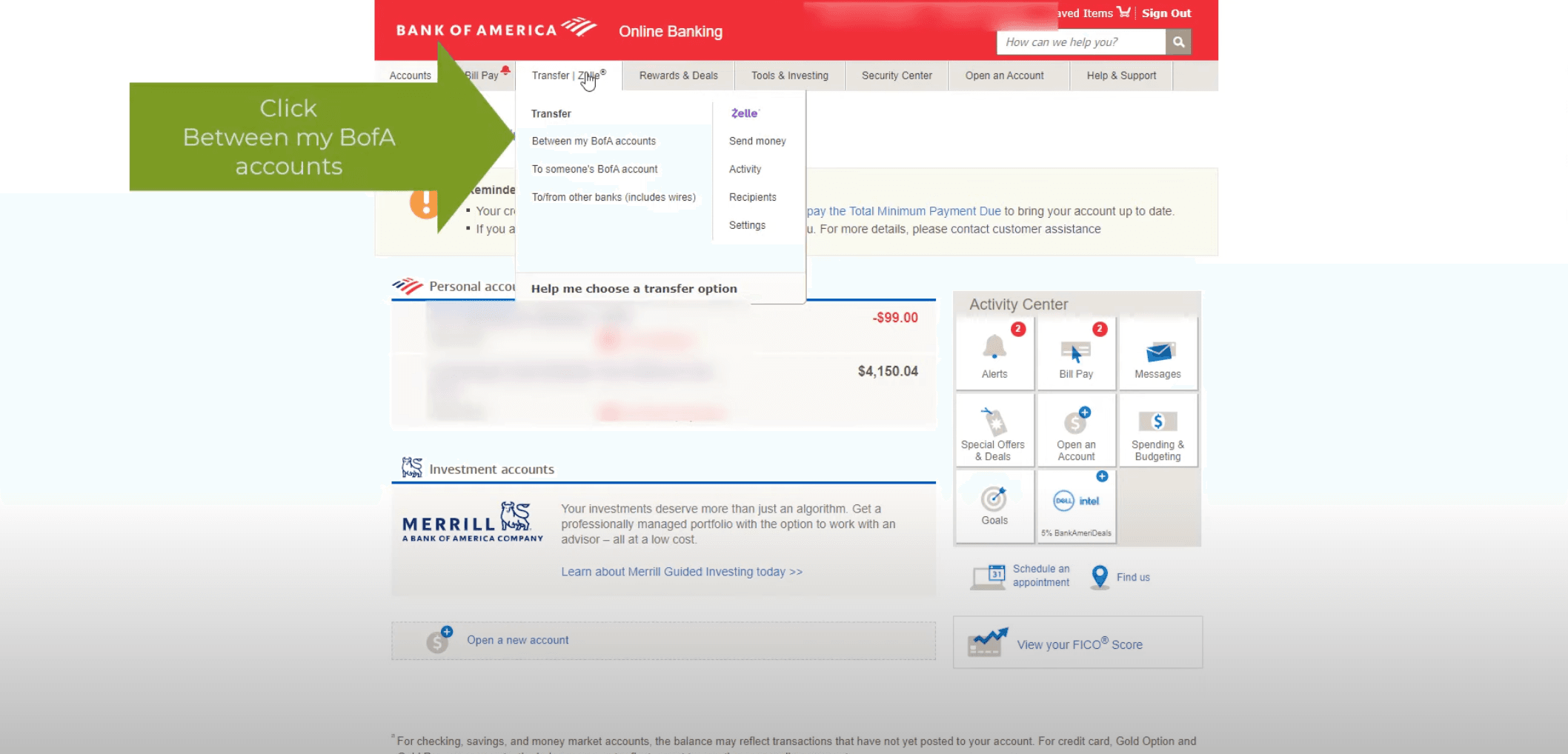
- For Your Records: Download and save at least the past 12-24 months of statements and your complete transaction history. This documentation can be invaluable for tax purposes, future financial planning, or resolving any potential disputes that might arise down the line, even after the account is closed. Bank of America typically allows you to access these online. Store them securely on your computer or in a cloud service.
The Step-by-Step Process to Close Your Bank of America Credit Card
Once your preparations are complete, you’re ready to formally request the closure of your account.
Contacting Bank of America Directly
While some institutions allow online closure, calling customer service is generally the most reliable and recommended method for Bank of America credit cards. This allows for immediate confirmation and the opportunity to address any questions.
-
Gather Your Information: Have your credit card number, account number, and personal identification handy.
-
Call Customer Service: The primary customer service number for Bank of America credit cards is typically found on the back of your card, on your statement, or on the Bank of America website.
-
State Your Intention Clearly: When you connect with a representative, clearly state, “I would like to close my credit card account.” Be firm but polite.
-
Be Prepared for Retention Offers: Credit card issuers, including Bank of America, often have “retention departments” designed to keep customers. The representative may ask why you’re closing the card and might offer incentives (e.g., waived annual fees, bonus points, lower interest rates) to retain your business. If these offers don’t align with your reasons for closing, politely decline. Stick to your decision if it’s what’s best for your financial strategy.
-
Confirm Zero Balance: The representative will likely confirm your account balance is zero. If it isn’t, they will instruct you on how to make the final payment.
-
Request Confirmation: Before ending the call, explicitly ask for confirmation that the account has been closed and that you will receive written confirmation via mail or email.
Confirming Closure and Requesting Written Confirmation
Verification is key to ensuring the account is indeed closed and won’t reappear unexpectedly.
-
Verbal Confirmation: Ensure the representative provides verbal confirmation that your account is closed and that no further charges can be made.
-
Written Confirmation: This is crucial. Request that Bank of America send you a written confirmation letter or email stating that the account has been closed at your request and that the balance was $0.00 at the time of closure. This document serves as proof should any discrepancies arise later.
-
Monitor Your Credit Report: After 30-60 days, obtain a free copy of your credit report from one of the major bureaus (Experian, Equifax, TransUnion) via AnnualCreditReport.com. Verify that the Bank of America credit card is listed as “closed by grantor” or “closed at consumer’s request” with a zero balance. If it’s still showing as open or has an incorrect status, contact Bank of America immediately to rectify the error.
When NOT to Close a Credit Card (and Alternatives)
While closing a credit card can be a sound financial decision in many circumstances, there are times when it might do more harm than good. Understanding these scenarios can help you explore alternatives that preserve your financial health.
Avoid Closing Your Oldest Card
As discussed, the average age of your credit accounts significantly impacts your credit score. If the Bank of America card you’re considering closing is your oldest credit card, closing it could shorten your credit history and potentially lead to a more noticeable drop in your score.
Beware of High Credit Utilization
If closing your Bank of America card would drastically reduce your total available credit and subsequently cause your credit utilization ratio on your remaining cards to skyrocket (especially if it pushes you above 30%), it might be best to reconsider. A high utilization ratio is a strong indicator of credit risk to lenders.

Alternatives to Closing
If you’re hesitant to close your Bank of America card due to credit score concerns, but still want to stop using it, consider these alternatives:
-
Downgrade to a No-Annual-Fee Card: If your primary reason for closing is an annual fee, ask Bank of America if you can product change (or downgrade) your card to a no-annual-fee version. This allows you to keep the account open, preserve your credit history, and avoid the fee, all while keeping the line of credit available.
-
Temporarily Freeze the Card: Most credit card apps and online portals allow you to “freeze” your card, preventing new purchases without actually closing the account. This can be a good option if you want to stop using it but aren’t ready to commit to closure.
-
Use it Sparingly to Keep it Active: To keep the account active and contributing positively to your credit history, consider making a very small purchase on it once every few months (e.g., a coffee or a subscription) and immediately paying it off. This prevents the issuer from closing it due to inactivity and maintains your credit line.
Closing a Bank of America credit card is a financial decision that should be approached with careful planning and a clear understanding of its implications. By following a structured process—from preparing your account and redeeming rewards to directly contacting the bank and confirming closure—you can ensure a smooth transition that supports your overall financial well-being. Always prioritize proactive management and verification, and remember that informed financial choices are the cornerstone of a strong personal finance strategy.
aViewFromTheCave is a participant in the Amazon Services LLC Associates Program, an affiliate advertising program designed to provide a means for sites to earn advertising fees by advertising and linking to Amazon.com. Amazon, the Amazon logo, AmazonSupply, and the AmazonSupply logo are trademarks of Amazon.com, Inc. or its affiliates. As an Amazon Associate we earn affiliate commissions from qualifying purchases.