
In an increasingly digital world, managing our finances has largely transitioned from brick-and-mortar interactions to the convenience of online platforms. From opening new accounts to transferring funds and paying bills, nearly every banking operation can now be performed with a few clicks. However, when it comes to the less frequent task of closing a bank account, many find themselves asking: “How do I close a bank account online?” While the process can indeed be streamlined through digital channels, it requires a thoughtful, systematic approach to avoid potential pitfalls. This guide will walk you through everything you need to know to successfully close your bank account online, ensuring a smooth transition without financial headaches.
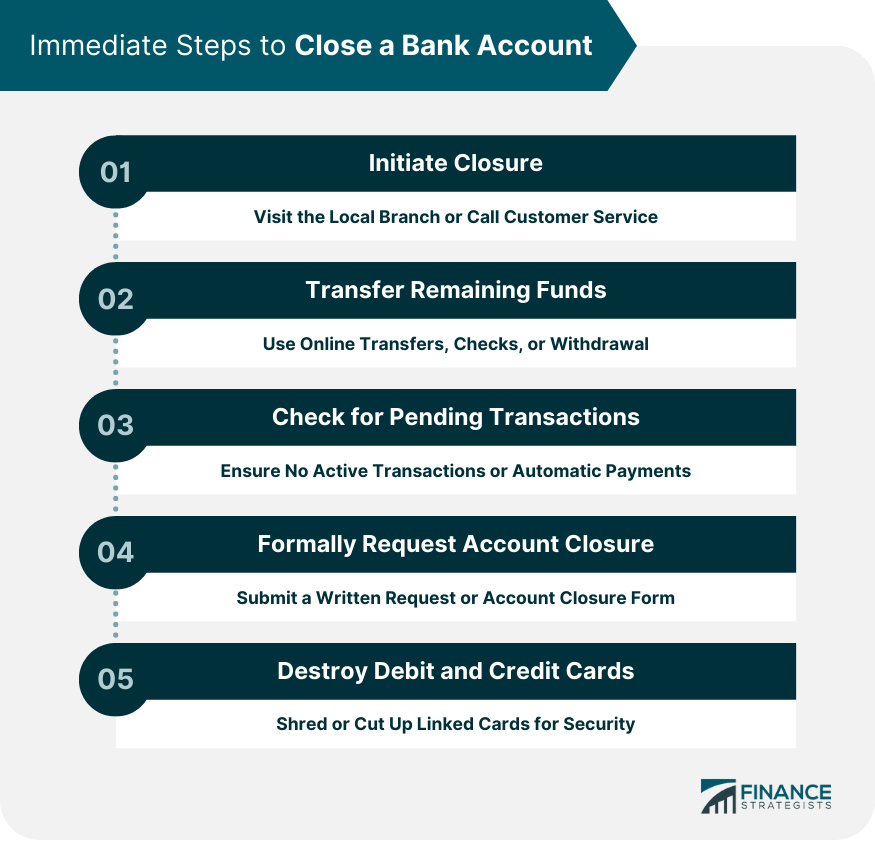
Understanding the ‘Why’ Before You Close
Before initiating the closure of any bank account, it’s crucial to understand your motivations and the potential repercussions. A clear understanding of “why” you’re closing the account can help you prepare adequately and choose the most appropriate method.
Common Reasons for Account Closure
People opt to close bank accounts for a variety of reasons, each carrying its own set of considerations:
-
Seeking Better Terms: Many switch banks to take advantage of higher interest rates on savings, lower fees, or more attractive rewards programs offered by competitors. In the dynamic landscape of personal finance, optimizing where your money sits can yield significant benefits.
-
Consolidating Accounts: To simplify their financial life, individuals might close dormant or infrequently used accounts, bringing all their funds under one or two primary institutions. This reduces the number of statements to track and the potential for overlooked fees.
-
Moving or Relocating: A physical move, especially to another country, often necessitates closing local accounts and opening new ones tailored to the new location’s banking system.
-
Dissatisfaction with Services: Poor customer service, persistent fees, or a lack of desired online features can drive customers to seek a more accommodating banking partner.
-
Estate Planning: In the unfortunate event of a death, executors will need to close the deceased’s accounts as part of the estate settlement process.
Potential Implications of Closing an Account
While closing an account might seem straightforward, it’s essential to consider the broader financial landscape to prevent unintended consequences:
-
Impact on Credit Score: While simply closing a checking or savings account doesn’t directly impact your credit score like closing a credit card might, a very old account that’s linked to other financial products (e.g., loans with automatic payments) could indirectly affect your financial stability if not properly managed. Moreover, if closing an account leads to missed payments on linked bills, that will harm your credit.
-
Disruption of Direct Deposits and Automatic Payments: This is arguably the most critical area of concern. Most people have numerous recurring transactions tied to their bank accounts, from salary direct deposits and utility bills to loan payments and subscriptions. Failing to redirect these before closing the account can lead to missed payments, late fees, and significant inconvenience.
-
Account History for Future Loans: Some lenders might look at the longevity of your banking relationships when assessing loan applications. While not a primary factor, a long-standing, well-managed account can sometimes be viewed favorably.
-
Loss of Access to Historical Data: Once an account is closed, accessing past statements and transaction histories can become challenging, or even impossible, especially online. This data can be vital for tax purposes, budgeting, or resolving future disputes.
The Essential Pre-Closure Checklist
Successful online account closure hinges on meticulous preparation. Rushing this stage is the leading cause of issues. Think of it as untangling a complex web of financial connections before you cut the main string.
Redirecting Direct Deposits and Automatic Payments
This step cannot be overemphasized. Before you even think about submitting a closure request, ensure all incoming and outgoing automatic transactions are rerouted to your new or existing active account.
-
Direct Deposits: Contact your employer’s HR or payroll department, government agencies (for benefits), or any other source of recurring income to update your banking information. Allow at least one full pay cycle for the change to take effect and verify it has landed in the new account.
-
Automatic Payments: Make a comprehensive list of all recurring payments linked to the account. This includes utility bills (electricity, water, internet), loan payments (mortgage, auto, student), insurance premiums, credit card payments, subscription services (streaming, gym memberships), and any other automated withdrawals. Log into each service’s portal and update your banking details. Set reminders to check your new account for the first few payment cycles to ensure everything transferred smoothly.
-
Payment Services: Don’t forget services like PayPal, Venmo, Zelle, or other peer-to-peer payment platforms that might be linked to the account. Update them with your new banking information.
Transferring Remaining Funds
Once you’re certain all automatic transactions are redirected, the next step is to empty the account.
-
External Transfers (ACH): The simplest method is often to initiate an ACH transfer from your old bank’s online portal to your new bank. This typically takes 1-3 business days.
-
Wire Transfers: For larger sums or urgent transfers, a wire transfer might be an option, though it usually incurs a fee.
-
Checks: You could write a check from the old account to yourself and deposit it into your new account, ensuring you wait for the check to clear before proceeding with closure.
-
ATM Withdrawals: For smaller balances, withdrawing cash from an ATM might be feasible, though daily limits apply.
-
Bank Teller: If all else fails, or for very specific circumstances, visiting a branch might be necessary for a cashier’s check or a final cash withdrawal, though this deviates from an “online” closure.
Downloading Statements and Transaction History
As mentioned, access to historical data might be limited or lost post-closure. Before you close the account:
-
Download All Statements: Go back several years, ideally up to seven, to ensure you have records for tax purposes or any potential disputes. Save them digitally in a secure location and consider a backup.
-
Export Transaction History: Many online banking platforms allow you to export transaction data into spreadsheets (CSV, Excel) for easier analysis or record-keeping.
Checking for Outstanding Transactions or Holds
Before zeroing out the account, double-check for any pending transactions, checks you’ve written that haven’t cleared, or holds on funds. Closing an account with pending activity can lead to complications, including overdraft fees if a check clears after closure, or funds being tied up. Ensure the account balance is truly zero and all activity has settled.
Navigating the Online Closure Process
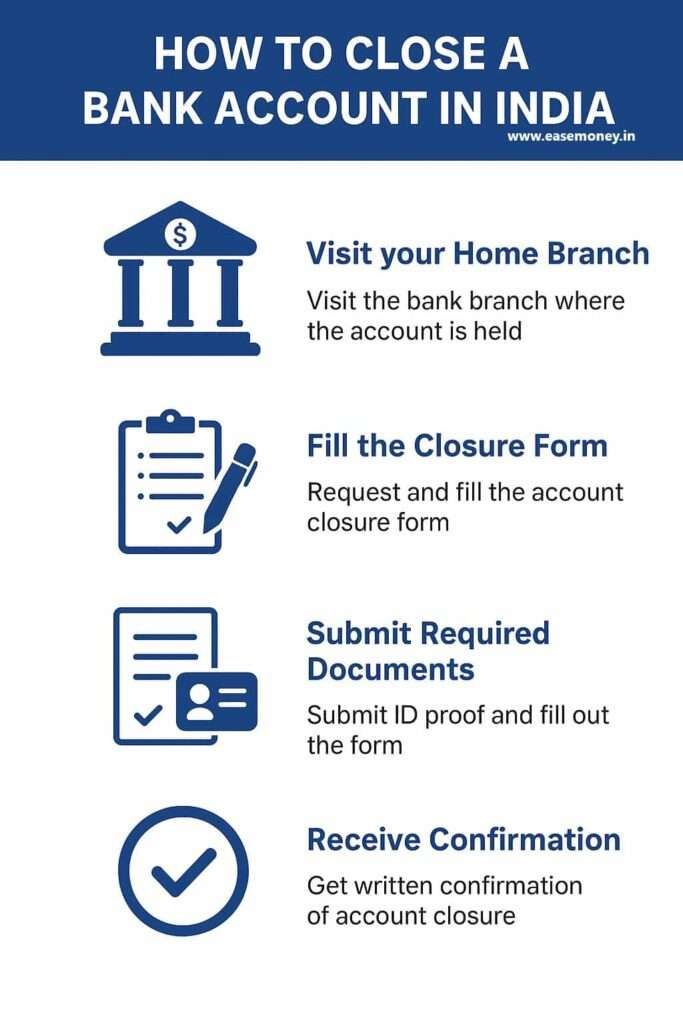
With all pre-closure preparations complete, you are now ready to engage with your bank to formally close the account. While many banks offer online options, the exact process can vary.
Locating the Closure Option
Start by thoroughly exploring your bank’s online platform:
-
Secure Message or Chat: Many banks allow you to initiate a closure request through their secure messaging system or live chat feature. This is often the most common “online” method. You might need to navigate to the “Support,” “Contact Us,” or “Help” sections of your online banking portal.
-
Online Forms: Some banks provide specific online forms for account closure. These are typically found in the “Account Services” or “Manage Accounts” sections.
-
FAQ or Help Center: Consult the bank’s FAQ or help center. They often have dedicated articles explaining the account closure process and whether it can be done online.
-
Mobile App: Check if your bank’s mobile app offers a closure feature, though this is less common for full closures and more for temporary holds or freezing cards.
Required Information and Documentation
When you initiate the closure request, be prepared to provide:
-
Account Number(s): The full account number of the account(s) you wish to close.
-
Personal Identification Information: Your full name, address, date of birth, and potentially the last four digits of your Social Security Number (SSN) or Tax ID to verify your identity.
-
Reason for Closure: While not always mandatory, having a concise reason ready can sometimes expedite the process.
-
Destination for Remaining Funds: If you missed transferring a small residual balance, the bank might ask where to send it (e.g., a linked account, a check by mail).
Confirmation and Follow-Up Steps
Once you’ve submitted your request:
-
Seek Confirmation: Always ask for a confirmation number or email verifying your closure request. This is your proof that you initiated the process.
-
Verify Zero Balance: The bank will typically review the account to ensure no outstanding transactions. Once confirmed, they will officially close it.
-
Expect a Final Statement: You might receive a final statement showing a zero balance and indicating the account is closed.
-
Call Customer Service (If Needed): If you don’t receive confirmation within the stated timeframe (e.g., 5-7 business days), or if you encounter any issues, don’t hesitate to call the bank’s customer service. This provides a direct line to an agent who can access your account details and provide real-time updates.
What to Do if Online Closure Isn’t Available
Despite advancements, not all banks permit full account closure solely through online means, especially for complex accounts or those with specific conditions.
-
Phone Call: Most banks will allow you to close an account over the phone after identity verification. Have all your account details handy.
-
Mail a Written Request: Some institutions may require a signed letter, often notarized, to formally close an account. Check their specific requirements before mailing.
-
Visit a Branch: As a last resort, if online, phone, and mail options are exhausted or prove too complex, a visit to a physical branch might be necessary. This allows for in-person identity verification and direct assistance from a banker.
Post-Closure Best Practices
Your work isn’t done immediately after submitting the closure request. A few final steps ensure complete peace of mind and data security.
Verifying Account Status
About 1-2 weeks after your closure request, log into your old bank’s online portal. The account should no longer appear, or its status should clearly indicate “closed.” If it’s still active, follow up with customer service. Also, monitor your credit report periodically to ensure the account is correctly reflected as closed and no unexpected activity appears.
Shredding Old Cards and Documents
Once confirmed closed, securely shred any debit cards, checks, and physical statements associated with the old account. This prevents unauthorized use and protects your personal information. Do not simply throw them in the trash.
Monitoring for Unauthorized Activity
For a few months after closure, keep an eye on statements from your new bank account and any credit card statements for any unusual or unauthorized debits that might have mistakenly been routed from the old account. While rare, a miscommunication or an overlooked automated payment can sometimes lead to an attempt to debit a closed account.
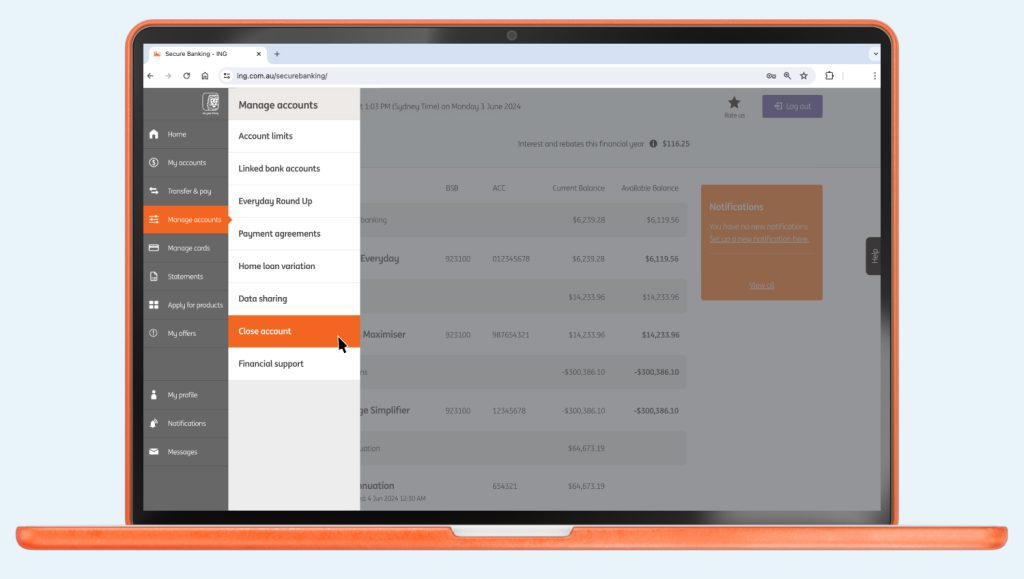
Updating Financial Records
Finally, update your personal financial software (e.g., Mint, Quicken) or spreadsheets to reflect the closed account. This maintains accurate financial tracking and prevents confusion down the line.
Closing a bank account online is a process that demands diligence and attention to detail. By systematically preparing, meticulously executing the closure request, and following through with post-closure verification, you can ensure a smooth, stress-free transition for your personal finances. This proactive approach not only safeguards your financial health but also empowers you to take full control of your banking relationships in the digital age.
aViewFromTheCave is a participant in the Amazon Services LLC Associates Program, an affiliate advertising program designed to provide a means for sites to earn advertising fees by advertising and linking to Amazon.com. Amazon, the Amazon logo, AmazonSupply, and the AmazonSupply logo are trademarks of Amazon.com, Inc. or its affiliates. As an Amazon Associate we earn affiliate commissions from qualifying purchases.