
In an era where digital connectivity is no longer a luxury but a fundamental utility, the demand for reliable, secure, and high-speed internet access has transcended the boundaries of the home and office. As remote work becomes the norm and global travel regains its momentum, users are frequently confronted with the limitations of public Wi-Fi networks and the high costs of cellular roaming. This landscape has paved the way for dedicated portable hotspots, with Ryoko WiFi emerging as a prominent solution in the consumer tech market.
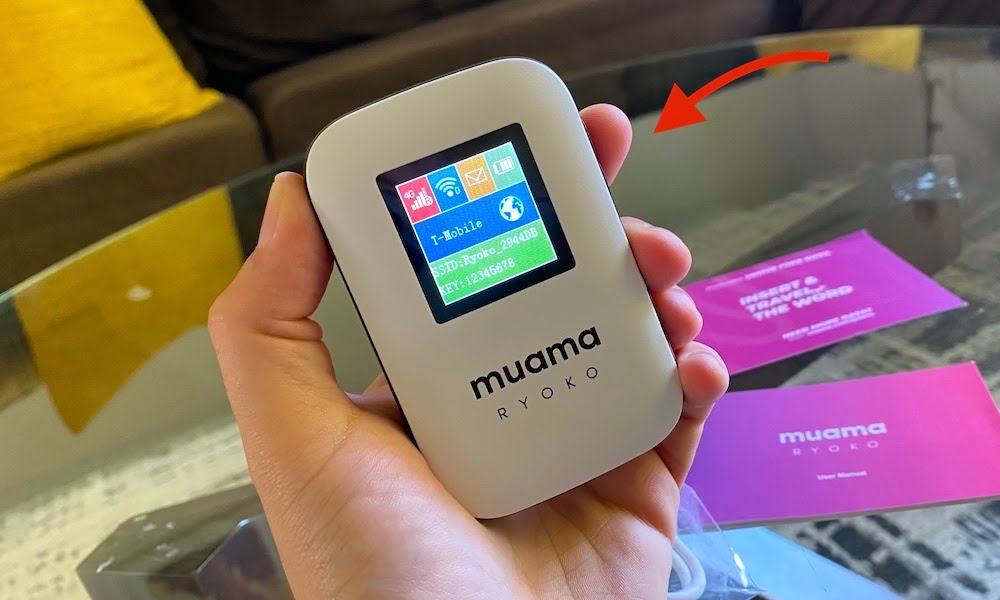
Ryoko WiFi is a pocket-sized, wireless modem that creates a personal Wi-Fi hotspot by leveraging 4G LTE cellular data. Unlike traditional routers that require a fixed cable connection, Ryoko is designed for mobility, allowing users to bring their own private network wherever they go. To understand its value proposition, one must look closely at its underlying technology, its security framework, and how it fits into the broader ecosystem of modern networking gadgets.

Understanding the Technology Behind Ryoko WiFi
At its core, Ryoko WiFi functions as a bridge between cellular networks and your wireless devices. It is essentially a sophisticated LTE-to-Wi-Fi converter. By inserting a SIM card into the device, it taps into available cellular towers to provide a high-speed data stream, which it then broadcasts as a localized Wi-Fi signal.
The Mechanics of Mobile Hotspots
The hardware inside a Ryoko device includes a cellular modem and a wireless access point. When powered on, the modem searches for the strongest available signal within the supported frequency bands. Most modern portable hotspots like Ryoko are optimized for 4G LTE, which offers a balance of wide coverage and sufficient bandwidth for high-definition streaming, video conferencing, and heavy web browsing.
One of the significant advantages of a dedicated device over a smartphone’s “hotspot mode” is the optimization of the hardware. Smartphones are multi-purpose devices; when they act as a hotspot, the processor and battery are strained by managing cellular reception, data routing, and broadcasting a Wi-Fi signal simultaneously. Ryoko, being a single-purpose gadget, features optimized antennas and thermal management systems that ensure a more stable connection and better battery longevity than a tethered phone.
Hardware Specifications and Build Quality
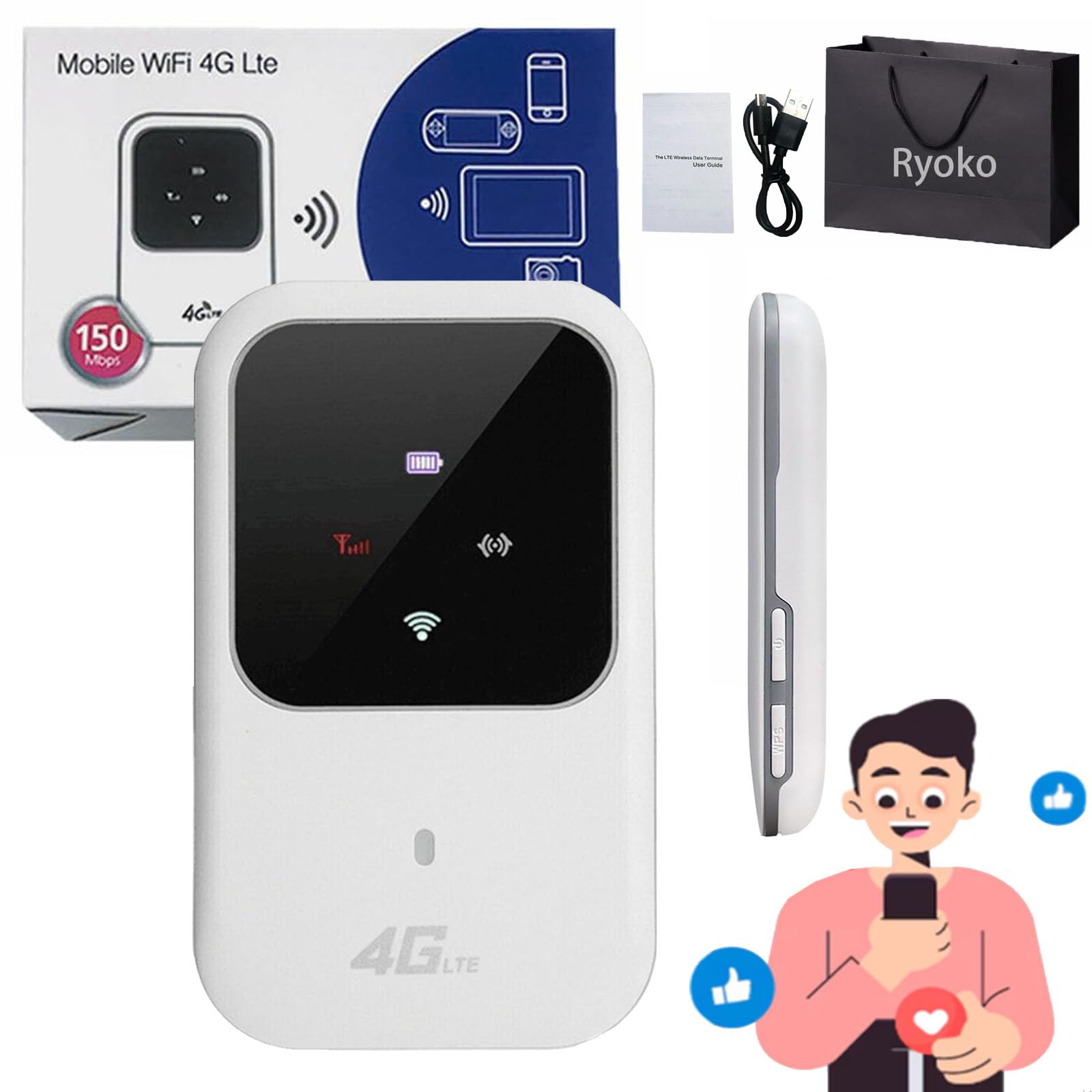
Ryoko is designed with a minimalist aesthetic, prioritizing portability. It typically features a small LCD or LED interface that provides real-time information such as signal strength, the number of connected devices, and battery life. Under the hood, it usually houses a high-capacity lithium-ion battery, designed to last for several hours of continuous use.
Connectivity-wise, the device supports multiple users simultaneously—often up to ten devices. This makes it an ideal hub for a family traveling together, a small team of professionals working in a remote location, or a single power user with a laptop, tablet, and smartphone that all require synchronized data.
Key Features and Capabilities
The appeal of Ryoko WiFi lies not just in its ability to provide internet, but in the specific features tailored for the modern digital lifestyle. From global compatibility to streamlined user interfaces, the device aims to eliminate the friction points of traditional mobile internet.
Global Connectivity and Network Compatibility
One of the most touted features of Ryoko is its “out-of-the-box” readiness. Many units come pre-configured with a SIM card that offers coverage in dozens of countries. This is achieved through partnerships with various global telecommunications providers, allowing the device to switch between networks as the user crosses borders.
For the international traveler, this is a game-changer. Instead of searching for a local SIM card at every airport or risking exorbitant “daily pass” fees from a home carrier, the user can rely on a single device with a predictable data plan. The device usually supports a wide array of LTE bands, ensuring it can connect to different infrastructures whether you are in North America, Europe, or Asia.
Security Protocols and Privacy Benefits
In the tech world, convenience often comes at the cost of security, but Ryoko is designed to reverse that trend. Public Wi-Fi networks—found in cafes, hotels, and airports—are notorious hotspots for cyberattacks. Packet sniffing, “man-in-the-middle” attacks, and rogue hotspots are common threats that can compromise sensitive personal or corporate data.
Ryoko WiFi provides a private, encrypted connection. It utilizes standard WPA2 or WPA3 security protocols, ensuring that the data transmitted between your laptop and the hotspot is shielded from prying eyes. Because you control the network name (SSID) and the password, you are not vulnerable to the shared-environment risks inherent in open public networks. For professionals handling proprietary information or individuals accessing financial accounts, this layer of security is indispensable.
Multi-Device Support
Modern users rarely travel with just one device. A typical professional might carry a MacBook, an iPad, and a smartphone. Manually connecting each of these to a public Wi-Fi login portal—which often requires email registration or social media logins—is a tedious process. With Ryoko, you connect all your devices once. From that point forward, as soon as the Ryoko device is turned on, your tech ecosystem automatically recognizes and connects to the hotspot, creating a seamless “home-like” network experience on the road.
Ryoko WiFi vs. Public Networks and Tethering
To truly evaluate the tech behind Ryoko, it is helpful to compare it against the two most common alternatives: public Wi-Fi and smartphone tethering.
The Risks and Limitations of Public Wi-Fi
Public Wi-Fi is frequently slow due to congestion. When dozens of people are sharing the same bandwidth, latency spikes and download speeds drop. Furthermore, many public networks have “session timeouts” or restrictive firewalls that block certain applications or VPNs. Ryoko bypasses these issues by providing a dedicated lane of bandwidth that you do not have to share with the person sitting at the next table.
Why Tethering Your Phone Isn’t Always the Best Solution
While most smartphones have a hotspot feature, it is rarely the most efficient tool for the job. Tethering is a massive drain on smartphone battery life, often depleting a full charge in a few hours. Additionally, many cellular carriers throttle hotspot data or charge extra for it, even on “unlimited” plans. By using a Ryoko device, you preserve your phone’s battery for calls and navigation while utilizing a data plan specifically designed for high-volume hotspot usage.
Practical Use Cases for the Modern User
The versatility of Ryoko WiFi makes it applicable to a wide range of scenarios, from high-stakes business environments to casual leisure travel.
International Travel and Avoiding Roaming Charges
For travelers, Ryoko acts as a financial and technical shield. By using a pre-paid or fixed-rate data plan through the device, users avoid the “bill shock” associated with international roaming. It allows for continuous access to maps, translation apps, and ride-sharing services, which are critical for navigating unfamiliar foreign environments safely.
Remote Work and Digital Nomadism
The “Work From Anywhere” movement relies heavily on the quality of one’s connection. A digital nomad might find a perfect workspace in a park or a remote cabin, only to find there is no Wi-Fi. Ryoko enables this lifestyle by turning any location with cellular reception into a functional office. It provides the stability required for Zoom calls and large file uploads that unstable cafe Wi-Fi often fails to handle.
Emergency Backup Connectivity
For those who work from home, an internet outage can result in a lost day of productivity. Ryoko serves as an excellent redundancy solution. If your primary ISP goes down due to a local outage or maintenance, the Ryoko hotspot can be activated instantly to keep your workstation online.
Setup, Maintenance, and Maximizing Performance
To get the most out of a Ryoko device, users should understand the basics of its management and optimization.
Getting Started: The Initial Configuration
Setup is generally designed to be “plug-and-play.” Once the SIM is activated, the device broadcasts a default signal. Users are encouraged to log into the device’s web interface or dedicated app to change the default password and update the firmware. Firmware updates are crucial in the tech world as they often contain security patches and performance enhancements that improve how the modem interacts with local towers.
Managing Data and Battery Life
To maximize the utility of Ryoko WiFi, users should be mindful of background data usage. Modern operating systems often perform large updates or cloud syncs when they detect a Wi-Fi connection. Since Ryoko uses cellular data, it is wise to set your devices to “Metered Connection” mode to prevent unnecessary data consumption.
Placement also matters. Because Ryoko relies on cellular signals, placing it near a window or in an open space will result in significantly better speeds than placing it in a drawer or a basement. The closer the device can get to a clear line of sight with a cellular tower, the lower the latency and the higher the throughput.
In conclusion, Ryoko WiFi represents a sophisticated convergence of hardware and network services designed for a mobile world. By providing a secure, private, and portable alternative to traditional internet access points, it empowers users to maintain their digital lives without the constraints of physical infrastructure or the risks of public networks. Whether for professional reliability or personal convenience, it stands as a pivotal tool in the modern tech arsenal.
aViewFromTheCave is a participant in the Amazon Services LLC Associates Program, an affiliate advertising program designed to provide a means for sites to earn advertising fees by advertising and linking to Amazon.com. Amazon, the Amazon logo, AmazonSupply, and the AmazonSupply logo are trademarks of Amazon.com, Inc. or its affiliates. As an Amazon Associate we earn affiliate commissions from qualifying purchases.