
In the modern landscape of consumer electronics, the term “Cinema Mode” has become a ubiquitous feature, appearing on everything from high-end OLED televisions to the latest flagship smartphones. Despite its prevalence, there is often a significant gap between clicking a button labeled “Cinema” and understanding the sophisticated technological processes that occur behind the glass. At its core, Cinema Mode is a specialized software and hardware configuration designed to replicate the aesthetic qualities of traditional celluloid film. Whether it is adjusting the color temperature of a 75-inch display or utilizing computational photography to blur the background of a video, Cinema Mode represents the intersection of digital precision and artistic intent.
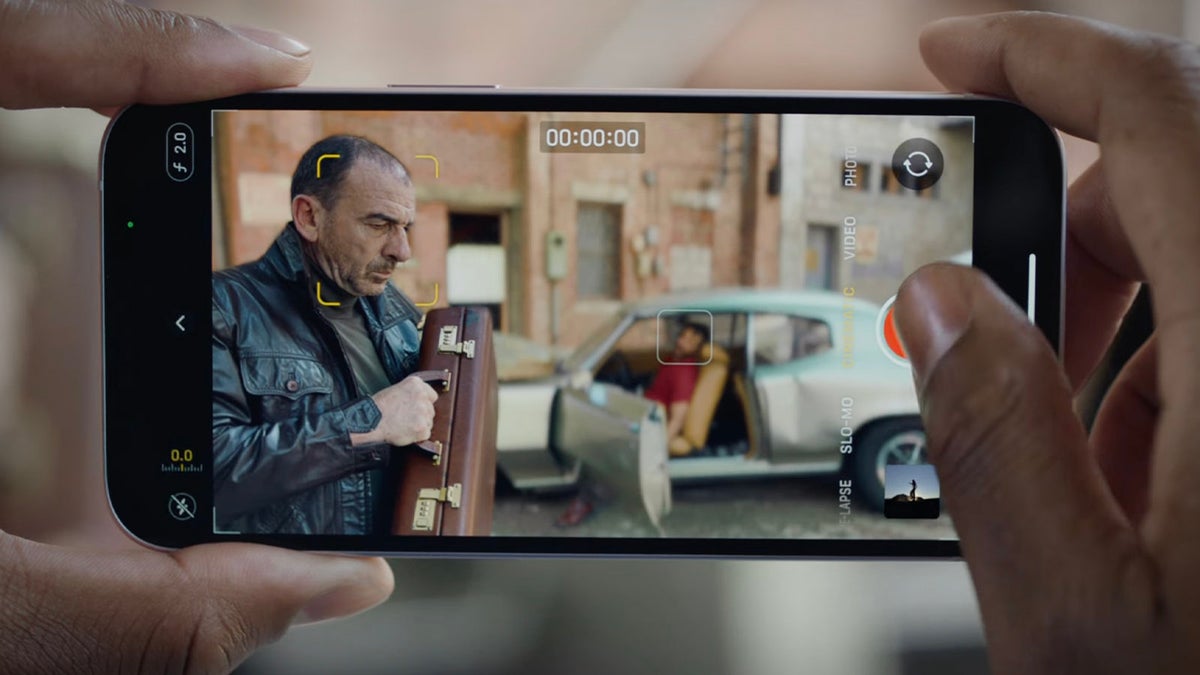
To understand Cinema Mode, one must first recognize that modern digital displays and cameras are natively designed for “pop” and clarity, which often conflicts with the moody, textured, and specific look of professional cinema. Cinema Mode acts as a corrective layer, stripping away artificial enhancements and introducing deliberate constraints that mimic the limitations and beauties of the silver screen.
The Science of Cinema Mode on Home Displays
When you toggle the “Cinema” or “Movie” preset on a television or monitor, you are essentially instructing the device’s internal processor to prioritize accuracy over brightness. In the default “Vivid” or “Standard” modes found on most retail units, manufacturers pump up blue light levels and contrast to make the screen stand out in brightly lit showrooms. Cinema Mode does the opposite.
Color Temperature and the D65 Standard
One of the most immediate changes Cinema Mode makes is to the color temperature. Most consumer displays are calibrated to a “cool” white point, which gives images a slightly bluish tint. Cinema Mode shifts the display toward the D65 white point (approximately 6500 Kelvin), which is the industry standard for film production and mastering. To the untrained eye, this can initially look “warm” or even slightly yellow, but it is actually a more faithful representation of how the director and colorist intended the scene to look. This setting ensures that skin tones appear natural and that the subtle nuances of a film’s color palette are preserved.
Disabling Post-Processing and “The Soap Opera Effect”
Perhaps the most critical function of Cinema Mode on hardware displays is the deactivation of aggressive post-processing features. Chief among these is motion interpolation, commonly known as “motion smoothing” or the “Soap Opera Effect.” Modern TVs have high refresh rates (120Hz or higher), while films are shot at 24 frames per second (fps). To bridge this gap, TVs often insert “fake” frames to make motion look smoother. However, this destroys the rhythmic, dreamlike quality of cinema. Cinema Mode disables these algorithms, allowing the 24fps cadence to remain intact, often through a technique called 5:5 pulldown, where each original frame is displayed five times to match a 120Hz refresh rate perfectly.
Gamma Curves and Contrast Ratios
Cinema Mode also adjusts the gamma curve of the display. Gamma refers to how a screen transitions from black to white. In a bright room, a TV might boost mid-tones so you can see details more easily. In Cinema Mode, the gamma is typically set to 2.2 or 2.4, which deepens the shadows and creates a more dramatic, high-contrast look suitable for dark-room viewing. This ensures that the “blacks” in a scene are as deep as the panel allows, providing a sense of three-dimensional depth that is often lost in flatter, standard viewing modes.
Cinematic Mode on Smartphones: The Computational Revolution
In the realm of mobile technology, Cinema Mode—specifically “Cinematic Mode” as popularized by Apple and similar features from Google and Samsung—refers to a sophisticated video recording feature. This is not about how you view content, but how you create it. Before this technology, achieving a “cinematic look” on a phone was nearly impossible due to the small size of smartphone image sensors and lenses.
The Challenge of Depth of Field
Traditional cinema cameras use large sensors and wide-aperture lenses to create a “shallow depth of field.” This is the effect where the subject is in sharp focus while the background is beautifully blurred (bokeh). Because smartphone lenses are tiny, they have a naturally deep depth of field, meaning almost everything in the frame stays in focus. Smartphone Cinema Mode uses Artificial Intelligence (AI) and Neural Engines to solve this hardware limitation through software.
Real-Time Depth Mapping
When you record in Cinema Mode, the phone’s processor is performing an incredible amount of math every millisecond. It uses the multiple lenses on the back of the device, along with sensors like LiDAR (Light Detection and Ranging), to build a real-time 3D map of the environment. The software identifies the “subject”—usually a human face, a pet, or a specific object—and applies a digital blur to everything else. This is “computational bokeh.” Unlike a static photo’s portrait mode, the phone must track these subjects as they move through three-dimensional space, adjusting the blur intensity based on their distance from the lens.
Rack Focus and AI Intent
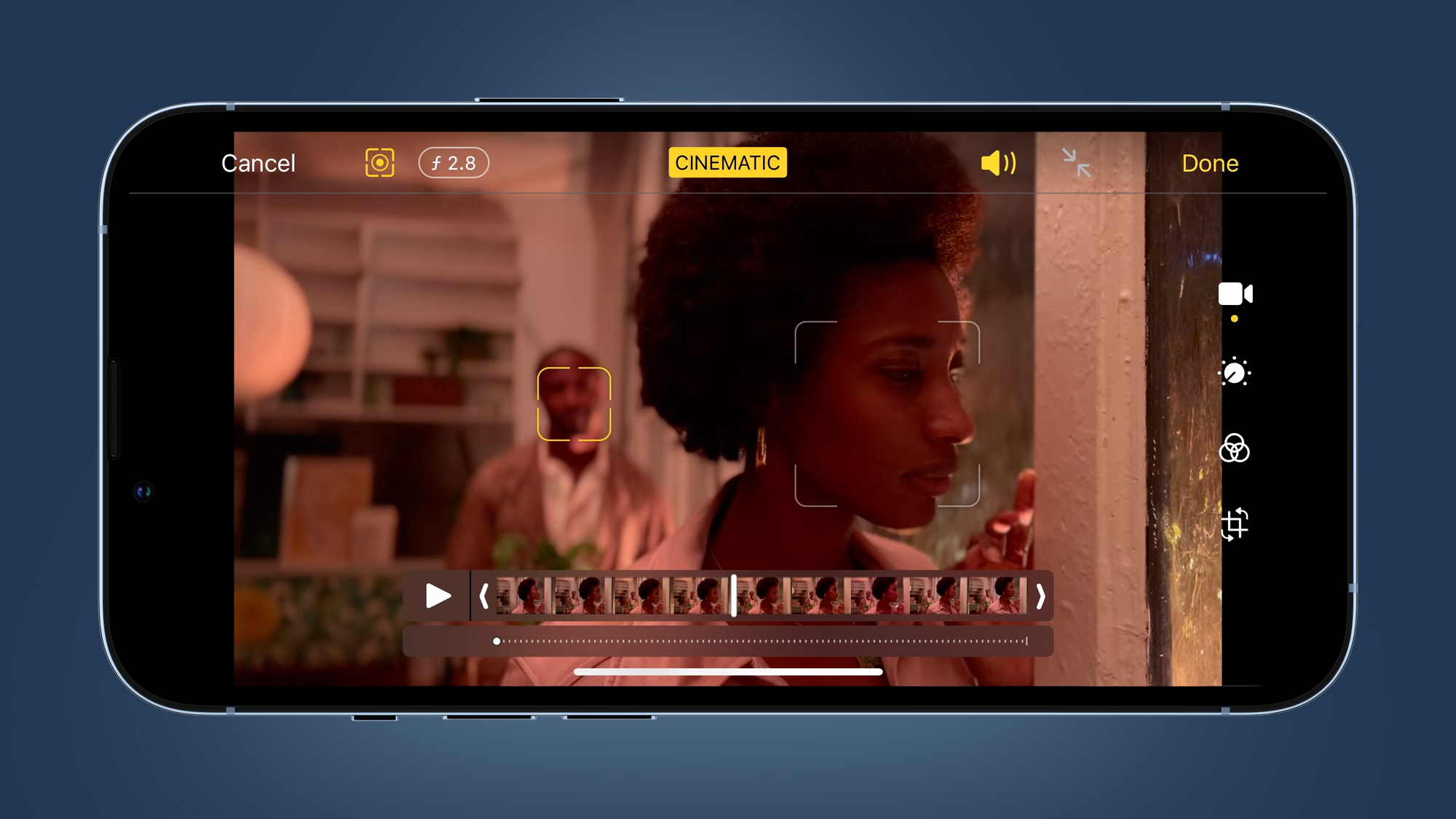
The most “intelligent” part of mobile Cinema Mode is its ability to handle focus transitions, known in the industry as “rack focusing.” In professional filmmaking, a focus puller manually shifts the focus from one actor to another to direct the audience’s attention. Mobile Cinema Mode uses AI to predict where the focus should be. For example, if an actor turns their head away from the camera toward another person in the background, the AI can automatically shift the focus to that second person. This mimics the storytelling techniques used by professional cinematographers, all handled by an algorithm.
Technical Architecture: Frame Rates, Bitrates, and HDR
Beyond the visual blur and color shifts, Cinema Mode is defined by the technical specifications of the file format itself. Whether you are watching a movie in its native format or shooting a video on a mobile device, several technical pillars must be in place to qualify as “cinematic.”
The 24fps Standard
Since the late 1920s, 24 frames per second has been the global standard for cinema. This specific frame rate provides enough motion blur to look natural to the human eye without appearing hyper-realistic or clinical. Cinema Mode settings on both cameras and displays prioritize this frame rate. On the recording side, this requires the shutter speed to be set (usually at 1/48th of a second) to maintain the “180-degree shutter rule,” which ensures that movement has the appropriate amount of blur.
High Dynamic Range (HDR) and Dolby Vision
Cinema Mode often works in tandem with HDR technologies. In the past, video was limited by “Standard Dynamic Range,” which often led to “clipped” highlights (pure white clouds with no detail) or “crushed” shadows (pure black areas with no texture). Cinema Mode utilizes HDR10+ or Dolby Vision to expand the range of brightness and color. This allows for a much wider “gamut,” or palette of colors, enabling the display to show the specific neon hues of a sci-fi film or the subtle earth tones of a period drama with incredible precision.
Bitrate and Data Density
To maintain the “film” look, the video file must contain a vast amount of data. Cinema Mode recording typically uses higher bitrates and often utilizes 10-bit color depth. While standard 8-bit video can display about 16.7 million colors, 10-bit video can display over 1 billion colors. This prevents “banding” in gradients (like a sunset) and provides the flexibility needed for professional color grading in post-production.
Practical Implementation: How to Optimize Your Tech
Understanding what Cinema Mode is is the first step; the second is knowing how to use it effectively within your own ecosystem. The application varies depending on whether you are a consumer of media or a creator of it.
For the Home Theater Enthusiast
To get the most out of Cinema Mode on your TV, the environment must match the technology. Because Cinema Mode targets a lower peak brightness for accuracy, it is best utilized in a controlled lighting environment.
- Reduce Ambient Light: Direct sunlight or bright overhead lights can wash out the calibrated colors of Cinema Mode.
- Check for “Filmmaker Mode”: Many modern TVs now include “Filmmaker Mode,” a standardized version of Cinema Mode developed by the UHD Alliance. It automatically disables all post-processing and sets the correct aspect ratio and frame rate with a single click.
- Adjust the Backlight: While you should leave the color and motion settings alone, you can safely adjust the “OLED Light” or “Backlight” setting to compensate for your room’s brightness without ruining the color accuracy.
For the Mobile Content Creator
When shooting in Cinema Mode on a smartphone, the AI is doing the heavy lifting, but the user still needs to provide the right conditions.
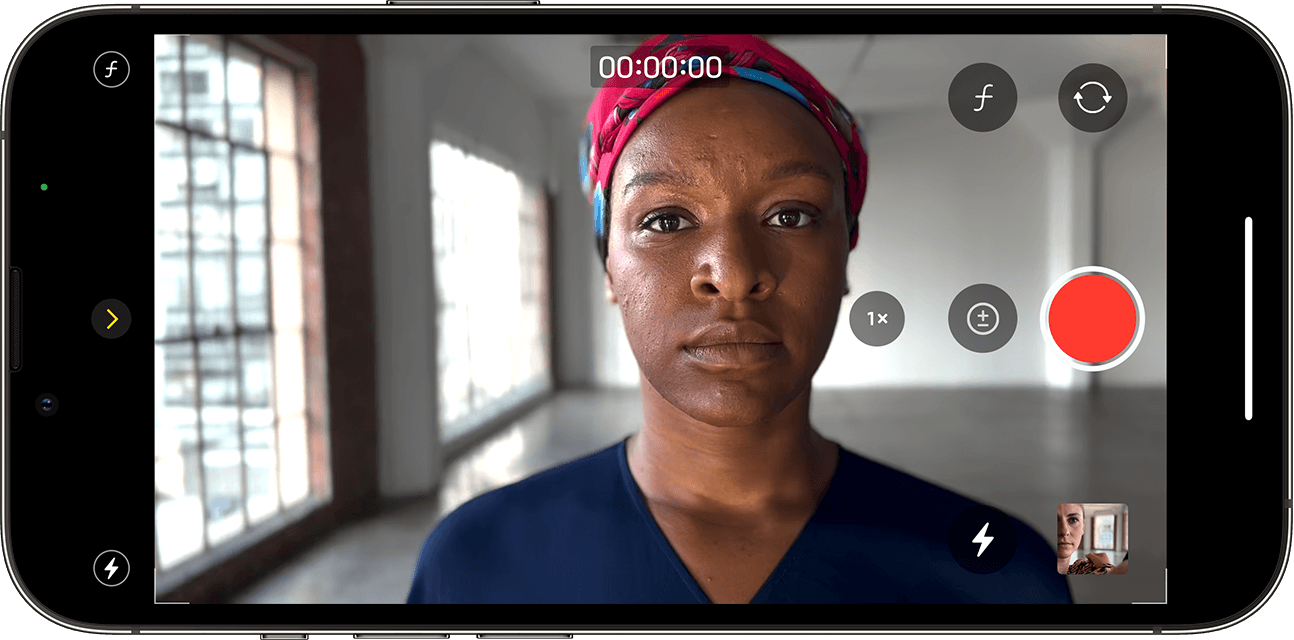
- Lighting is Key: Computational blur algorithms struggle in low light. To ensure the edges of your subject look sharp and the background blur looks natural, shoot in well-lit environments.
- Mind the Distance: For the best depth-of-field effect, keep your subject between 3 and 8 feet away from the lens. If they are too close, the distortion is unflattering; if they are too far, the AI cannot effectively distinguish the subject from the background.
- Post-Shoot Editing: One of the most powerful features of mobile Cinema Mode is that the depth map is saved as metadata. This means you can change the focus point or the intensity of the background blur after you have finished recording, providing a level of control previously reserved for high-end studio editing suites.
The Future: AI-Driven Real-Time Grading
As we look forward, Cinema Mode is set to evolve from a static preset into an adaptive, AI-driven experience. We are entering an era where “Neural Grading” will allow devices to analyze the content of a scene in real-time and apply specific cinematic styles based on the genre.
Imagine a television that detects you are watching a “Film Noir” and automatically adjusts the contrast, grain, and sharpness to match the 1940s aesthetic, or a smartphone that can simulate the specific lens flares and optical characteristics of a vintage Anamorphic lens. The goal of Tech in this space is no longer just “higher resolution” or “more pixels,” but rather “better pixels.”
Cinema Mode represents a philosophical shift in technology. It is a move away from the “clearer is better” mentality toward a “truer is better” approach. By understanding the hardware and software at play—from D65 white points to computational depth maps—users can better appreciate the artistry of filmmaking and harness the full power of their digital tools to recreate the magic of the movies in the palm of their hand or the comfort of their living room.
aViewFromTheCave is a participant in the Amazon Services LLC Associates Program, an affiliate advertising program designed to provide a means for sites to earn advertising fees by advertising and linking to Amazon.com. Amazon, the Amazon logo, AmazonSupply, and the AmazonSupply logo are trademarks of Amazon.com, Inc. or its affiliates. As an Amazon Associate we earn affiliate commissions from qualifying purchases.