
In the modern digital landscape, the Quick Response (QR) code has transitioned from a niche industrial tool to a universal interface between the physical and digital worlds. At its core, a QR code is a two-dimensional matrix barcode capable of storing significantly more data than its predecessor, the traditional linear barcode. While we encounter them daily on everything from restaurant menus to product packaging and digital payment terminals, the technology powering these pixelated squares is a sophisticated blend of geometry, mathematics, and data science.
The QR code was originally developed in 1994 by Masahiro Hara from the Japanese company Denso Wave. Initially designed to track automotive parts throughout the manufacturing process, the requirement was for a code that could be scanned at high speeds and from multiple angles. Today, that industrial efficiency has been democratized, turning every smartphone into a sophisticated optical scanner and every QR code into a portal for data transmission.

The Mechanics of the Matrix: How QR Codes Function
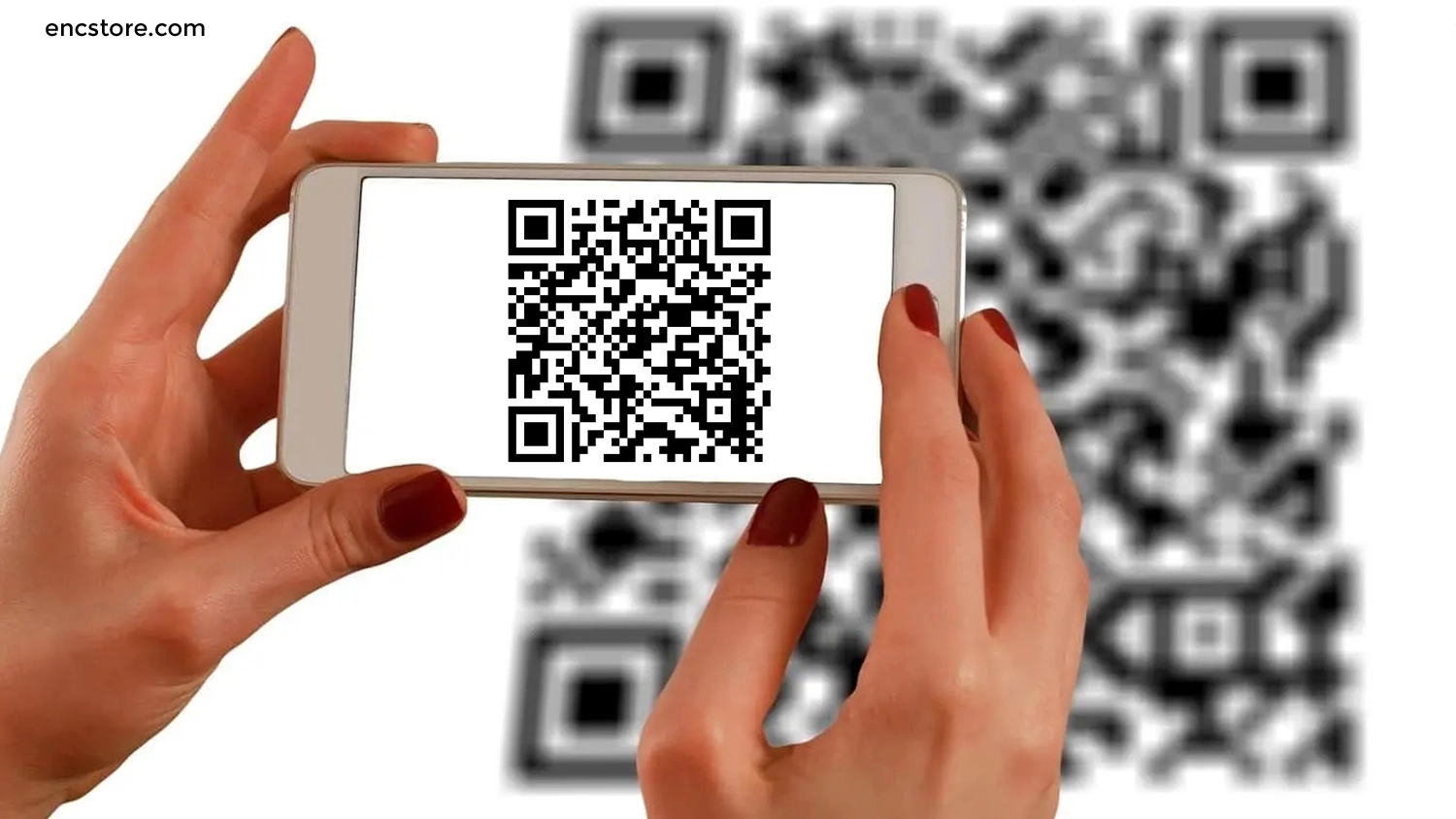
To understand what a QR code is, one must look past the seemingly random arrangement of black and white squares. These squares, known as “modules,” are organized according to strict mathematical rules that allow a scanner to interpret data even if the code is partially damaged or oriented upside down.
From Barcode to Data Square
Unlike traditional one-dimensional barcodes, which store data in a horizontal line of varying widths, QR codes are two-dimensional. This allows data to be stored both vertically and horizontally. This structural shift exponentially increases the data capacity; while a standard barcode might hold 20 to 25 characters, a QR code can store up to 7,089 numeric characters or 4,296 alphanumeric characters. This capacity allows for the encoding of complex URLs, contact information (vCards), or even entire configuration scripts for software.
Understanding the Anatomy of a QR Code
Every QR code follows a specific architectural layout that facilitates rapid machine reading.
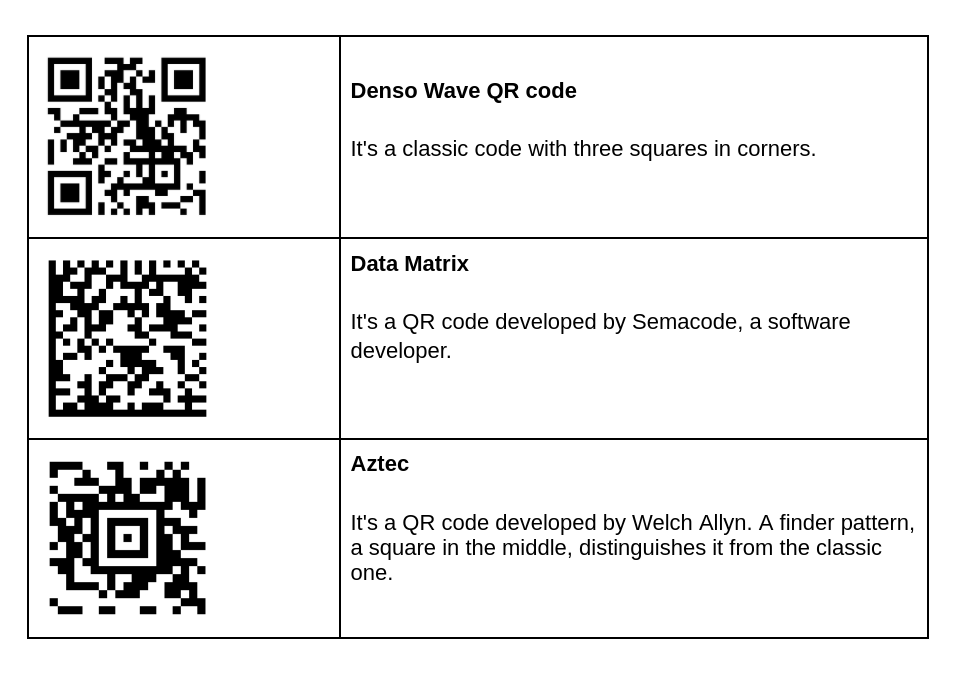
- Positioning Patterns: These are the three large squares located in the top-left, top-right, and bottom-left corners. They allow the scanner to recognize the code’s orientation and size, enabling a 360-degree scanning capability.
- Alignment Patterns: Smaller squares found in larger QR codes that help the scanner correct for any spatial distortion or curvature of the surface the code is printed on.
- Timing Patterns: These are the lines that connect the positioning squares, helping the scanner determine the size of the data matrix.
- Version Information: This identifies which of the 40 different QR code versions is being used, ranging from Version 1 (21×21 modules) to Version 40 (177×177 modules).
- Data and Error Correction Keys: The bulk of the code consists of the actual data and the redundant bits used for error correction.
Data Encoding and Reed-Solomon Error Correction
One of the most impressive technical features of the QR code is its resilience. It utilizes the Reed-Solomon error correction algorithm, a technology also used in satellite communications and DVDs. This system adds redundant data to the code, allowing it to remain functional even if up to 30% of the symbol is obscured, dirty, or torn. There are four error correction levels (L, M, Q, and H), with the highest level providing the most robustness at the expense of storage capacity. This is why many brands can “brand” their QR codes by placing a logo in the center; the error correction simply ignores the logo as “noise” and reconstructs the missing data bits.
Static vs. Dynamic QR Codes: The Infrastructure of Connectivity
In the realm of software and digital implementation, QR codes are categorized into two functional types: Static and Dynamic. The choice between them depends entirely on the technical requirements of the deployment.
Static QR Codes: The Fixed Data Model
A static QR code encodes the information directly into the matrix. Once the code is generated and printed, the information cannot be changed. This is ideal for scenarios where the data is permanent, such as a Wi-Fi password for a home network, an employee ID number, or a plain text message. However, because the data is embedded directly, the more information you add, the denser and more complex the pattern becomes, which can sometimes make scanning more difficult for lower-resolution cameras.
Dynamic QR Codes: Flexibility and Analytics
Dynamic QR codes are the preferred choice for enterprise and high-tech applications. Instead of storing the actual data (like a long URL), a dynamic QR code stores a “short URL” or a redirect command. When scanned, the user is sent to a server, which then redirects them to the final destination.
This architecture offers two major advantages:
- Editability: The destination URL or data can be changed at any time without needing to reprint the QR code.
- Telemetry and Analytics: Because the scan passes through a redirect server, developers can track technical metadata such as the number of scans, the geographic location of the scan, the time of day, and the operating system of the device used. This turns the QR code into a powerful tool for data-driven optimization.
Innovative Tech Applications: Beyond Simple Links
While simple website redirects are the most common use case, the technology has evolved to support complex software integrations and automated workflows.
Cybersecurity and Two-Factor Authentication (2FA)
QR codes have become a cornerstone of modern digital security. Many 2FA apps, such as Google Authenticator or Authy, use QR codes to facilitate the “handshake” between a web service and a mobile device. When you scan the code during setup, you are actually transferring a cryptographic seed key. This allows the app to generate time-based one-time passwords (TOTP) that are synchronized with the server, providing a secure, phishing-resistant layer of protection.
IoT and Smart Home Integration
In the Internet of Things (IoT) ecosystem, QR codes act as a streamlined provisioning tool. Setting up a new smart camera or mesh router often involves scanning a unique QR code located on the bottom of the hardware. This code contains the device’s MAC address and a unique security token, allowing the mobile app to automatically pair with the hardware over Bluetooth or Wi-Fi without the user having to manually enter long serial numbers or passwords.
QR Codes in Augmented Reality (AR) and Industry 4.0
Advanced implementations of QR codes serve as “anchors” for Augmented Reality. By scanning a code, a mobile device can determine its precise spatial orientation and overlay 3D models or digital interfaces onto the physical world. In industrial settings, technicians scan QR codes on heavy machinery to instantly pull up real-time telemetry data, 3D repair manuals, or maintenance logs via an AR headset, significantly reducing the “time-to-information” in complex environments.
Navigating Digital Security: Protecting Against Quishing
As with any technology that facilitates data transfer, the rise of QR codes has introduced new security challenges. The most prominent of these is “Quishing”—a portmanteau of QR and Phishing.
The Rise of QR Code Phishing
Because QR codes are not human-readable, a user cannot tell where a link leads just by looking at it. Malicious actors may paste their own QR codes over legitimate ones in public spaces. These malicious codes can lead to spoofed login pages designed to steal credentials or trigger automatic downloads of malicious software (malware).
Best Practices for Secure Scanning
From a technical standpoint, several layers of defense are being implemented to combat these threats. Modern mobile operating systems (iOS and Android) now display a preview of the URL when a QR code is scanned, allowing the user to verify the domain before proceeding. Furthermore, enterprise-grade QR scanners often include “safe browsing” features that cross-reference scanned URLs against databases of known malicious sites in real-time.
For users and organizations, the primary defense is “Zero Trust” scanning:
- Never scan a QR code from an unverified source.
- Avoid using third-party scanning apps that lack built-in security filters; the native camera app is usually the safest option.
- In a corporate environment, utilize dynamic QR codes that can be deactivated instantly if a security breach is detected.
The Future of QR Technology: Towards a Unified Digital Interface
The trajectory of QR technology is moving toward even greater integration with the physical world. We are seeing the emergence of “Frame QR,” which allows for the integration of high-resolution images within the code without compromising scannability, and “Micro QR,” which is designed for tiny electronic components where space is at a premium.
Furthermore, as “Spatial Computing” gains traction through devices like the Apple Vision Pro and Meta Quest, QR codes will likely serve as the primary bridge for “Visual Search.” Instead of typing or searching, users will simply look at a code to initiate complex interactions—from making a payment via a blockchain-verified wallet to launching a collaborative digital workspace.
The QR code is no longer just a tracking tool for car parts. It is a sophisticated, resilient, and highly adaptable piece of technology that continues to redefine how we interact with the digital world. By understanding its underlying mechanics and security implications, we can better leverage this tool to create more efficient, secure, and connected technological ecosystems.
aViewFromTheCave is a participant in the Amazon Services LLC Associates Program, an affiliate advertising program designed to provide a means for sites to earn advertising fees by advertising and linking to Amazon.com. Amazon, the Amazon logo, AmazonSupply, and the AmazonSupply logo are trademarks of Amazon.com, Inc. or its affiliates. As an Amazon Associate we earn affiliate commissions from qualifying purchases.