
In the landscape of digital audio, few formats have a history as intertwined with the evolution of the personal computer as Windows Media Audio (WMA). Developed by Microsoft, WMA was designed not just as a file format, but as a comprehensive series of audio codecs and a corresponding audio coding format. Since its inception in 1999, it has served as a cornerstone of the Windows ecosystem, directly challenging the dominance of the MP3 and later competing with the likes of AAC and FLAC. To understand what a WMA file is, one must look beyond the file extension and examine the technical architecture, the various iterations of the codec, and its role in the broader history of digital rights management and data compression.
The Technical Infrastructure of Windows Media Audio
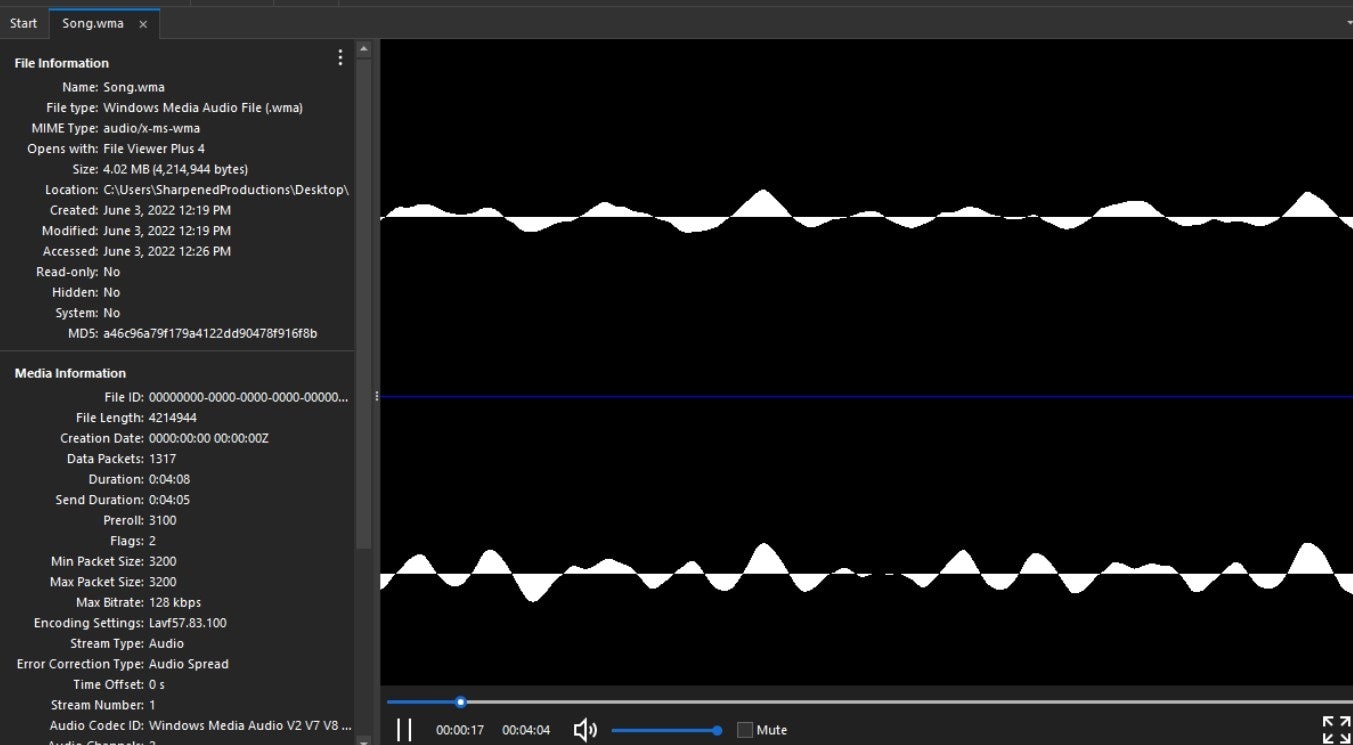
At its core, WMA is a proprietary technology that forms part of the Windows Media framework. While many users refer to WMA as a “format,” it is technically a codec that resides within the Advanced Systems Format (ASF) container. This container is a digital multimedia container format designed by Microsoft, specifically optimized for streaming media. When you see a file with the .wma extension, you are looking at an ASF file that contains audio data compressed with one of the Windows Media Audio codecs.
Compression Algorithms and Psychoacoustics
Like many other digital audio formats, the standard WMA codec relies on lossy compression. The primary goal of lossy compression is to reduce file size significantly while maintaining a level of audio quality that is acceptable to the human ear. WMA achieves this through psychoacoustic modeling. This process involves identifying sounds within an audio track that the human ear cannot easily perceive—such as very high frequencies or sounds masked by louder, concurrent noises—and removing that data during the encoding process.
The efficiency of WMA’s compression was its primary selling point during the early 2000s. Microsoft frequently claimed that WMA could provide the same audio quality as an MP3 at half the bitrate. While audiophiles often debated these claims, the technical reality was that WMA’s newer algorithms often outperformed the aging MP3 standard (MPEG-1 Audio Layer III) in low-bitrate scenarios, making it an ideal choice for the limited bandwidth of the early internet era.
The Four Pillars of WMA Codecs
WMA is not a monolithic entity; rather, it consists of four distinct codecs, each designed for a specific technical use case:
- WMA (Standard): The original lossy codec designed to compete with MP3. It supports constant bitrate (CBR) and variable bitrate (VBR) encoding. It was the default for Windows Media Player for over a decade.
- WMA Pro: A more advanced lossy codec designed for professional applications. It supports high-resolution audio (up to 24-bit/96 kHz) and multi-channel audio, including 5.1 and 7.1 surround sound. This made it a viable competitor to Dolby Digital in the early days of digital home cinema.
- WMA Lossless: Introduced to compete with formats like FLAC and Apple Lossless (ALAC), WMA Lossless compresses audio data without discarding any information. When the file is decoded, the audio is bit-for-bit identical to the original source. This is the preferred choice for archiving high-fidelity music collections.
- WMA Voice: A low-bitrate codec optimized for human speech. It is used in applications where bandwidth is extremely limited, such as early VoIP systems or radio broadcast archiving, where the priority is legibility rather than musical fidelity.
WMA vs. MP3 and AAC: The Battle for Bitrate Efficiency
When analyzing the WMA format, it is essential to compare it to its contemporaries. For years, the “format wars” defined how consumers interacted with digital media.
Performance at Low Bitrates
During the rise of portable media players, storage was at a premium. A device with 128MB of storage could hold roughly 30 minutes of music in high-quality MP3 format. However, using WMA at 64 kbps, users could theoretically double their library size without a massive drop-off in perceived quality. Technically, WMA utilized a more modern transform-based coding system than the original MP3 specification, allowing it to handle transients and high-frequency data more efficiently at lower data rates.
High-Resolution Capabilities
While the MP3 format eventually hit a ceiling in terms of technical advancement, Microsoft pushed WMA into the high-resolution space with WMA Pro. By supporting sampling rates up to 96 kHz and bit depths of 24-bit, WMA Pro positioned itself as a sophisticated tool for digital distribution of high-end audio. In contrast, standard MP3 is limited to a 48 kHz sampling rate and 16-bit depth. While AAC (Advanced Audio Coding) eventually surpassed WMA in global mobile adoption due to its integration with the Apple ecosystem, WMA Pro remained a technically superior choice for Windows-centric media servers and early HD-DVD formats.

Digital Rights Management (DRM) and the Ecosystem Challenge
One of the most significant—and controversial—features of the WMA format was its early and robust integration of Digital Rights Management (DRM). During the transition from physical CDs to digital downloads, record labels were terrified of piracy. Microsoft capitalized on this by offering a secure delivery system known as “Janus” DRM.
The “PlaysForSure” Era
The WMA format was the backbone of Microsoft’s “PlaysForSure” certification program. This was an attempt to create a unified ecosystem of online music stores and hardware manufacturers that could compete with the closed loop of iTunes and the iPod. If a user bought a WMA file from a store like Napster or MSN Music, the DRM would verify the license before allowing playback on a certified device.
While this was a technical achievement in security, it created significant friction for the end-user. Files protected by WMA DRM were notoriously difficult to move between devices, and if a music store went out of business, users often lost access to the licenses required to play their purchased files. This era cemented WMA’s reputation as a “corporate” format, contrasting with the “open” nature of MP3, though it provided the necessary security for the first legitimate digital music subscription services to exist.
Cross-Platform Compatibility and Modern Software Support
In the modern era of computing, the ubiquity of hardware-accelerated decoding has changed the way we view file formats. While WMA was once a Windows-only affair, its reach has expanded, though it still faces hurdles outside of its native environment.
Playing WMA on macOS, Linux, and Mobile Devices
Historically, playing a WMA file on a Mac required third-party plugins like Flip4Mac. Today, modern media players have largely solved these compatibility issues. Software such as VLC Media Player and FFmpeg-based tools can decode almost any flavor of WMA (excluding some older DRM-protected versions) on virtually any operating system.
On mobile platforms like Android and iOS, native support for WMA varies. While many third-party apps can handle the format, it is not the primary choice for mobile developers, who favor the globally standardized AAC or the open-source Ogg Vorbis and Opus formats. For users with large legacy WMA libraries, the challenge today is less about finding a player and more about ensuring the files are not tethered to defunct DRM servers.
Converting WMA to Modern Standards
For tech-savvy users, the WMA format is often seen as a source to be converted. Since WMA Lossless provides a perfect copy of the original audio, it can be transcoded to FLAC or ALAC without any loss in quality, ensuring future-proof access to the media. However, converting a lossy WMA file to another lossy format (like MP3) is generally discouraged. This process, known as “transcoding,” leads to generational loss, where the artifacts from both compression algorithms stack, resulting in a noticeably degraded audio experience.
The Current State and Future of WMA in a Streaming-First World
As we move deeper into the era of cloud computing and high-speed streaming, the relevance of local file formats like WMA has shifted. Today, streaming giants like Spotify use Ogg Vorbis or AAC, while Tidal and Apple Music lean into FLAC and ALAC for high-fidelity streaming.
Does WMA still have a place? Within the corporate and enterprise world, WMA remains a legacy standard for internal training videos, Windows-based presentation software, and archived data. Because it is deeply integrated into the Windows API, it remains an extremely low-overhead format for Windows-based developers to implement.
Furthermore, the WMA Lossless codec remains a highly efficient tool for those still operating within the Windows Media Center ecosystem or using legacy Windows Phone and Zune hardware. While it may no longer be the “future” of audio, its contribution to the development of efficient audio coding cannot be overstated. It pushed the industry toward better compression standards and forced the development of the high-resolution audio landscape we enjoy today.
In summary, a WMA file is a testament to a pivotal era in software engineering. It represents Microsoft’s ambitious attempt to define the digital media experience through superior compression and tight integration with the Windows operating system. Whether you are an audiophile looking at WMA Lossless or a casual user coming across an old library of 128 kbps tracks, understanding WMA is essential to understanding the evolution of the digital sound we consume every day.
aViewFromTheCave is a participant in the Amazon Services LLC Associates Program, an affiliate advertising program designed to provide a means for sites to earn advertising fees by advertising and linking to Amazon.com. Amazon, the Amazon logo, AmazonSupply, and the AmazonSupply logo are trademarks of Amazon.com, Inc. or its affiliates. As an Amazon Associate we earn affiliate commissions from qualifying purchases.