
In the world of technology, from building high-end gaming rigs to repairing the delicate internal components of a smartphone, the humble screw remains the primary mechanical fastener holding our digital lives together. However, few things are as frustrating to a technician or a DIY enthusiast as the sensation of a screw that simply refuses to “bite.” Whether you are dealing with a stripped head, a sheared thread, or an oversized bore in a plastic laptop chassis, a screw that does not tighten represents a failure in mechanical integrity that can lead to hardware instability, electromagnetic interference (EMI) leaks, or total device failure.

Understanding what to use when a screw does not tighten requires a deep dive into the intersection of materials science, precision tooling, and chemical engineering. In the tech niche, where tolerances are measured in microns, the solution is rarely as simple as “turning it harder.”
The Anatomy of Fastener Failure in Modern Electronics
Before addressing the solutions, it is vital to diagnose why the fastener is failing. In modern consumer electronics, hardware manufacturers have shifted toward miniaturization, using fasteners like M1.4 or M2 Torx and Pentalobe screws. These are often driven into soft materials like aluminum, magnesium alloys, or polycarbonate plastics.
Stripped Heads vs. Stripped Threads
There are two primary modes of failure. The first is the “stripped head,” where the drive geometry (the cross of a Phillips or the star of a Torx) has been rounded out, preventing the screwdriver from applying torque. The second, and often more difficult to manage, is “stripped threads.” This occurs when the internal threads of the hole (the female threads) or the external threads of the screw (the male threads) have been sheared off. In tech repair, this usually happens because of over-torquing or cross-threading during assembly.
Material Fatigue and Galvanic Corrosion
In high-performance computing hardware, heat cycles can cause materials to expand and contract at different rates. Over time, this can loosen a screw’s grip. Additionally, when two dissimilar metals—such as a steel screw and an aluminum chassis—come into contact in a humid environment, galvanic corrosion can occur, essentially “eating” the threads and leaving the screw spinning freely.
Essential Tools and Physical Remedies for Tech Repair
When a screw refuses to tighten due to minor thread wear or a slightly oversized hole, several physical interventions can restore the necessary friction.
The Friction-Enhancement Method
For screws that are still structurally sound but lack the “grip” to stay seated, specialized friction drops are the first line of defense. Products like “Screw Grab” or similar industrial-grade friction gels contain crushed diamonds or high-friction particulates suspended in a viscous base. Applying a single drop to the tip of the screwdriver or the screw head increases the “bite” between the tool and the fastener, allowing for that final quarter-turn of tension without slipping.
The Rubber Band and Manual Shimming
In a pinch, a wide, flat rubber band placed between the screwdriver tip and the screw head can provide enough grip to tighten a stubborn fastener. However, if the issue is within the hole itself, “shimming” is a common technique used in laptop repair. By placing a microscopic strand of copper wire (stripped from a standard gauge wire) into the hole before inserting the screw, you effectively reduce the diameter of the bore, giving the threads something to bite into. This is a common “field fix” for stripped plastic standoffs in older hardware.
Precision Extraction and Replacement Kits
If the screw will not tighten because the head is destroyed, you must use a precision extractor. High-end tech toolkits, such as those provided by iFixit or Wiha, include specialized “grabbing” bits designed to bite into rounded metal. Once the compromised screw is removed, it must be replaced with a fresh fastener. Reusing a compromised screw is a cardinal sin in hardware maintenance; the structural integrity is already gone.
Chemical Interventions: Threadlockers and Epoxies

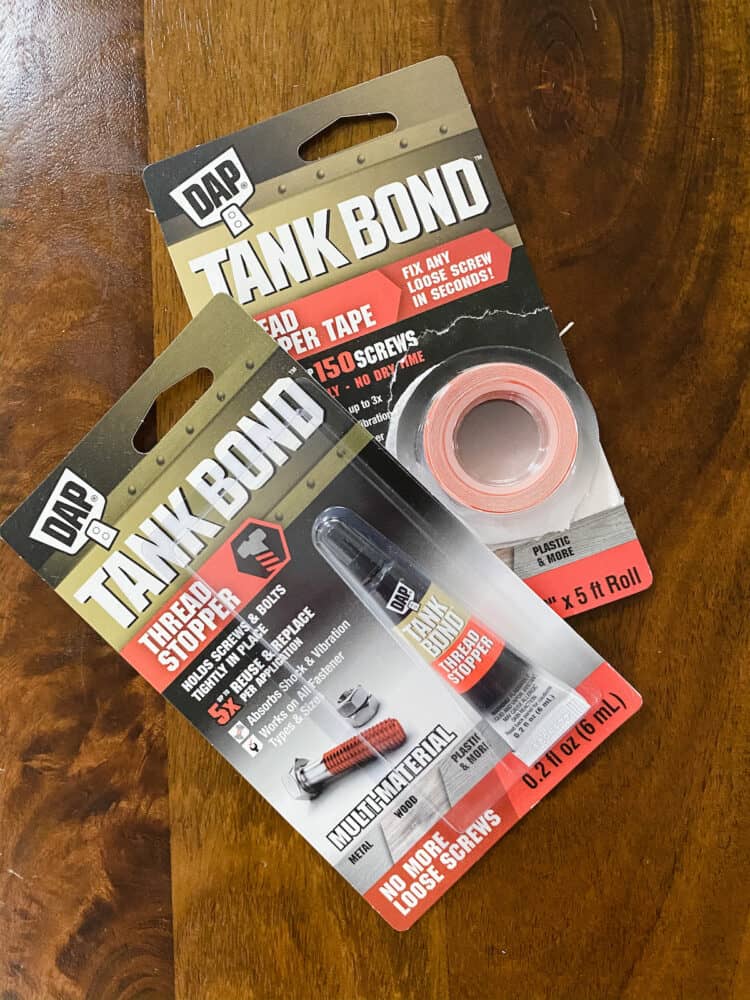
When physical tension is no longer an option, chemical engineering provides the solution. In the tech industry, the use of liquid threadlockers is standard practice for components subject to vibration, such as cooling fans, hard drive cages, and laptop hinges.
The Role of Anaerobic Adhesives
The most common solution for a loose screw is a threadlocking fluid, often referred to by the brand name Loctite. For electronics, “Blue” threadlocker (medium strength) is the industry standard. It is an anaerobic adhesive, meaning it cures only in the absence of air and the presence of metal. When you apply it to a screw that won’t stay tight, it fills the microscopic gaps between the threads and hardens into a tough plastic, locking the fastener in place while still allowing it to be removed with hand tools later.
“Red” vs. “Blue” and Electronic Safety
It is critical to never use “Red” (high strength) threadlocker on small electronics. Red threadlockers often require heat—sometimes upwards of 500 degrees Fahrenheit—to break the bond. Applying that much heat to a motherboard or a delicate GPU shroud would result in catastrophic thermal damage to the surrounding circuits.
Plastic-Specific Adhesives and Resins
Many modern gadgets use plastic housings where traditional threadlockers won’t work (since they require metal to cure). If a screw in a plastic standoff won’t tighten, a tiny amount of cyanoacrylate (super glue) or a two-part epoxy can be used to “rebuild” the hole. A more sophisticated method involves using a UV-cure resin. You can fill the stripped hole with resin, cure it instantly with a UV light, and then drive the screw into the new material, effectively tapping new threads into the hardened resin.
Structural Reconstruction: Heat-Set Inserts and Helicoils
In high-end tech manufacturing and custom PC modding, when a screw hole is completely “blown out,” simple adhesives aren’t enough. This requires a structural rebuild of the mounting point.
Heat-Set Brass Inserts
This is the gold standard for repairing stripped screw holes in 3D-printed parts or plastic laptop frames. If a screw won’t tighten because the plastic has crumbled, a technician can drill the hole slightly larger and press a threaded brass insert into the plastic using a soldering iron. The heat melts the plastic around the knurled exterior of the insert, creating a permanent, metal-threaded mounting point that is significantly stronger than the original plastic threads.
Helicoils for Metal Assemblies
In instances where a screw won’t tighten in a metal component—such as an aluminum radiator or a heavy-duty server rack—a Helicoil is the professional’s choice. A Helicoil is a precision-formed wire thread insert that is larger than the original hole. You tap the hole to a larger size, screw in the Helicoil, and it provides a new, high-strength stainless steel thread that matches the original screw size. This is frequently used in the aerospace and high-performance computing sectors to ensure that fasteners can be tightened to specific torque specs without the risk of future stripping.
Preventive Measures: Avoiding the “Loose Screw” Syndrome
In the tech niche, prevention is always more efficient than repair. Ensuring a screw never reaches the point where it won’t tighten involves disciplined workflow and the right equipment.
Torque-Limited Drivers
Professional assembly lines use electric drivers with precise torque clutches. For the home professional, using a torque-limited hand driver ensures that you never exceed the tensile strength of the fastener. When working on sensitive components like M.2 SSDs or CPU brackets, applying exactly 0.2 to 0.6 Newton-meters of torque prevents the deformation of threads that leads to loose screws.
Identifying Standards: Phillips vs. JIS
A common reason screws fail to tighten in tech is the use of the wrong driver standard. Many Japanese-made electronics (like cameras and consoles) use the JIS (Japanese Industrial Standard) rather than the standard Phillips. While they look identical, a Phillips driver will “cam out” of a JIS screw, rounding the internal geometry. Using the correct driver ensures that the screw can be fully seated and tightened without damage.
Proper Component Alignment
Often, a screw won’t tighten because the components it is holding are misaligned, causing the screw to enter at an angle (cross-threading). Always start screws by hand, turning them counter-clockwise until you hear a “click”—this signifies the threads have aligned—before tightening clockwise. This simple technical habit saves countless hours of repair work.
By combining the right tools, chemical stabilizers, and structural repair techniques, the problem of a screw that will not tighten becomes a manageable hurdle rather than a project-ending disaster. Whether through the application of a medium-strength threadlocker or the installation of a brass heat-set insert, restoring mechanical tension is essential for the longevity and safety of modern technology hardware.
aViewFromTheCave is a participant in the Amazon Services LLC Associates Program, an affiliate advertising program designed to provide a means for sites to earn advertising fees by advertising and linking to Amazon.com. Amazon, the Amazon logo, AmazonSupply, and the AmazonSupply logo are trademarks of Amazon.com, Inc. or its affiliates. As an Amazon Associate we earn affiliate commissions from qualifying purchases.