
In the competitive landscape of the “streaming wars,” Apple TV+ has carved out a distinct niche. Unlike platforms that prioritize a massive volume of licensed content, Apple has focused on a high-bitrate, high-production-value ecosystem built almost entirely on original intellectual property. For the tech-savvy consumer, the barrier to entry is often the $9.99 monthly subscription fee. However, the Apple ecosystem is designed with numerous “on-ramps” that allow users to access this premium content without an active paid subscription. By understanding the technical integration of Apple’s hardware and software services, users can unlock months—or even years—of high-fidelity entertainment for free.
Understanding the Apple TV+ Software Ecosystem
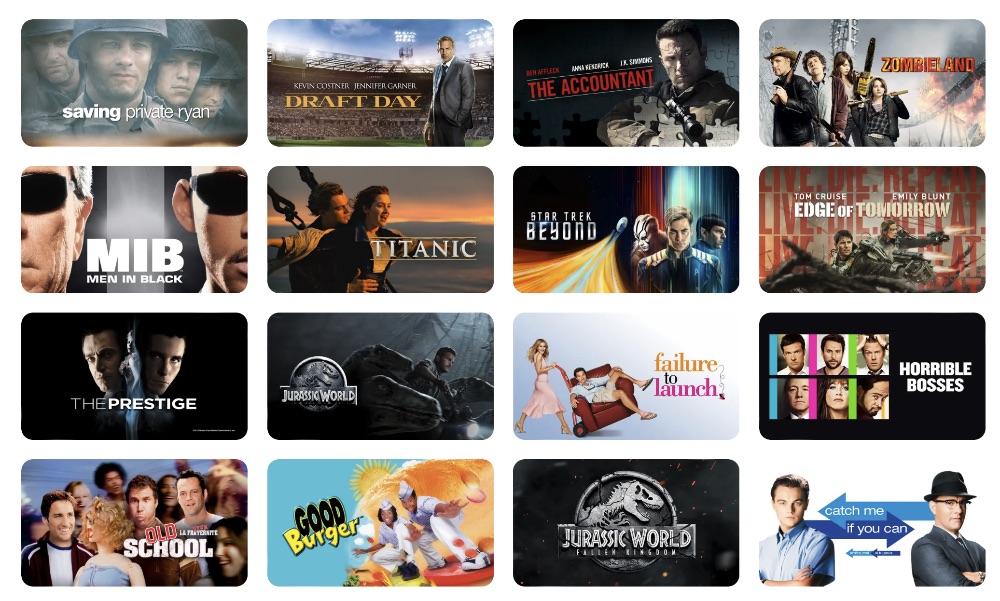
To navigate free access, one must first understand the distinction between the Apple TV app and the Apple TV+ service. The Apple TV app functions as a centralized hub or “aggregator” for various digital media, including purchased iTunes movies, third-party streaming integrations (like Disney+ or HBO Max), and live sports. Apple TV+, conversely, is the specific subscription-based SVOD (subscription video on demand) service housed within that app.
The Technical Advantage of the Apple TV App
The app is available across an expansive array of hardware beyond the Apple ecosystem, including Roku, Amazon Fire TV, PlayStation, Xbox, and modern Smart TVs (LG, Samsung, Sony). This cross-platform availability is a deliberate software strategy to expand the user base. From a technical standpoint, Apple TV+ is frequently cited for having the highest 4K streaming bitrates in the industry, often peaking at 30-40 Mbps. This provides a visual fidelity that rivals physical media, making it a favorite for users with high-end OLED displays and Atmos-enabled sound systems.
Utilizing the “Free Premieres” Feature
One of the most straightforward ways to watch content on Apple TV+ for free is through the “Free Premieres” section of the app. Apple periodically unlocks the first few episodes of its flagship series to entice non-subscribers. This does not require a credit card or a trial sign-up; it simply requires an Apple ID. Historically, shows like Ted Lasso, The Morning Show, and Severance have had their pilot episodes made available for free. This is a strategic UX choice to lower the friction of discovery, allowing users to test the streaming quality and narrative hook before committing to a trial.
Strategic Hardware Acquisitions and Trial Mechanics
The most common method for obtaining free access to Apple TV+ is through hardware-tied promotions. Apple’s business model often treats its services as a value-add for its high-margin hardware.
The 3-Month Hardware Perk
Currently, any purchase of a new iPhone, iPad, Mac, or Apple TV 4K box comes with a complimentary three-month subscription to Apple TV+. This is an “entitlement” linked to the device’s serial number and the Apple ID used during the initial setup. Users have a 90-day window from the date of device activation to claim the offer. From a digital management perspective, this is handled through the “Settings” menu on the device, where a dedicated “Apple TV+ Included Free” banner appears.
The Student Bundle and Education Discounts
For users in the education sector, the Apple Music Student Plan provides an incredible technical loophole. For a discounted monthly rate (often around $5.99), students get access to Apple Music and—at no additional cost—full access to Apple TV+. While not “free” in the absolute sense, for someone already paying for a music service, the video component becomes a zero-cost add-on. This is managed through the UNiDAYS verification system, which authenticates the user’s digital academic credentials.
Partner Platforms and Third-Party Digital Promotions
Beyond Apple’s own hardware, several tech partners offer extended trials that can be stacked or used sequentially to maintain access to the library.
Gaming Console Integrations
Sony and Microsoft have frequently partnered with Apple to offer extended trials to their user bases. For instance, PlayStation 5 owners have historically been eligible for a six-month free trial, while PS4 owners were offered three months. These offers are accessed by downloading the Apple TV app on the console and signing in with an Apple ID. The software recognizes the console’s unique hardware ID and triggers the promotional offer.
Retailer and Carrier Perks
Retail giants like Best Buy and Target often include free Apple TV+ trials (ranging from 3 to 4 months) with their loyalty programs, such as Target Circle or My Best Buy. These do not even require a purchase; simply having a digital account with the retailer often grants access to a promotional code. Similarly, mobile carriers like T-Mobile have integrated “Apple TV+ on us” into their Go5G Next and Go5G Plus plans. This is a server-side integration where the carrier pays the subscription fee on behalf of the user, effectively making it a permanent “free” feature of the mobile plan.
The Technical Implementation of Family Sharing
A highly underutilized technical feature of the Apple ecosystem is “Family Sharing.” If one person in a household has access to Apple TV+—whether through a paid subscription, a hardware trial, or a carrier perk—they can share that access with up to five other people.
Setting Up the Digital Household
Family Sharing works by linking Apple IDs into a single “Family Group.” The “Organizer” enables service sharing, and the entitlements for Apple TV+ are automatically propagated to the other accounts in the group. Each user maintains their own “Up Next” queue, personalized recommendations, and watch history. This is a sophisticated cloud-based permission system that ensures privacy while sharing a single digital asset. If you have a friend or family member with a “free” year from a MacBook purchase, they can technically extend that free access to you with a few taps in the iCloud settings.
What to Watch: Leveraging Free Access for High-Tech Storytelling
Once you have secured free access through one of the methods above, the question becomes: what is worth your bandwidth? Apple TV+ has focused heavily on “Prestige Sci-Fi,” which leverages modern CGI and sound design to push the limits of home theater tech.
Severance: A Masterclass in Cinematography
Severance is arguably the platform’s most critically acclaimed tech-thriller. It explores the concept of “biotechnology” used to split a human’s consciousness between their work and personal lives. The show’s sterile, minimalist aesthetic is a perfect test for a monitor’s color accuracy and black levels. From a technical standpoint, the direction by Ben Stiller uses symmetrical framing that rewards high-resolution viewing.
Silo and Foundation: Pushing the Limits of HDR
For those looking to stress-test their 4K HDR displays, Silo and Foundation are the gold standards. Silo features intricate, dark environments that require a high dynamic range to resolve detail in the shadows. Foundation, based on Isaac Asimov’s novels, is perhaps the most visually ambitious show on television. Its use of Dolby Vision allows for incredibly bright highlights (like the “Space Elevator” sequences) contrasted against the deep blacks of space. Watching these shows for free feels like a “tech demo” for what modern streaming bitrates can achieve.
For All Mankind: Alt-History Tech
For All Mankind is a must-watch for tech enthusiasts and space buffs. It explores an alternate history where the global space race never ended. The show’s technical advisors have gone to great lengths to simulate realistic lunar physics and period-accurate (though accelerated) NASA technology. As the series progresses into its later seasons, it visualizes future-tech concepts like nuclear thermal propulsion and Martian colonization with stunning scientific groundedness.
Maximizing the Technical Performance of Your Free Stream
To ensure you are getting the most out of your free access, it is vital to configure your playback device correctly.
- Check for 4K/HDR Support: Ensure your streaming device (Roku, Apple TV 4K, or Smart TV) is connected to an HDMI 2.0 or 2.1 port that supports HDCP 2.2. Without this, the software will throttle the stream to 1080p.
- Audio Configuration: Apple TV+ supports Dolby Atmos. If you are using a compatible soundbar or home theater receiver, ensure that “Bitstream” or “Auto” is selected in your device’s audio settings to allow the raw Atmos metadata to pass through.
- Data Usage: Because Apple uses such high bitrates, an hour of 4K content can consume up to 7-8 GB of data. If you are watching on a mobile device or have a data cap, navigate to the app settings to adjust “Streaming Quality” to “Data Saver” if necessary, though this will compromise the visual fidelity.
By strategically utilizing hardware trials, retailer promotions, and the Family Sharing protocol, users can maintain a continuous stream of Apple’s premium content for free. In an era where subscription fatigue is real, mastering the technical “loopholes” of the Apple ecosystem is the most efficient way to enjoy some of the best-engineered content in the digital age.
aViewFromTheCave is a participant in the Amazon Services LLC Associates Program, an affiliate advertising program designed to provide a means for sites to earn advertising fees by advertising and linking to Amazon.com. Amazon, the Amazon logo, AmazonSupply, and the AmazonSupply logo are trademarks of Amazon.com, Inc. or its affiliates. As an Amazon Associate we earn affiliate commissions from qualifying purchases.