
In the contemporary digital landscape, data is often referred to as the “new oil.” However, raw data, much like crude oil, is of little use until it is refined, processed, and visualized. Learning how to graph in the modern era is no longer just a requirement for mathematicians or statisticians; it is a fundamental skill for software developers, data scientists, and tech-savvy professionals across all industries. As we move further into a world dominated by Big Data and Artificial Intelligence, the tools and methodologies we use to represent complex information have evolved from simple line drawings to dynamic, multi-dimensional, and interactive digital experiences.
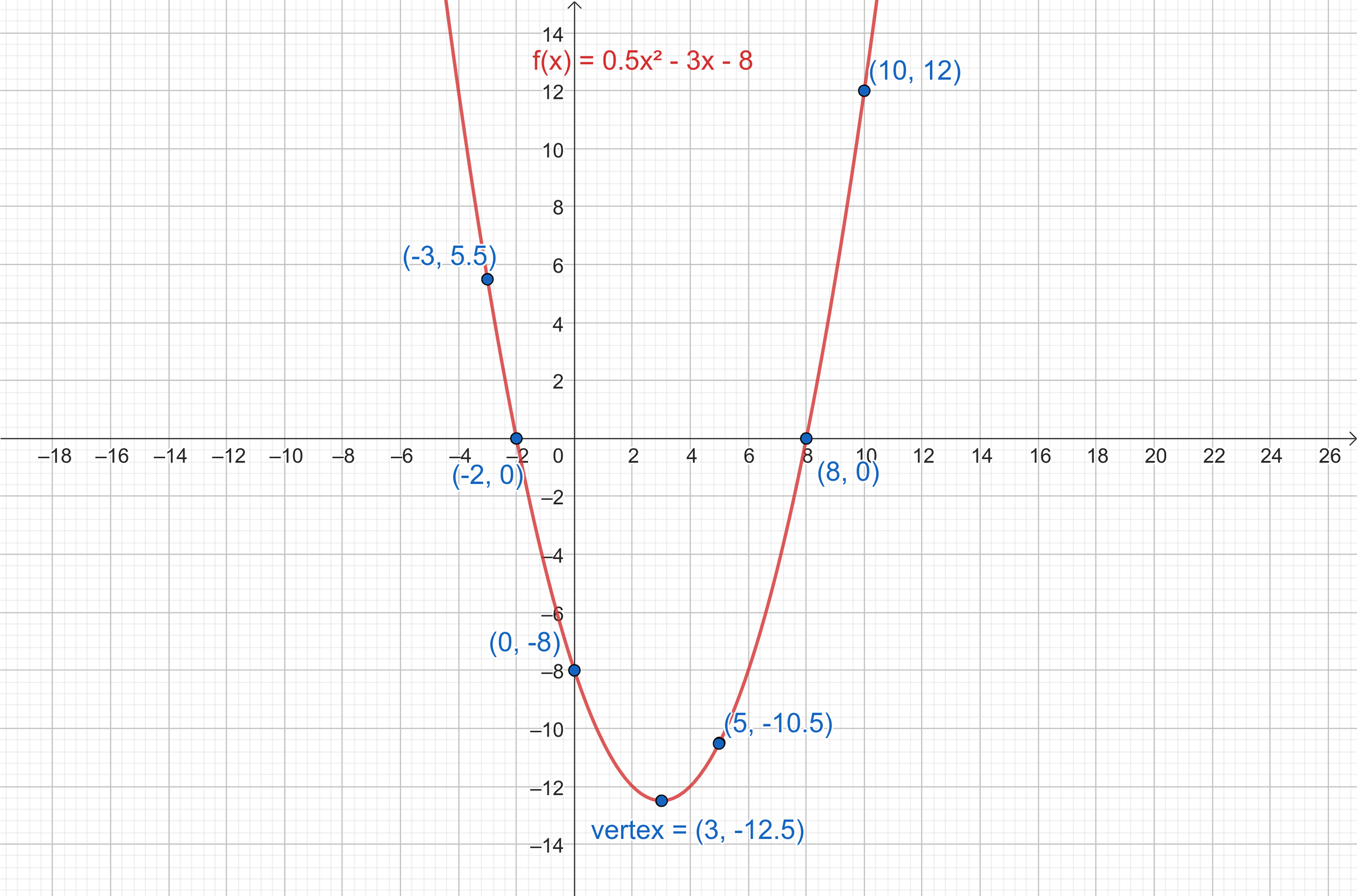
This guide explores the technological ecosystem of graphing, covering everything from foundational spreadsheet software to advanced programming libraries and the emerging role of AI in automated visualization.
Leveraging Software Ecosystems for Precise Data Representation
The first step in understanding how to graph involves choosing the right software stack. For decades, the digital graph was synonymous with basic spreadsheet applications. Today, while those foundations remain, the “tech” behind them has become significantly more sophisticated, integrating cloud computing and real-time collaboration.
Mastering Spreadsheet Logic for Dynamic Charts
Microsoft Excel and Google Sheets remain the entry points for most technical graphing. However, the modern approach goes beyond highlighting a range of cells and clicking “Insert Chart.” Advanced tech users leverage pivot tables and dynamic named ranges to ensure that graphs update automatically as new data flows into the system.
In a professional tech environment, “how to graph” involves setting up data pipelines. By utilizing Power Query in Excel or Google Apps Script in Sheets, users can pull data directly from APIs or SQL databases. This technical integration ensures that your graphs are not just static snapshots but living visualizations of backend processes.
Specialized Graphing Apps for Complex Scientific Data
When standard spreadsheets reach their limit, specialized software like OriginPro, GraphPad Prism, or Wolfram Mathematica takes over. These tools are designed for high-resolution output and complex statistical analysis. In the tech sector, particularly in R&D and hardware engineering, these applications provide the granular control needed for logarithmic scales, non-linear regression analysis, and 3D surface mapping that standard consumer software cannot handle efficiently.
High-Performance Graphing through Programming and AI Tools
For software engineers and data analysts, graphing is often a programmatic endeavor. Moving away from “drag-and-drop” interfaces toward “code-based” visualization allows for infinite customization, reproducibility, and the ability to handle datasets that would crash traditional software.
The Power of Libraries: Matplotlib, Seaborn, and Plotly
Python has emerged as the leading language for data visualization. Learning how to graph in Python requires an understanding of its robust library ecosystem.
- Matplotlib serves as the foundational library, providing a low-level interface that allows developers to control every pixel of a graph.
- Seaborn sits on top of Matplotlib, offering a more high-level, aesthetically pleasing interface specifically designed for statistical plotting.
- Plotly represents the next generation of graphing tech, enabling the creation of interactive, web-based charts that allow users to hover over data points, zoom in on specific clusters, and toggle variables in real-time.
Developing the skill to script these graphs means you can automate the generation of thousands of reports with a single command, a level of efficiency that is central to modern DevOps and data engineering workflows.
Integrating AI Agents for Automated Visualization
The newest frontier in the “how to graph” journey is Generative AI. Tools like ChatGPT (Advanced Data Analysis), Claude, and specialized AI visualization agents are changing the workflow. Instead of writing code from scratch, tech professionals are now using natural language prompts to describe the relationship they want to see.
However, the “tech” skill here is prompt engineering and verification. An AI can generate a graph in seconds, but a professional must understand the underlying data architecture to ensure the AI hasn’t hallucinated trends or misapplied scaling factors. This synergy between human oversight and AI execution is the current gold standard in technical data visualization.

Interactive and Real-Time Dashboarding Technologies
As businesses move toward real-time decision-making, the static graph is being replaced by the interactive dashboard. This shift requires a different technical mindset—one that blends data science with UI/UX design.
Transforming Static Data into Live Streams
Modern graphing tech often involves tools like Tableau, Power BI, and Grafana. These platforms are designed to connect to live data streams (such as server logs, IoT sensor data, or live user metrics) and visualize them with minimal latency.
Learning how to graph in this context means understanding data connectivity. It involves setting up “Refresh Rates” and “Incremental Refreshes” so that the graph on the screen reflects what is happening in the data center at that exact moment. For a site reliability engineer (SRE), a graph isn’t just a report; it’s a diagnostic tool that identifies system outages or traffic spikes in real-time.
UI/UX Principles for Technical Data Dashboards
A graph is a communication tool. In the tech world, “how to graph” also includes the design philosophy of data visualization. This involves choosing the right chart type—using heat maps for density, scatter plots for correlation, and Sankey diagrams for flow.
Technical visualization also requires an understanding of “Data-Ink Ratio,” a concept popularized by Edward Tufte. In professional tech circles, the goal is to strip away non-essential elements (like excessive gridlines or 3D effects) to ensure the data remains the focus. This minimalist, high-functionality approach is what separates a professional technical graph from a basic one.
Future Trends: 3D Visualization and Augmented Reality Graphs
As we look toward the future, the medium through which we interact with graphs is shifting. We are moving beyond the flat screen and into spatial computing.
Beyond 2D: The Rise of Spatial Data Visualization
With the advent of high-performance GPUs and spatial computing headsets like the Apple Vision Pro or Meta Quest, “how to graph” is entering the third dimension. 3D graphing allows for the visualization of multi-variable data that would be impossible to represent on a 2D plane. For example, in aerospace engineering or fluid dynamics, 3D vector fields allow researchers to “walk through” their data, observing patterns from angles that a computer monitor cannot provide.
Leveraging GPU Acceleration for Real-Time Rendering
The sheer volume of data produced by modern tech—terabytes per second in some instances—requires massive computational power to visualize. Modern graphing libraries are increasingly leveraging WebGL and GPU acceleration to render millions of data points smoothly.
Technologies like NVIDIA’s RAPIDS and cuXfilter allow data scientists to perform “man-in-the-loop” exploration, where they can manipulate a graph representing billions of rows of data and see it update instantly. This level of performance is the pinnacle of current graphing technology, transforming data exploration from a batch-processing chore into an instantaneous, intuitive experience.
Conclusion: The Professional Path to Data Literacy
Understanding how to graph is a journey from simple data entry to complex system architecture. It begins with mastering the logic of spreadsheet software, moves into the precision of programmatic scripting, scales up to interactive enterprise dashboards, and eventually reaches the cutting edge of spatial and GPU-accelerated visualization.
In the tech industry, a graph is more than a picture; it is a bridge between the digital world of binary code and the human world of decision-making. By mastering these tools and techniques, you ensure that your data is not just seen, but understood, providing the insights necessary to drive innovation in an increasingly data-driven world. Whether you are using a Python script to analyze machine learning models or a Grafana dashboard to monitor a global cloud network, the ability to graph effectively remains one of the most vital “hard skills” in the modern technological toolkit.
aViewFromTheCave is a participant in the Amazon Services LLC Associates Program, an affiliate advertising program designed to provide a means for sites to earn advertising fees by advertising and linking to Amazon.com. Amazon, the Amazon logo, AmazonSupply, and the AmazonSupply logo are trademarks of Amazon.com, Inc. or its affiliates. As an Amazon Associate we earn affiliate commissions from qualifying purchases.